Looking for a Make alternative? The 10 best automation platforms of 2026 compared, AI-native, no-code, and free options included.

Time to move on from Make?
Make (formerly Integromat) has been a cornerstone of the automation world for years. Most people know it as the power user's alternative to Zapier. It's a visual-first, no-code platform built for automation consultants, technically-minded teams, and anyone who naturally thinks in flowcharts. Make now powers over 500,000 organizations globally, connects to 3,000+ apps, and the team keeps shipping.
But if you've been using Make, or eyeing it as an option, you've probably run into some familiar pain points:
The learning curve is real. Modules, routers, iterators, aggregators. There's a lot to wrap your head around. Most users report needing several hours just to feel comfortable building multi-step scenarios, and non-technical folks often need significantly longer.
Pricing can spiral fast. Make's credit-based billing sounds straightforward at first, but AI-powered modules and advanced features can consume your allowance at unpredictable rates. A complex AI scenario processing large documents can blow through a month's budget in days.
Reliability frustrations persist. Errors, performance hiccups, and unexpected scenario failures remain a common complaint across review sites and community forums.
The AI experience still trails purpose-built tools. Make has added AI agents and an AI toolkit, but the agentic experience still isn't as seamless or intuitive as platforms designed from the ground up for AI-human collaboration.
If any of that resonates, or you just want to see what else the 2026 automation landscape has to offer, you're in the right place.
TL;DR
Here's a quick overview of our picks at a glance. Of all the Make alternatives we've tested, these are the 10 we recommend in 2026:
Relay.app: The most intuitive automation platform, with AI chat-based building and access to top AI models built-in. User friendly and powerful, for non-technical and technical teams alike.
Zapier: The widest integration library (8,000+ apps) with AI agents, chatbots, and MCP support.
Workato: Enterprise iPaaS with agentic AI and 1,200+ connectors.
Tray: Enterprise AI orchestration with pre-built agent accelerators and governance for IT teams.
Power Automate: The natural choice if your organization runs on Microsoft 365.
ActivePieces: Open-source, 670+ integrations, and the largest MCP toolkit, free to self-host.
Pipedream: Developer-focused with 3,000+ integrations and custom code support in multiple languages.
n8n: Open-source with 500+ integrations, visual building plus custom code, and full self-hosting.
Integrately: A budget-friendly option with 20M+ pre-built automations across 1,500+ apps.
Albato: The most affordable pick, starting at $15/month, with a clean UI and a custom app integrator.
For most individuals and small-to-medium businesses, Relay.app is the right starting point. If you're at enterprise scale, need to self-host, or are deeply embedded in the Microsoft ecosystem, there's a more specific fit further down the list.
What to look for in a Make alternative
If you're shopping for a Make alternative, you probably have a specific frustration driving the search. Maybe you need something easier to learn, more reliable at scale, or more affordable as your automation footprint grows. But whether you're new to the space or just want to make sure you're comparing apples to apples, here's what we think matters most, and what we used as criteria for every tool on this list:
🖼 Intuitive interface
The whole point of automation platforms is to let people who don't write code build automated workflows. So the single most important criterion is how intuitive the tool is for less technical users. Can a novice get up and running quickly? Is there a modern drag-and-drop builder? Is it clear how to test, debug, and fix complex workflows? Do you need to understand APIs, or can you work with simpler constructs?
Make's interface is visual, but it's notoriously complex. If you're not used to thinking in flowcharts or debugging multi-branch logic, it can feel intimidating and time-consuming. Reviewers consistently flag a steep learning curve for multi-step scenarios, and non-technical users often need much longer to get productive. If that complexity is what's pushing you to look elsewhere, make this your #1 priority.
🤖 AI and agentic capabilities
In 2026, AI isn't a nice-to-have. It's the engine driving modern automation. We've moved past the experimentation phase. AI agents are now full-fledged workflow engines: detecting work, initiating actions, completing multi-step tasks, and collaborating with each other via protocols like MCP and A2A. Multi-agent orchestration is going mainstream, and governance-as-code is emerging as the must-have for keeping agents aligned, secure, and compliant at scale.
So your next platform needs to make AI genuinely easy to use. Can you describe what you want in plain language and get a working agent? Can you experiment with different AI models without juggling separate API keys? Can you build AI agents that take autonomous action? Can you add a human-in-the-loop to review and approve AI outputs before they execute? Do you get access to leading models like GPT, Claude, Gemini, Llama, and DeepSeek?
Even if you don't need full agentic capabilities today, how a platform answers these questions tells you a lot about how innovative and future-proof it really is.
🖇 Integrations
An automation tool is only as good as the apps it connects. You need pre-built connectors for the tools your team actually uses. Most platforms cover the basics like Gmail, Google Drive, Slack, Notion, Salesforce, and HubSpot. But before committing, double-check that the platform supports the specific triggers and actions your workflows require.
Coverage varies wildly across the field. Zapier leads with 8,000+, Pipedream offers 3,000+, and platforms like ActivePieces (670+) and n8n (500+) are still growing fast. If you rely on niche or industry-specific software, this could be your deciding factor.
💰 Price and value
Most automation tools use a mix of fixed monthly plans and usage-based pricing, and the details matter more than you'd think. Make's billing can get expensive fast, especially when AI-powered features consume credits at unpredictable rates. So don't just compare sticker prices. Dig into how each platform meters usage and what you actually get per dollar.
Do you need multi-step workflows? Advanced conditional logic? Built-in AI credits? Make sure the platform you choose offers competitive, transparent pricing that won't catch you off guard as your automation scales.
The 10 best Make alternatives in 2026
1.
Relay.app
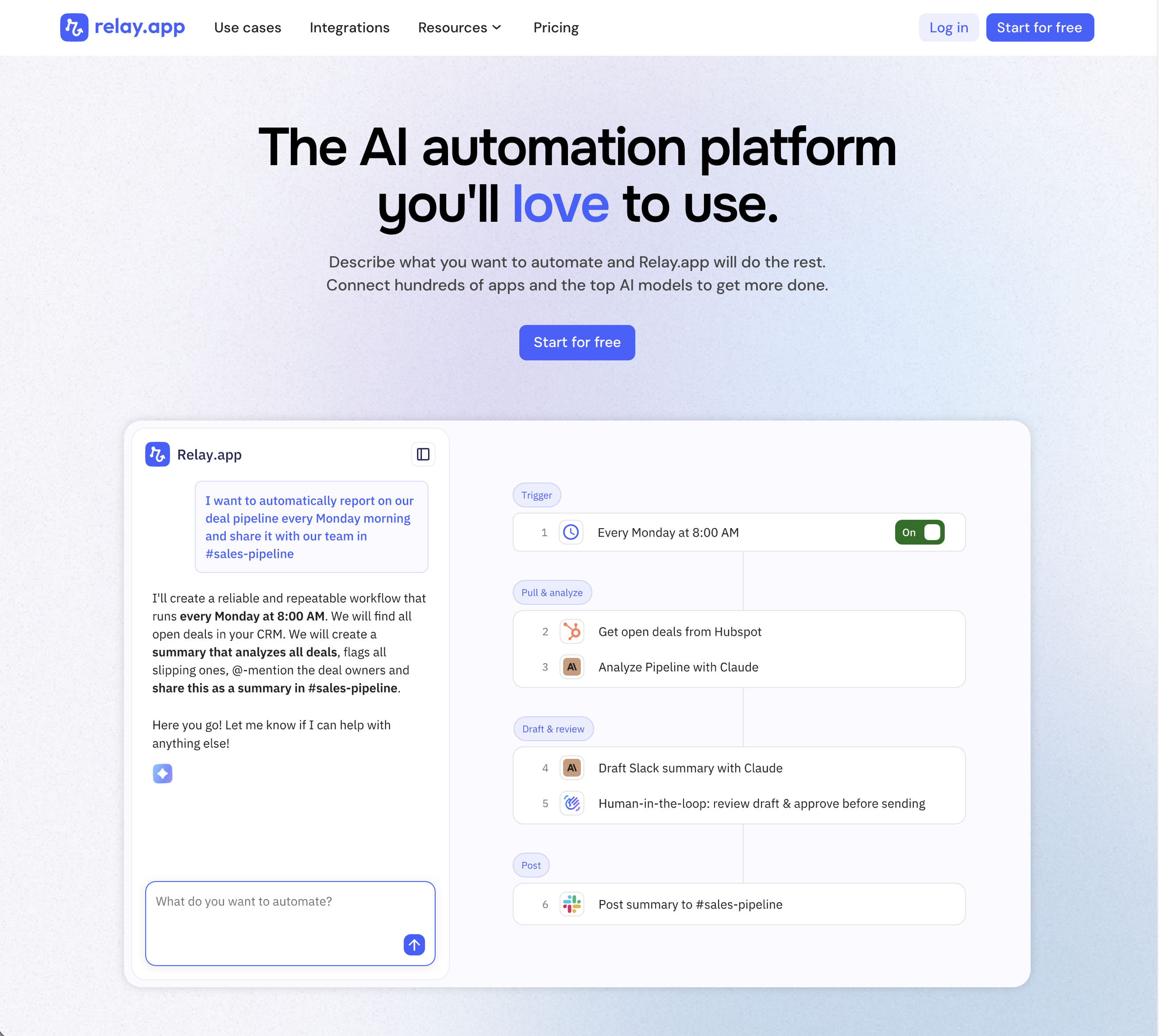
Relay.app is the most intuitive way to automate with AI. Just describe what you want to automate, and Relay.app will build a reliable, visual workflow for you. Relay.app connects with 200+ apps and all the top AI models. Non-technical users who have struggled with less user-friendly tools like Zapier or Make can easily create AI workflows in minutes, while longtime automation experts have all the advanced tools they need to build complex flows.
Product details
Designed to be intuitive to use: Relay.app is thoughtfully designed for individuals and teams of all technical abilities, from novice to expert.
An AI assistant optimized to build workflows for you: Chat with the AI assistant to build, test, and optimize workflows. It will proactively spot issues and make suggestions for you.
Hundreds of native integrations, plus custom API calls: 200+ deeply built, first-class native integrations. Don't see your app on the list? Just describe what you need and Relay.app's AI assistant will write a custom API call for you.
Collaborative building: Share workflows and app connections across your team for seamless multiplayer automation.
Human-in-the-loop oversight: Bring a teammate in when you need real life approvals, data entry, or manual review.
Universal AI credits for any AI model: Access the best models from OpenAI, Anthropic, and more using included AI credits.
Predefined processes for token efficiency: Set up a token-free structure for repeated work and limit AI tool calls to just the places you need them.
Technical power: Advanced users can go further with rich native tables, custom JavaScript steps, MCP servers, and custom HTTP requests.
Pricing
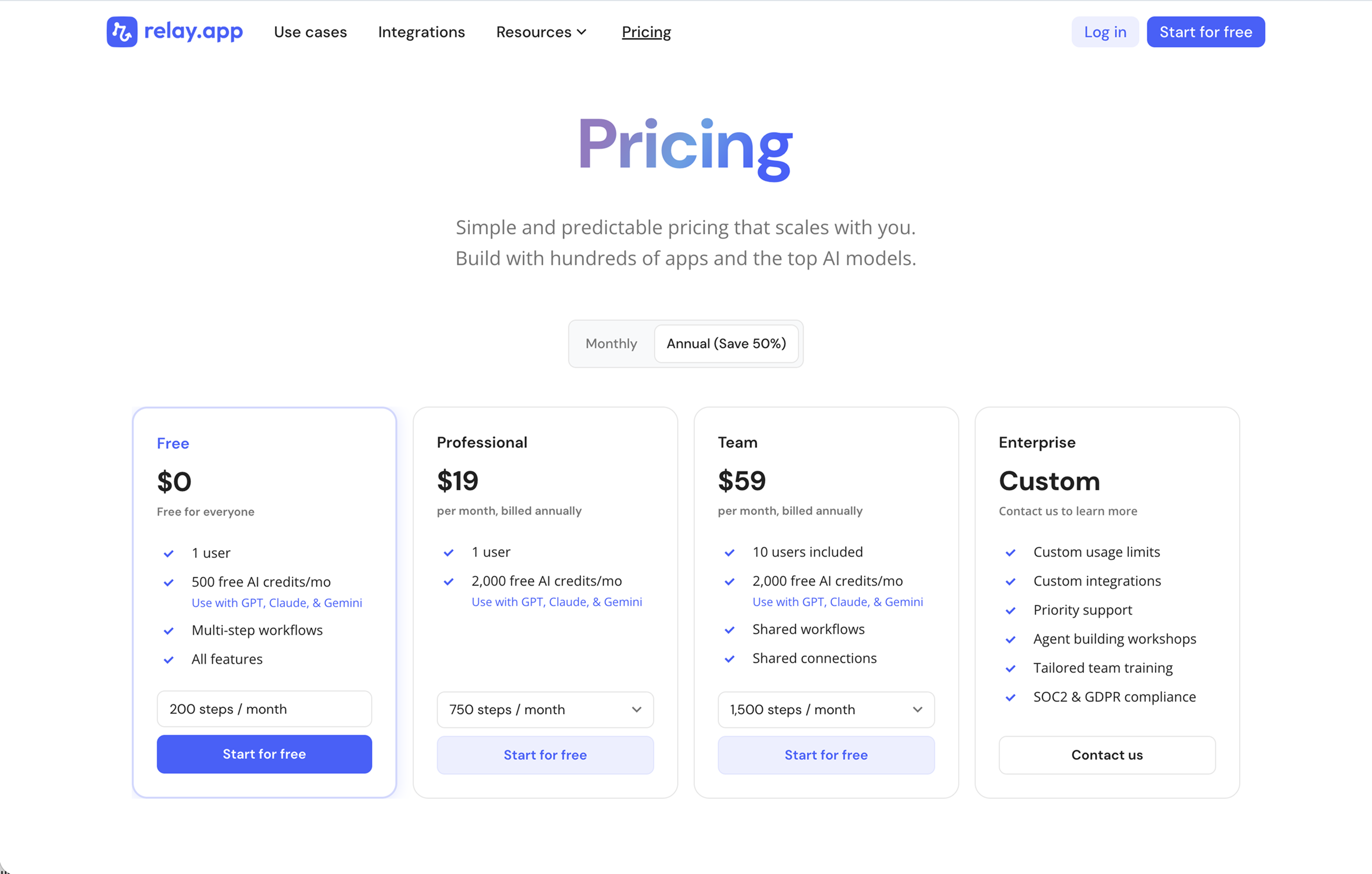
Relay.app's plans scale with your usage and team, starting with a generous free tier. All plans include free test runs that refresh every week so you can make sure everything works perfectly before you start paying.
Free: $0/month for 1 user, 200 steps, and 500 AI credits
Professional: $19/month (billed annually) for 1 user, 750 steps, and 2,000 AI credits
Team: $59/month (billed annually) for up to 10 users, 1,500 steps, and 2,000 AI credits
Enterprise: Custom pricing for organizations with advanced usage or security requirements
2.
Zapier
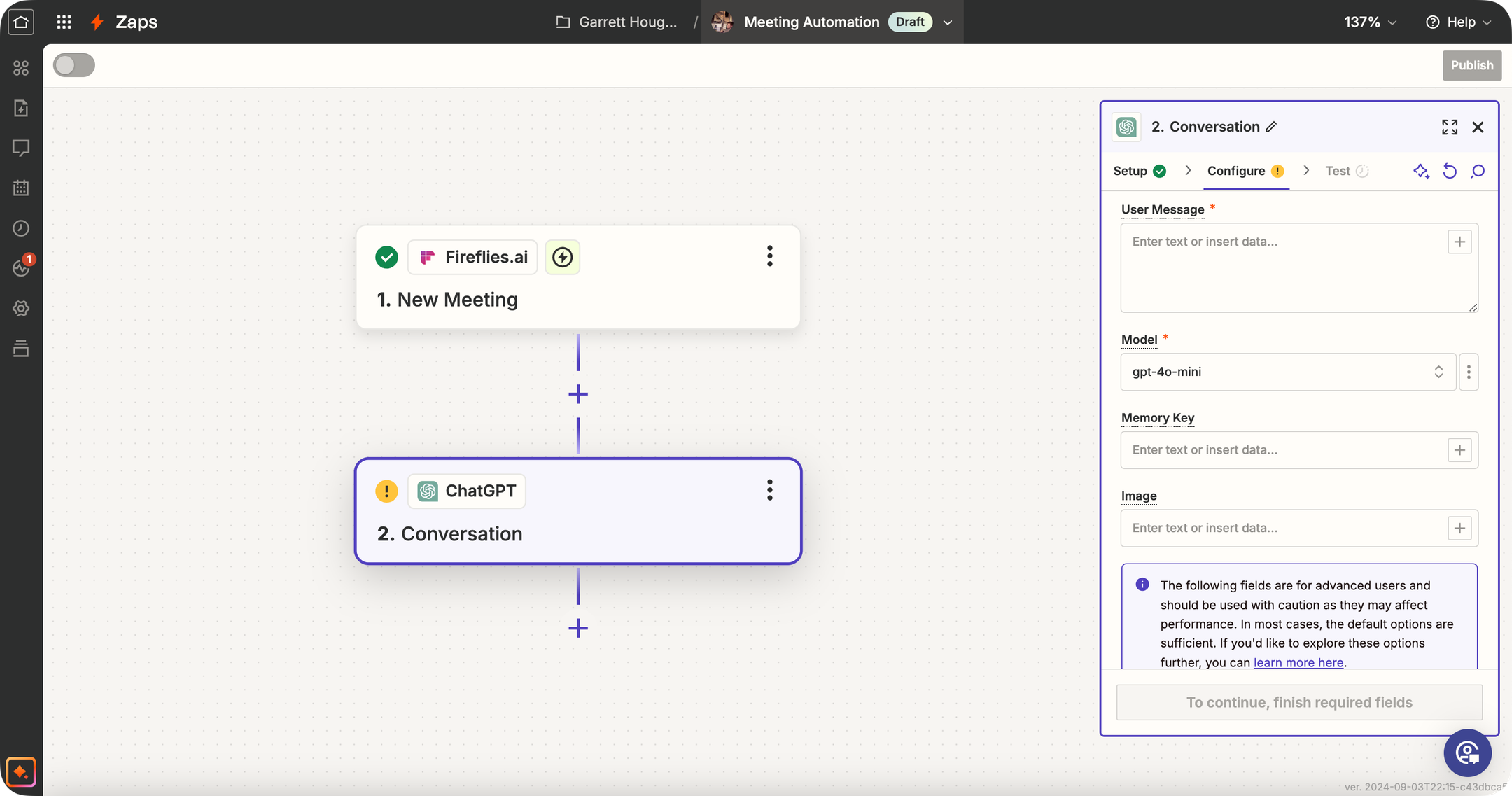
Zapier is one of the best-known automation tools (the "OG" of no-code workflows) that has significantly expanded its AI capabilities. Traditionally, Zapier connects your apps: "When X happens in app A, do Y in app B." Now, Zapier offers dedicated AI Agents, AI Chatbots, Canvas, and Model Context Protocol (MCP) support. While Zapier isn't an AI-specialized platform like some others, its primary strength is the 9,000+ app integrations it supports. This means you can trigger AI agents based on almost any event (new email, form submission, CRM update, you name it) and then have the AI perform an action or generate content as part of the Zap.
Product details
Massive integration ecosystem: Zapier connects with over 9,000 apps, so your AI agent can interact with nearly any tool your business uses.
Mature product and platform: Zapier has a reputation for dependable execution of workflows, extensive documentation, and a lot of community support.
Extensive template library: Thousands of pre-built Zap templates (including many with AI) can help get you started quickly.
Expanding AI toolkit: Zapier offers dedicated AI Agents, Chatbots, Canvas, and MCP support alongside its core automation platform.
Enterprise-grade governance: Administrators can define strict action restrictions, manage connections, and bring their own AI models (BYOM) securely.
Legacy complexity: Being a long-time champion of the space means they have many years of added features, making it more difficult to evolve quickly compared to modern alternatives.
Pricing
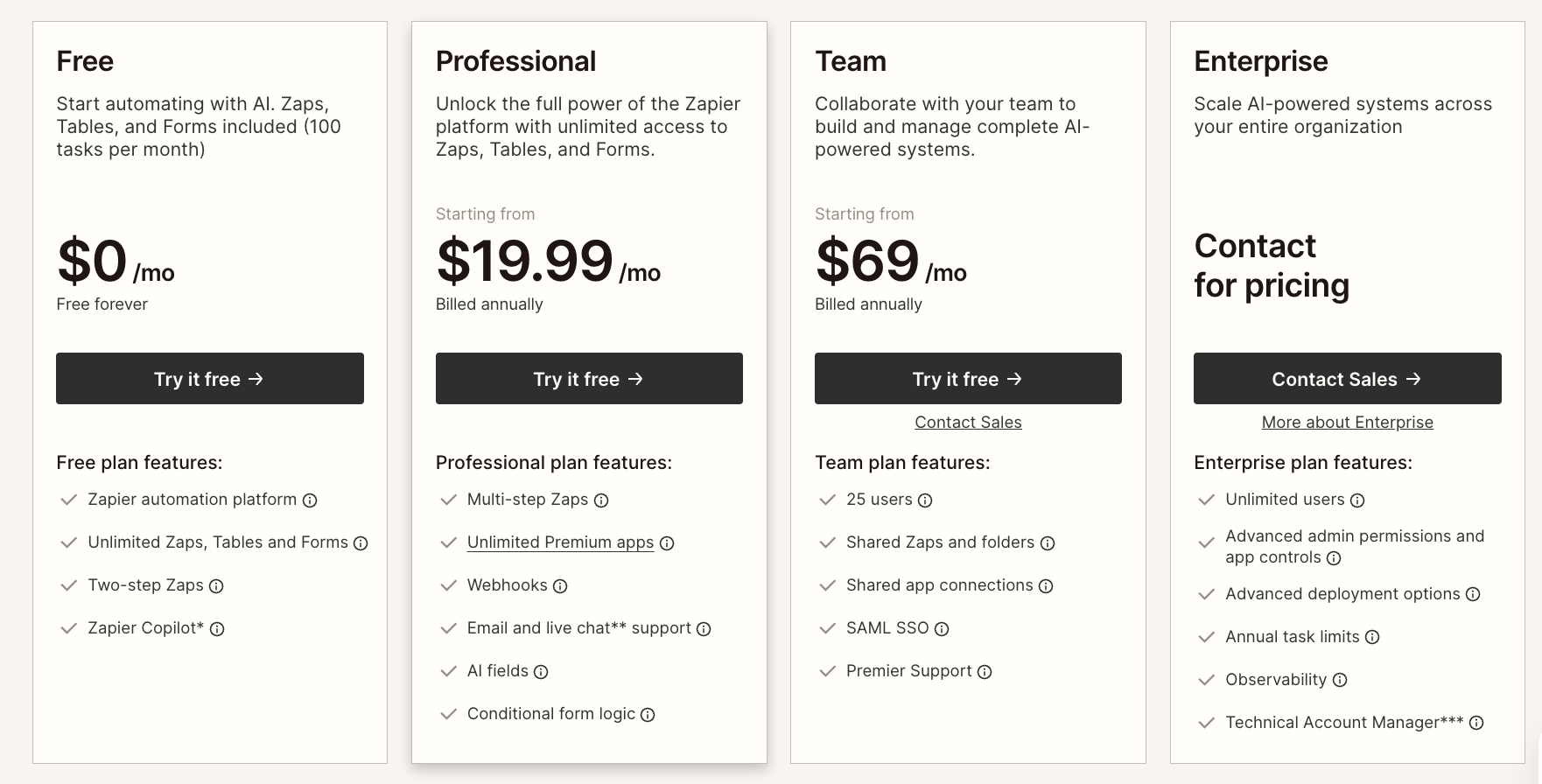
Zapier offers task-based plans for workflow automation alongside separate usage tiers for AI Agents and Chatbots.
Free: $0/month for 100 tasks, two-step Zaps, Tables, Forms, and Zapier MCP
Professional: $19.99/month (billed annually) for multi-step Zaps, unlimited premium apps, and AI fields
Team: $69/month (billed annually) for 25 users, shared Zaps, and SAML SSO
Enterprise: Custom pricing for unlimited users, advanced admin controls, and observability
AI Agents: Free for 400 activities/month or $33.33/month for 1,500 activities
Chatbots: Free for 2 chatbots, $13.33/month for 5 chatbots, or $66.67/month for 20 chatbots
3.
Workato

Workato is an enterprise-grade iPaaS (Integration Platform as a Service) that has expanded into agentic AI with its Enterprise MCP. It connects 1,200+ apps and enables organizations to build workflows, automate business processes, and deploy AI agents across departments like IT, Sales, HR, and Support. The platform includes Agent Studio for building AI agents with a low-code visual editor, embedded integration capabilities for SaaS products, and deep enterprise governance features. Workato is purpose-built for mid-to-large organizations with complex, cross-departmental integration and automation needs.
Product details
Deep enterprise connector library: Access 1,200+ pre-built integrations with support for on-premises apps and databases.
Enterprise MCP for agentic AI: Connect AI agents like Claude, OpenAI, and Copilot to business systems with transactional integrity and rollback.
Agent Studio: Build and deploy AI agents across departments using a low-code visual editor.
Embedded SaaS integrations: Embed workflows directly into your product with seamless UI, security, and governance.
Enterprise-grade governance: Deploy securely with built-in authentication, role-based access control, and audit trails at every layer.
Pricing
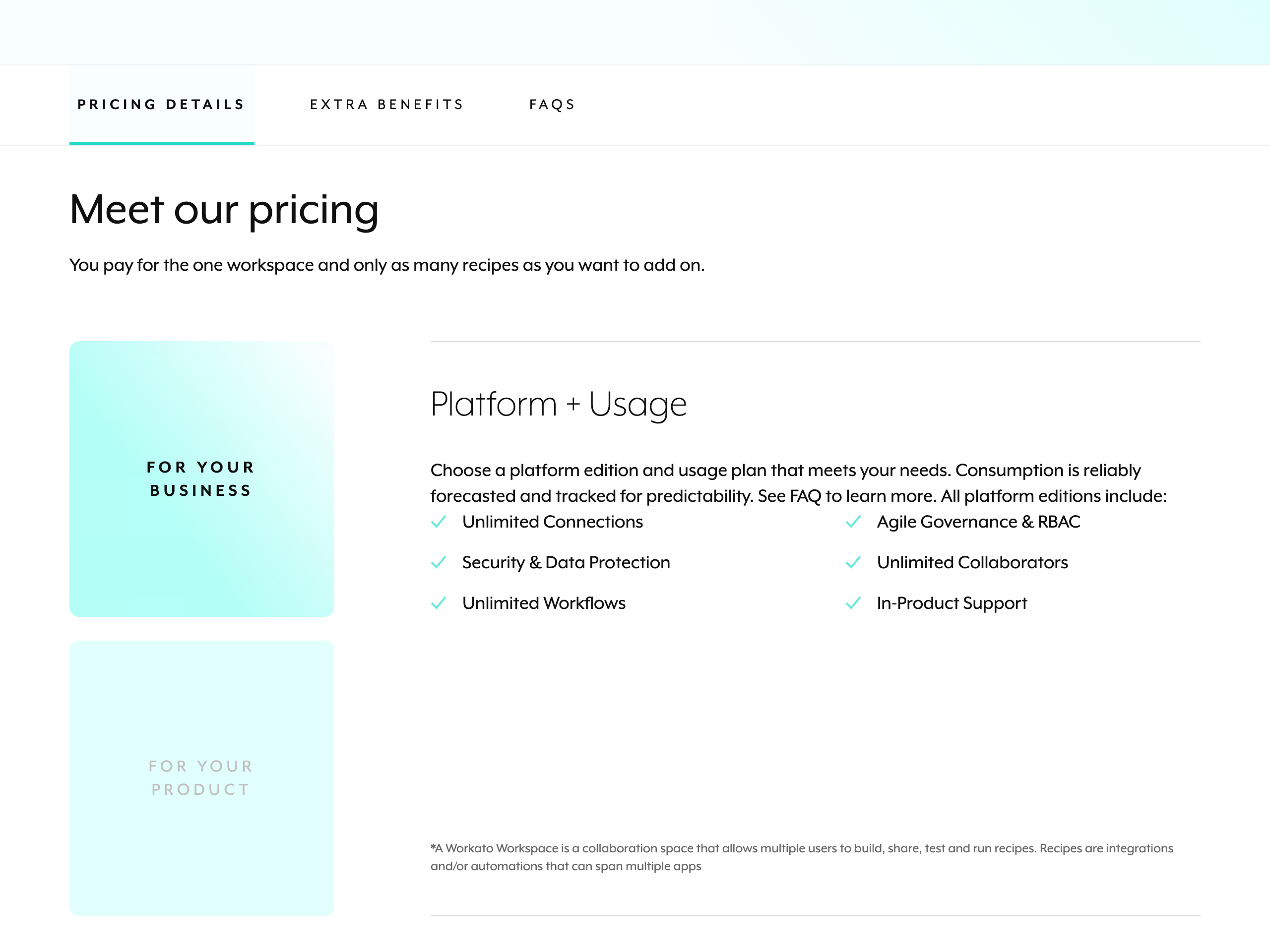
Workato does not publish public pricing; all plans require contacting sales for a custom quote based on platform edition and consumption-based usage. All editions include unlimited connections, workflows, and collaborators.
Standard: Custom pricing for the base Workato Orchestrate platform
Business: Custom pricing for scaled automation needs
Enterprise: Custom pricing for large organizations requiring advanced governance
Workato One: Custom pricing for the full platform, including Agentic Orchestration
4.
Tray

Tray.ai is an AI orchestration platform that combines a traditional iPaaS with AI agent development and integration capabilities. Its Merlin Agent Builder allows teams to create intelligent agents that reason, act, and learn across connected systems, while its Agent Gateway enables the secure deployment of managed MCP servers. The platform features over 700 pre-built connectors, agent accelerators for IT and HR, and enterprise-grade governance including audit trails, guardrails, and role-based access control. Designed for large business and development teams, Tray focuses on scaling trusted AI agents and consolidating complex enterprise integrations into a single automated platform.
Product details
Agent Builder: Create conversational, event-driven, or fully autonomous AI agents with guardrails and identity protection.
Agent Gateway: Deploy secure and governed Model Context Protocol (MCP) servers across your organization.
Extensive integrations: Connect securely to over 700 off-the-shelf connectors to reduce enterprise integration sprawl.
Pre-built accelerators: Speed up time-to-value with ready-to-use agents designed specifically for ITSM and HR workflows.
Enterprise governance: Centralize observability, security, and role-based access control across all agents and automations.
Flexible multi-LLM support: Choose the best language model for each specific enterprise use case.
Intelligent iPaaS: Infuse intelligence into existing business processes and manage data across complex enterprise systems.
Pricing
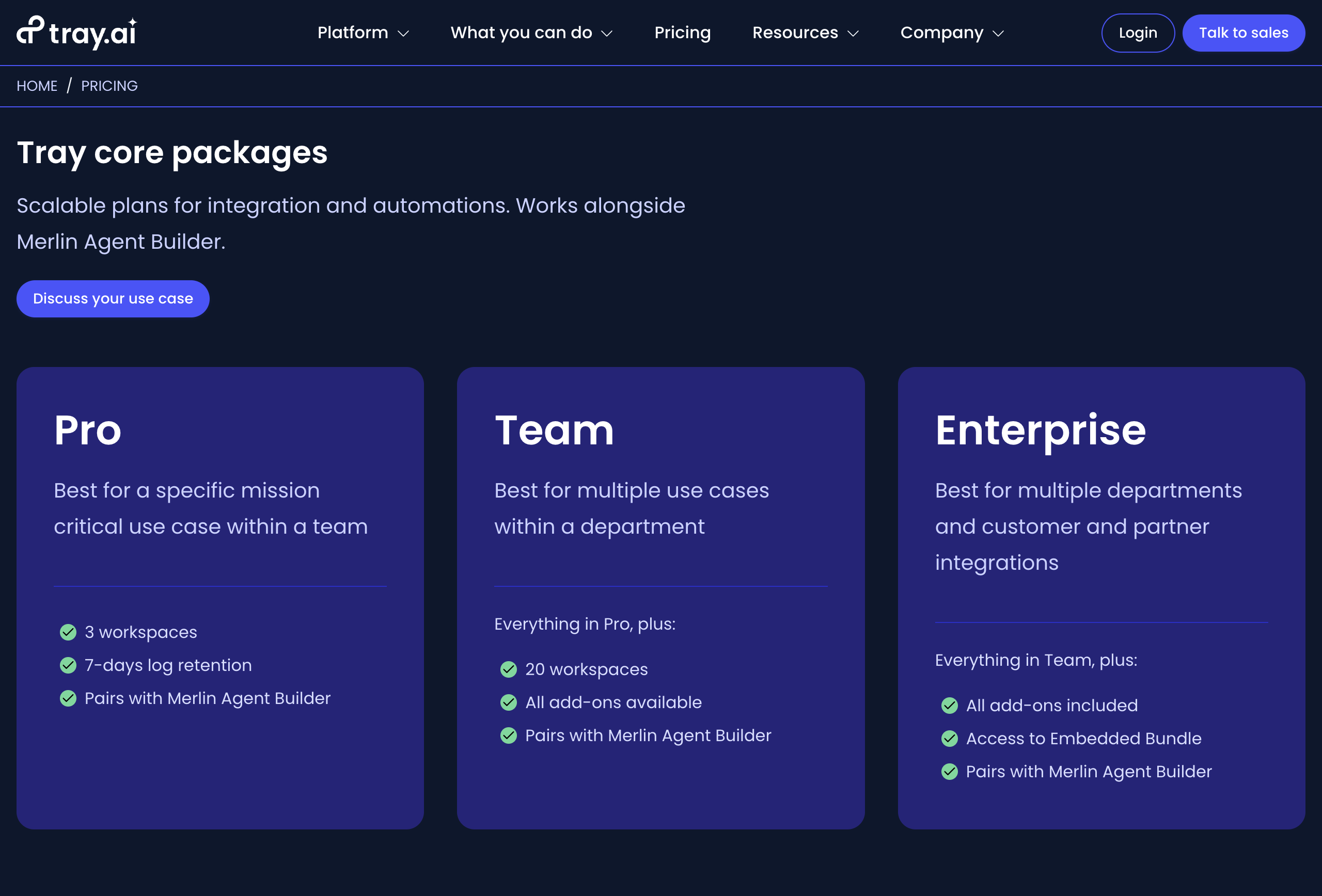
Tray.ai offers custom pricing tailored to specific business needs. All paid plans require contacting the sales team for a custom quote, with AI and MCP capabilities available as add-ons.
Pro: Custom pricing for 3 workspaces, 7-day insights, 7-day log retention, and 700+ connectors
Team: Custom pricing for 20 workspaces, 30-day insights, and access to all available add-ons
Enterprise: Custom pricing for unlimited workspaces, 180-day insights, advanced on-premise deployments, SSO, and HIPAA compliance
Tray Agent Gateway: Custom pricing add-on to create governed and managed MCP services with observability
Merlin Agent Builder: Custom pricing add-on to build AI agents with guardrails, knowledge ingestion, and pre-built accelerators
5.
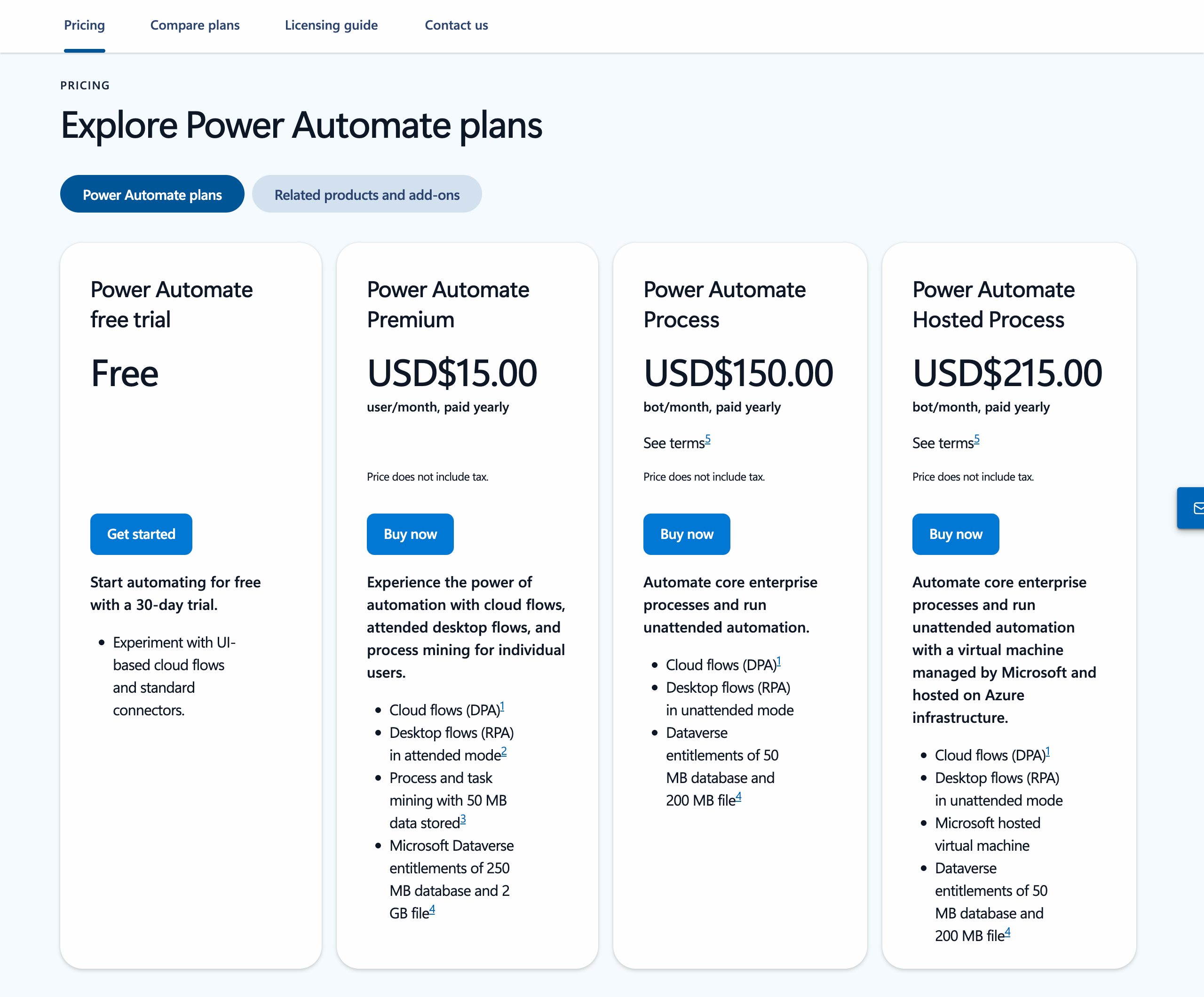
Power Automate
Power Automate is Microsoft's end-to-end process automation platform, part of the Power Platform family. It lets you build cloud flows to connect apps and services, desktop flows to automate legacy systems and Windows desktop tasks, and use AI-powered features like Copilot to create automations using natural language. With 1,400+ prebuilt connectors and native integrations across Microsoft 365, it is designed for enterprise-scale automation with built-in governance, security, and process mining capabilities. While powerful within the Microsoft ecosystem, its complexity and enterprise-focused design can make it feel heavy compared to more modern, lightweight automation tools.
Product details
Seamless Microsoft 365 integration: Automating workflows across Excel, SharePoint, Outlook, Teams, and other Microsoft apps is effortless and built right into the apps.
Desktop RPA capabilities: Power Automate Desktop lets you automate legacy Windows applications and on-screen tasks, which most cloud-only automation tools cannot do.
AI-powered authoring with Copilot: You can create and edit flows using natural language, plus leverage built-in AI models for document processing and content generation.
Enterprise governance and security: Admins get centralized management, data loss prevention policies, and Managed Environments to control automation at scale.
Somewhat unintuitive interface: Some people find the design clunky and sluggish compared to more modern automation tools, presenting a steep learning curve for non-technical users.
Pricing
Power Automate does not offer a standalone free tier, though limited capabilities may be included with certain Microsoft 365 subscriptions and a 30-day free trial is available.
Premium: $15/user/month (paid yearly) for cloud flows, attended desktop flows, process mining, and premium connectors
Process: $150/bot/month (paid yearly) to license a bot for unattended desktop flows or cloud flows accessible by unlimited users
Hosted Process: $215/bot/month (paid yearly) for the same features as Process, plus a Microsoft-hosted virtual machine on Azure
Process Mining add-on: $5,000/tenant/month (paid yearly) to discover, visualize, and analyze processes to identify opportunities for improvement and optimization
6.
ActivePieces
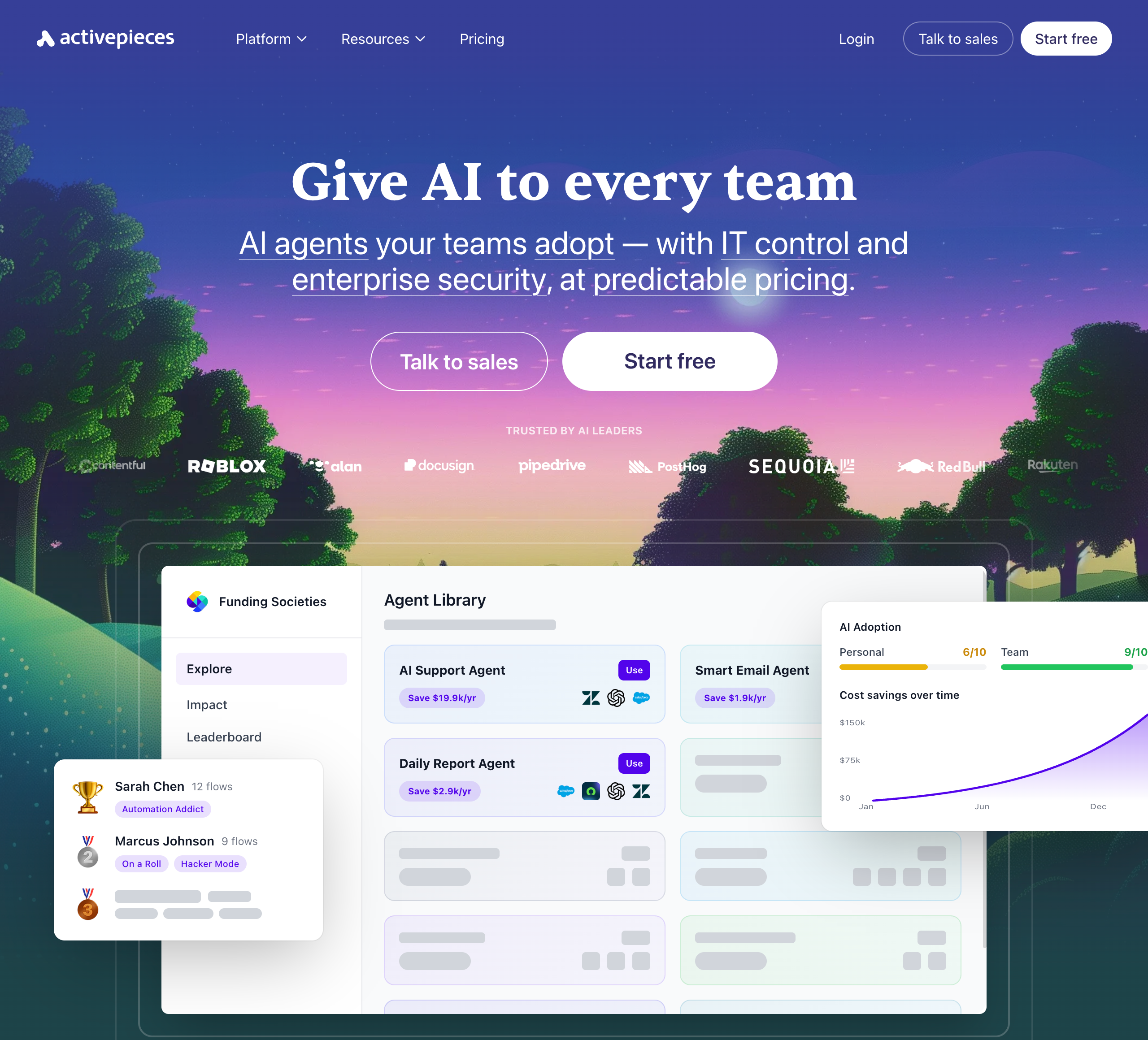
Activepieces is an open-source, AI-first automation platform that lets teams build AI agents and workflows without code. It offers hundreds of integrations, an AI agent builder with human approval steps, and an AI Adoption Stack designed to drive organization-wide AI usage. The platform emphasizes enterprise control, and its open-source core appeals to technical teams who want full control over their automation infrastructure. Its self-hostable focus and advanced governance features make it a strong choice for technical enterprise teams.
Product details
Open-source and self-hostable: Features an MIT-licensed core with Docker and Helm support, giving technical teams full control over their data and infrastructure.
Extensive integrations: Offers a broad connector library covering over 700 major applications like Gmail, Slack, HubSpot, Salesforce, and OpenAI.
AI Adoption Stack: Includes analytics, gamification, leaderboards, and a pre-built agent library to drive organization-wide AI usage.
AI agent builder: Allows users to build intelligent agents with custom logic, enterprise integrations, and human approval steps.
Enterprise governance: Provides SSO, SCIM, custom RBAC, audit logs, and SOC 2 Type II compliance for IT-controlled deployments.
Deployment flexibility: Available as a fully managed cloud service or as a self-hosted solution for strict compliance requirements.
Pricing
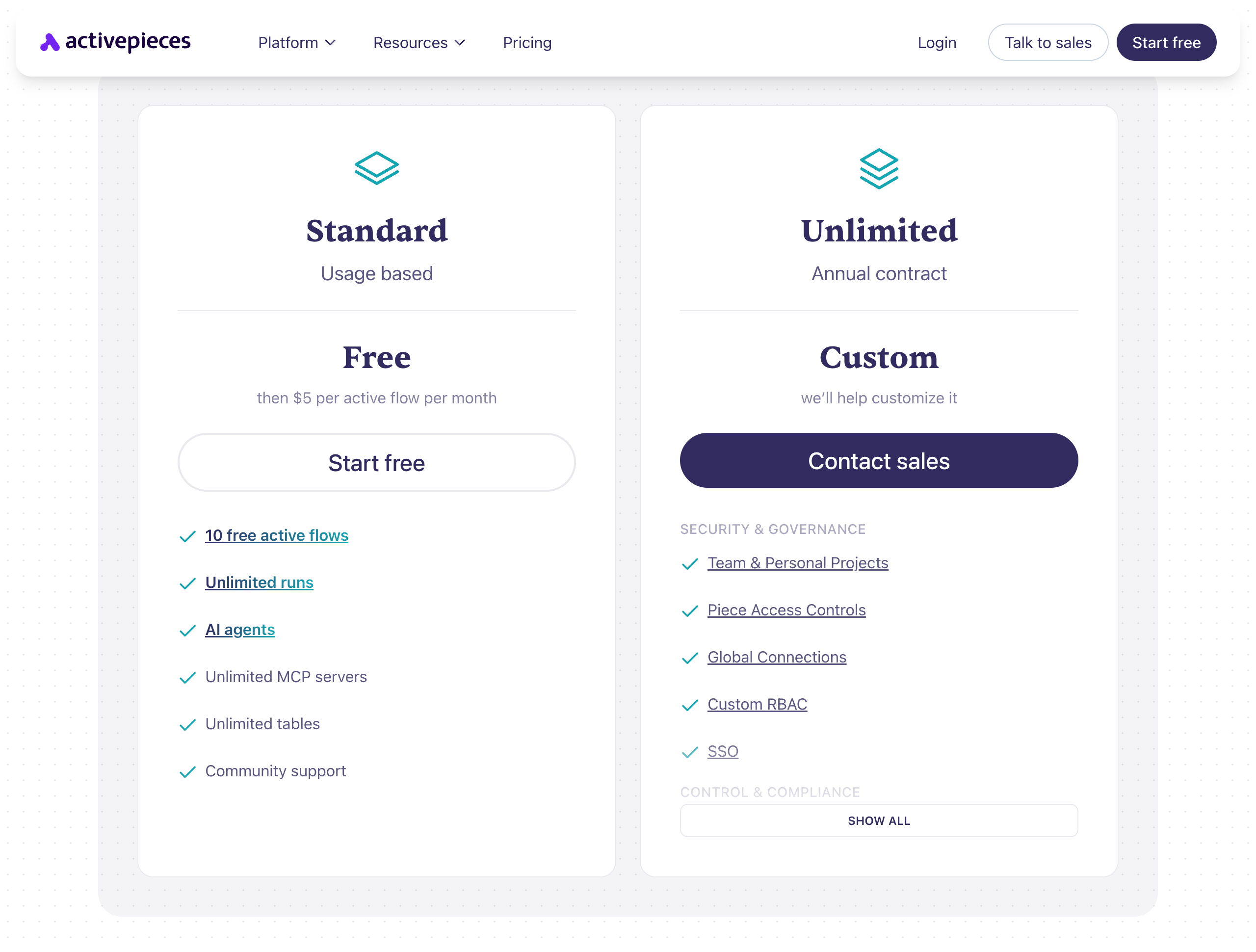
Standard: $0/month for 10 active flows and unlimited runs, then $5/month per additional active flow
Unlimited: Custom pricing (billed annually) for advanced security, custom RBAC, SSO, and audit logs
Community Edition: $0/month for a free, MIT-licensed, self-hosted version that includes core features only
7.
Pipedream
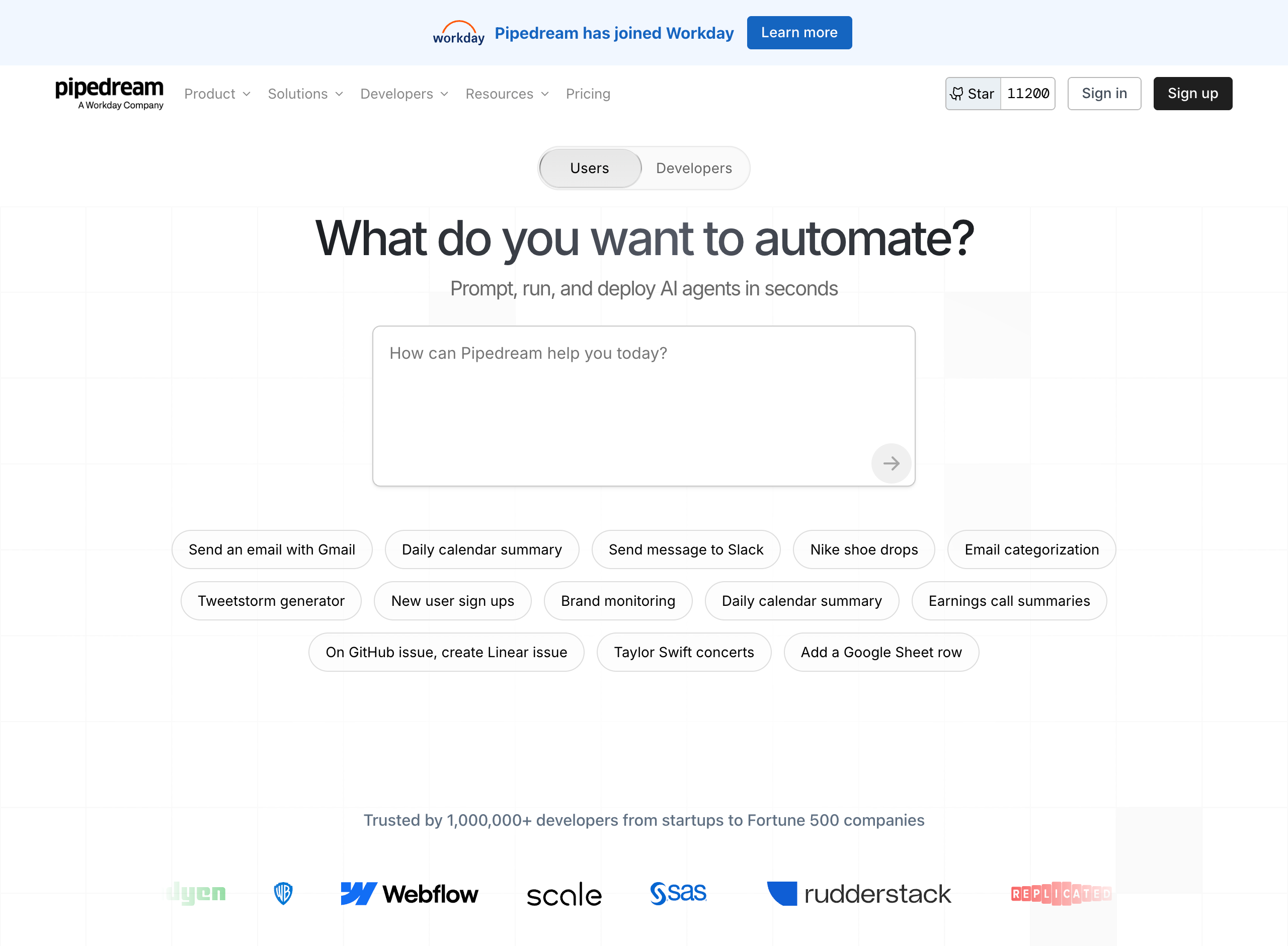
Pipedream is a developer-focused automation and integration platform that lets you connect APIs, AI models, databases, and over 3,000 apps through code-based workflows. It supports writing custom logic in Node.js, Python, Go, and Bash, making it a powerful option for technical users who want full control over their automations. Pipedream also offers an AI Agent Builder for prompting, running, and deploying AI agents, MCP servers that expose 10,000+ tools to any AI assistant, and the Pipedream Connect SDK. In 2025, Pipedream was acquired by Workday, signaling a shift toward enterprise use cases.
Product details
Massive integration library: Connect to over 3,000 apps using 10,000+ pre-built triggers and actions.
Full code flexibility: Write custom logic in Node.js, Python, Go, or Bash for fine-grained control over automations.
AI Agent Builder: Prompt, run, edit, and deploy AI agents in minutes with automatic code generation.
MCP servers: Embed thousands of APIs and tools directly into your AI assistant or application.
Generous free tier: Get started at no cost with 100 credits per month, 1M AI tokens, and unlimited testing.
Pipedream Connect: Use a single SDK to add thousands of native integrations directly into your own app.
Strong security: SOC 2 Type II, HIPAA, and GDPR compliant architectures designed for sensitive data.
Developer-oriented: The code-first approach provides powerful functionality but can be intimidating for non-technical users.
Pricing
Pipedream offers a free tier for individuals and paid plans for growing and production needs.
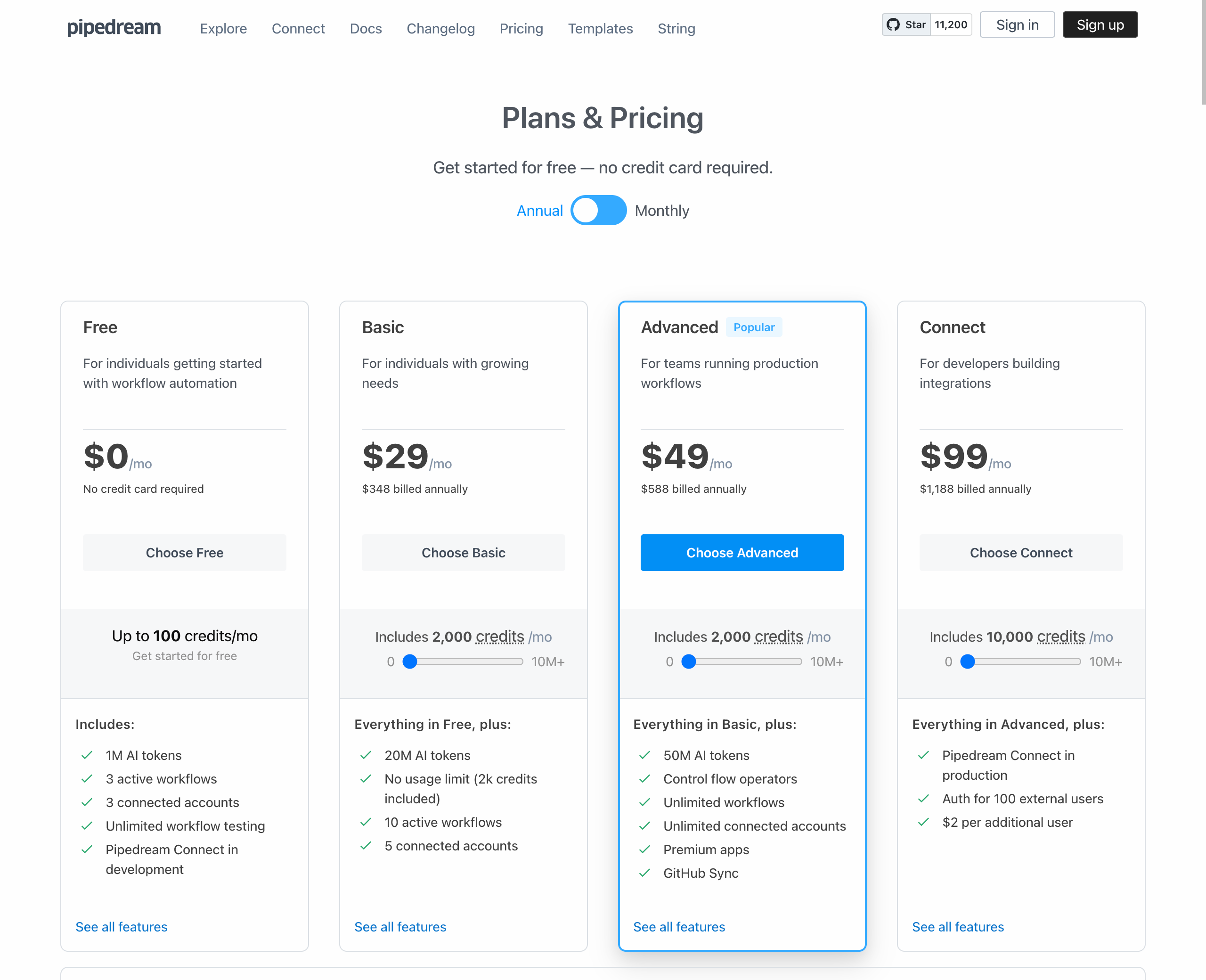
Free: $0/month for 100 credits, 3 active workflows, and 1M AI tokens
Basic: $29/month (billed annually) for 2,000 credits, 10 active workflows, and 20M AI tokens
Advanced: $49/month (billed annually) for 2,000 credits, unlimited workflows, premium apps, and 50M AI tokens
Connect: $99/month (billed annually) for 10,000 credits, Pipedream Connect in production, and auth for 100 external users
Business: Custom pricing for volume limits, dedicated support, HIPAA compliance, and SLAs
8.
n8n
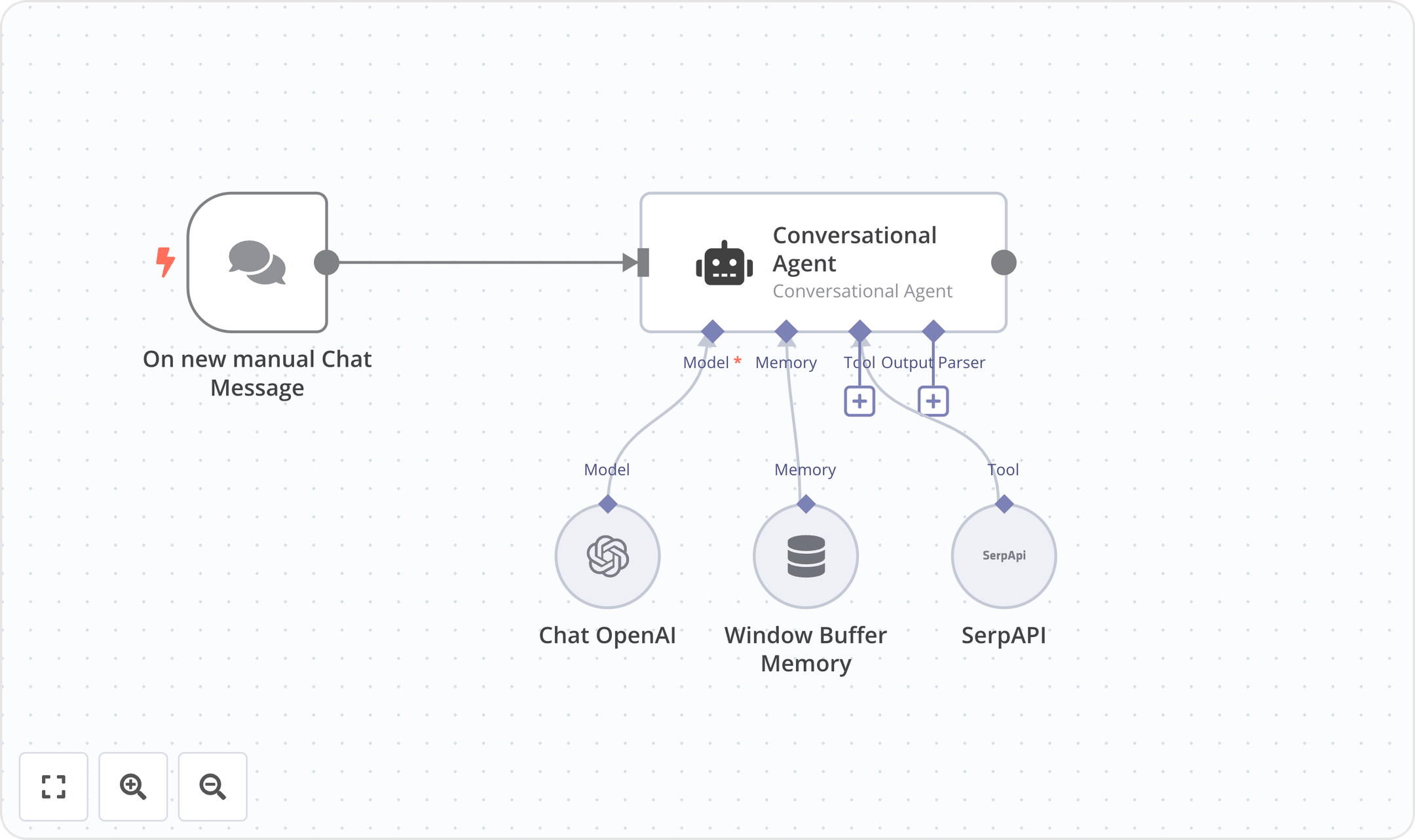
n8n is a source-available workflow automation platform designed specifically for technical teams and developers. It bridges the gap between visual workflow editors and custom code, allowing users to seamlessly blend drag-and-drop nodes with custom JavaScript or Python. By offering robust self-hosting capabilities via Docker alongside cloud-hosted options, n8n provides complete control over data privacy and compliance. Its execution-based pricing and advanced debugging tools make it highly scalable for orchestrating complex API integrations, AI-driven workflows, and mission-critical automated processes.
Product details
Code and no-code blend: Write custom JavaScript or Python directly alongside an intuitive visual workflow editor.
Self-hosting capabilities: Deploy on-premises with Docker and access the full source code on GitHub for complete data sovereignty.
Advanced developer tools: Leverage Git version control, isolated environments, global variables, and detailed execution logs.
AI workflow building: Utilize native AI credits and built-in evaluators to safely test and deploy AI-driven automations.
Predictable execution pricing: Pay per full workflow run rather than per individual step to make scaling costs highly predictable.
Granular debugging: Avoid endless debugging clicks by re-running single steps and viewing detailed execution histories.
Complex logic handling: Architect advanced multi-step workflows with deep internal API integrations and robust error handling.
Enterprise security: Maintain full compliance with SSO, external secret stores, and log streaming to security platforms.
Pricing
n8n offers a free self-hosted community edition alongside cloud-hosted and enterprise plans with execution-based pricing.
Community Edition: $0/month for standard, self-hosted deployments via GitHub
Starter: $20/month (billed annually) for 2.5K workflow executions and 50 AI Workflow Builder credits
Pro: $50/month (billed annually) for 10K workflow executions and 150 AI Workflow Builder credits
Business: €667/month (billed annually) for 40K workflow executions, self-hosted deployment, and Git version control
Enterprise: Custom pricing for custom workflow executions, unlimited shared projects, and dedicated support
Start-up Plan: 50% off the Business tier for eligible companies with under 20 employees

9.
Integrately
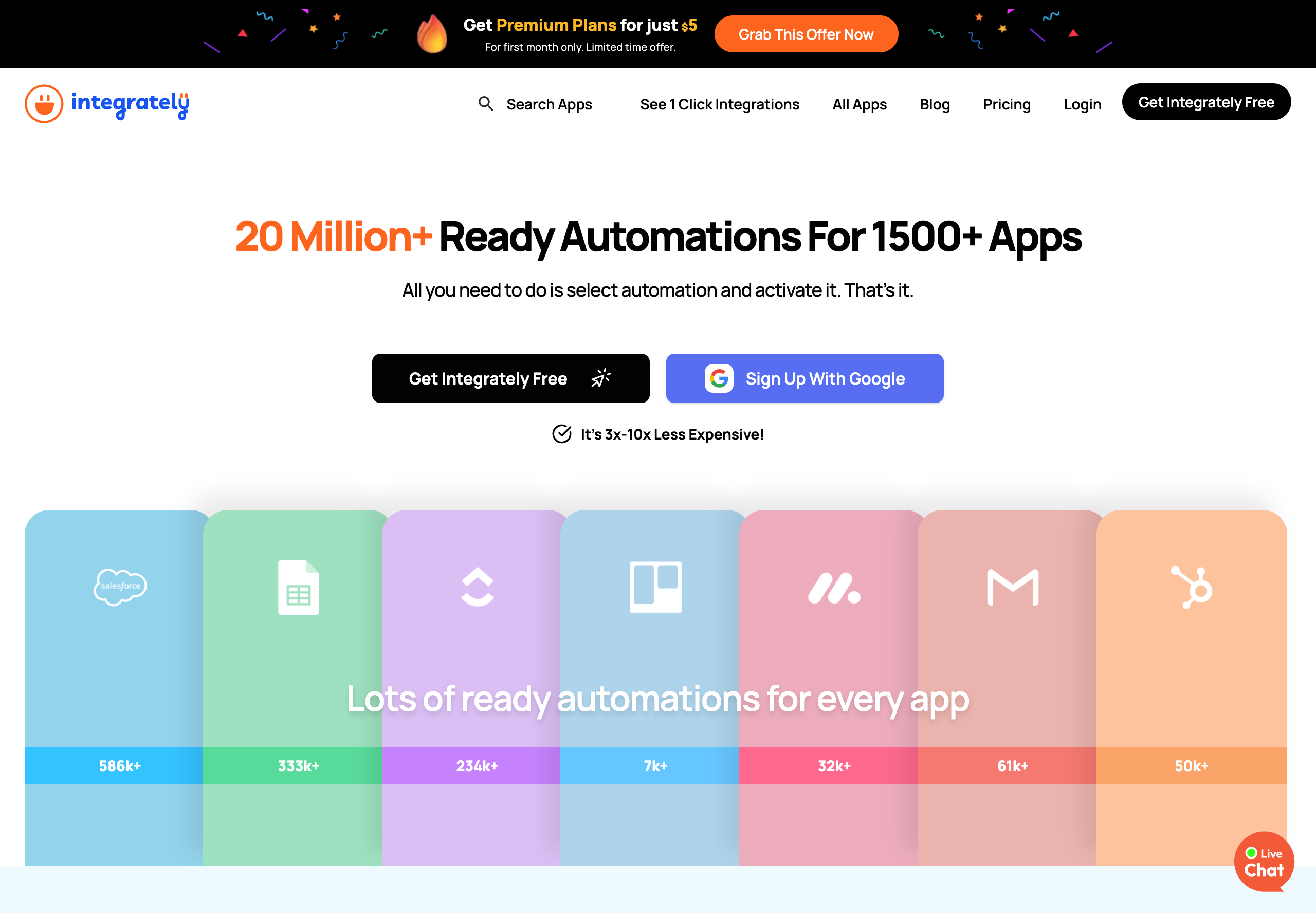
Integrately is an automation platform that connects 1,500+ apps through a library of over 20 million pre-built automations. Its core selling point is simplicity: users select an automation from the library, connect their accounts, and activate it in just a few clicks. Integrately positions itself as 3x-10x less expensive than competitors like Zapier and Make. The platform supports multi-step workflows, conditional logic, branching, webhooks, and a scheduler on paid plans.
Product details
Massive automation library: Over 20 million ready-made automations across 1,500+ apps are available to select and activate.
Competitive pricing: Plans significantly undercut competitors like Zapier and Make for comparable task volumes.
SmartConnect: Automatically configures app connections so users do not have to map fields or set up triggers manually.
Free triggers: Unlike some competitors, Integrately does not count trigger checks as tasks, lowering overall consumption.
Gated advanced workflows: Features like branching and auto-retry are locked to higher-tier paid plans.
No native AI capabilities: The platform focuses purely on traditional app-to-app integrations with no built-in AI features.
Pricing
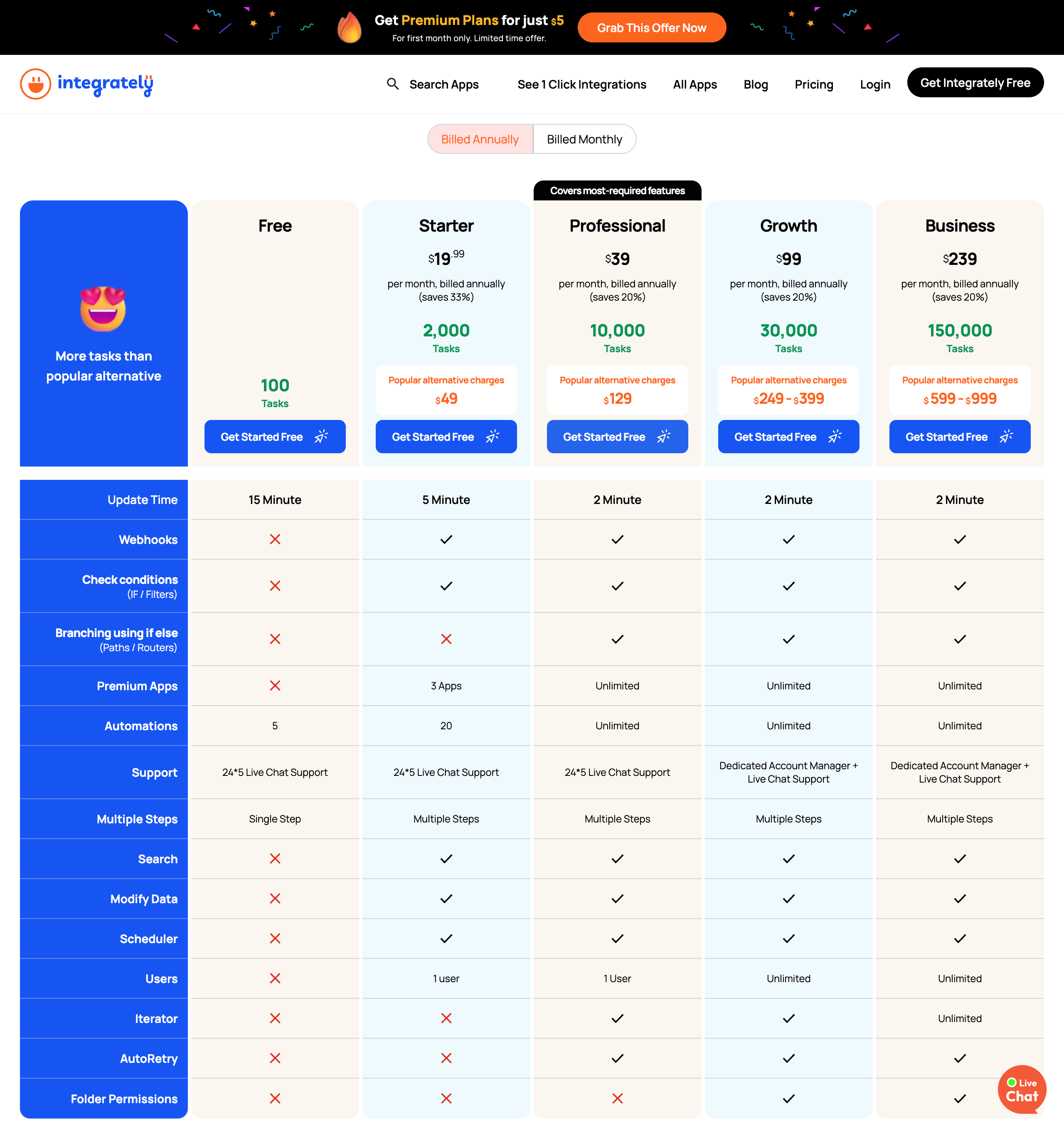
Free: $0/month for 100 tasks, 5 automations, single-step only, and a 15-minute update time
Starter: $19.99/month (billed annually) for 2,000 tasks, 20 automations, multi-step workflows, webhooks, and 3 premium apps
Professional: $39/month (billed annually) for 10,000 tasks, unlimited automations, branching, iterators, and auto-retry
Growth: $99/month (billed annually) for 30,000 tasks, unlimited users, and a dedicated account manager
Business: $239/month (billed annually) for 150,000 tasks and a dedicated account manager
10.
Albato
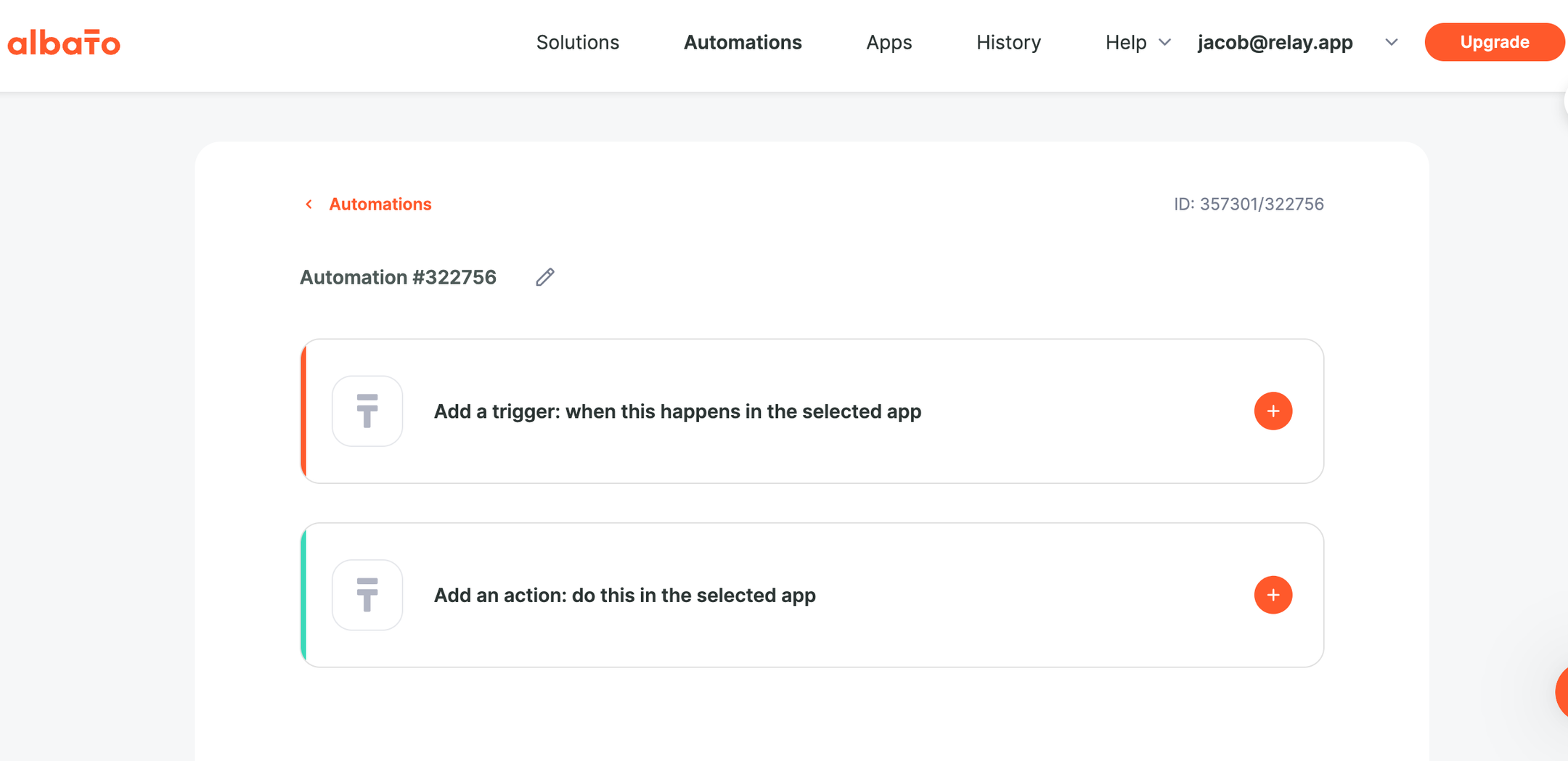
Albato is an AI-driven no-code integration platform (iPaaS) that connects over 1,000 apps and offers built-in automation tools including routers, webhooks, and filters. The platform emphasizes affordability, positioning itself as a cost-effective alternative to Zapier and Make. Albato includes AI integrations directly within workflows, a custom App Integrator that lets users connect any API without code, and a white-label embedded integration product for SaaS companies.
Product details
Affordable pricing: Subscription plans are significantly cheaper than competitors for similar transaction volumes.
Beginner-friendly UI: Users consistently praise the intuitive interface and visual workflow builder as easy to learn.
Custom App Integrator: Connect any API without writing code to add niche tools not found in the native library.
Responsive human support: Access live chat with fast response times and a team that actively incorporates user feedback.
Rich integration library: Build workflows using native integrations with over 1,000 popular applications.
Embedded iPaaS: SaaS companies can add white-label native integrations into their own products to expand market share.
Built-in AI tools: Leverage Albato AI to intelligently process data directly within your automated workflows.
Pricing
Albato provides a tiered pricing structure starting with a free plan for individuals.
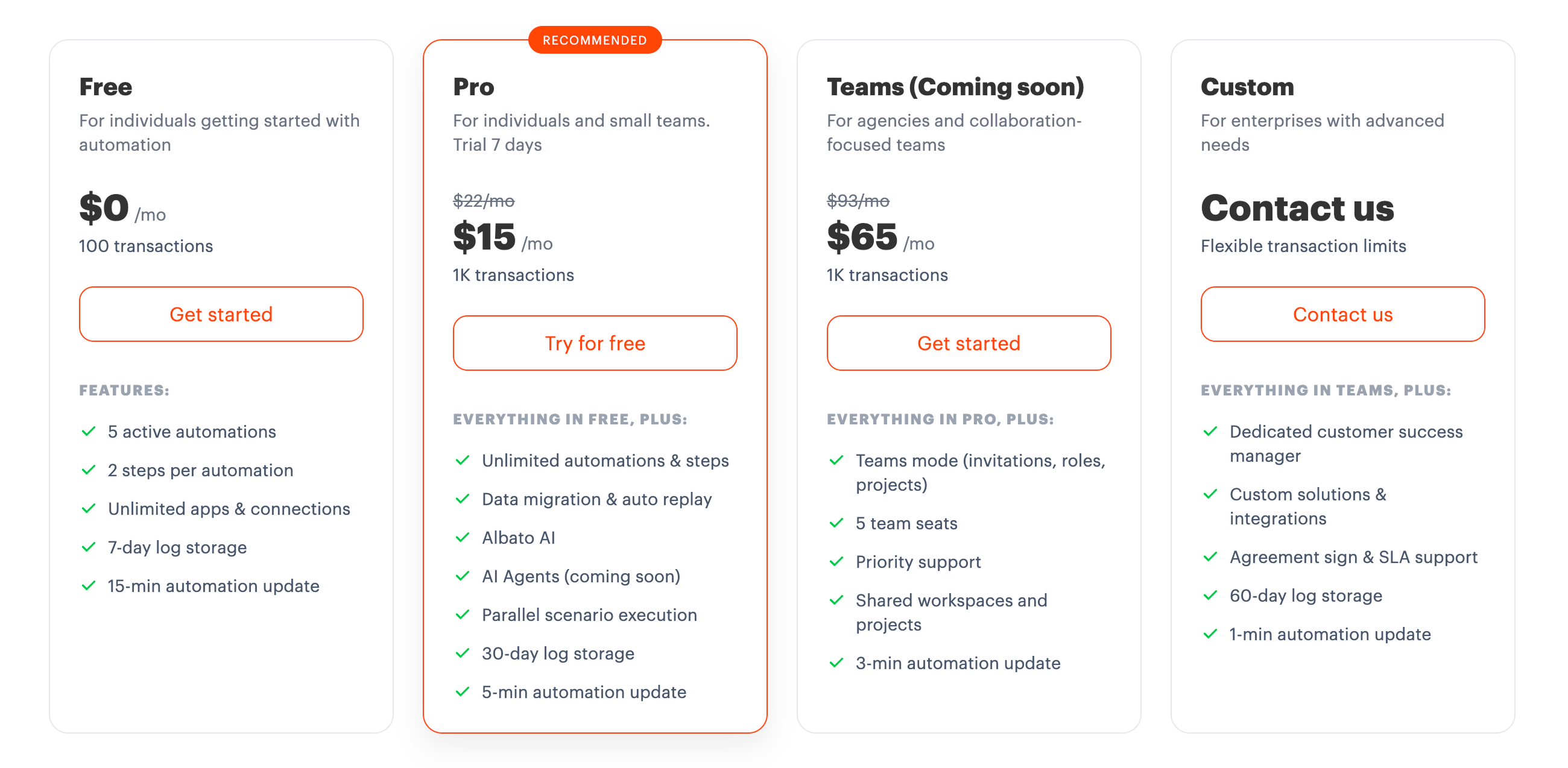
Free: $0/month for 100 transactions, 5 active automations, and 2 steps per automation
Pro: $15/month (billed annually) for 1,000 transactions, unlimited automations, and Albato AI
Teams: $65/month (billed annually) for 5,000 transactions, 5 team seats, and shared workspaces (coming soon)
Custom: Contact sales for flexible transaction limits, dedicated support, and custom solutions
How to make your choice
Choosing the right automation platform isn't about finding some mythical "best" tool. It's about finding the right fit for your team, your tech stack, and the kinds of workflows you need to build. Here's a quick framework:
For the best blend of ease, AI, and human collaboration: Relay.app stands out with its intuitive interface, built-in AI agents, and unique human-in-the-loop features. You can go from a plain-language description to a production-ready agentic workflow in minutes, no API keys, no code. Built-in AI credits and model access (OpenAI, Anthropic, and more) mean you don't have to manage anything yourself. Reviews consistently praise its smooth build experience, fast support, and thoughtful design.
For maximum app coverage and simplicity: Zapier is the heavyweight, famous for being dead simple and having a massive library of 8,000+ integrations. It now offers AI Agents, Chatbots, Canvas, and MCP support alongside its core automation engine. If you want the widest reach out of the box, it's hard to beat.
For enterprise-grade security and governance: Workato is built for large orgs and IT departments that need to automate mission-critical processes with structured role-based access, compliance controls, and an 8x Gartner Magic Quadrant Leader pedigree. Its Enterprise MCP connects AI agents to business systems with transactional integrity and rollback. Tray offers similar enterprise-grade capabilities with its Merlin Agent Builder and pre-built agent accelerators for IT, HR, and support, plus guardrails, audit trails, and flexible LLM support.
For Microsoft-centric organizations: Power Automate is deeply embedded in the Microsoft ecosystem. Office 365, Dynamics, Azure, Copilot, and more. It also offers desktop RPA for automating legacy Windows applications, something most cloud-only tools can't match. If your org runs on Microsoft, it's the natural fit.
For developers and open-source enthusiasts: ActivePieces is an MIT-licensed, open-source platform with 670+ integrations and a unique AI Adoption Stack for driving org-wide AI usage. Pipedream connects to 3,000+ apps and lets you write custom logic in Node.js, Python, Go, or Bash. It's worth noting that Pipedream's acquisition by Workday may shift its roadmap toward enterprise use cases. n8n is a powerhouse with 500+ integrations, a massive open-source community, and the flexibility to mix visual building with custom code, plus full self-hosting for complete data control.
For budget-conscious teams: ActivePieces, Integrately, and Albato all offer generous free tiers or affordable pricing that won't break the bank. Albato starts at just $15/month and Integrately at $19.99/month. Integrately's library of 20 million+ pre-built automations makes it dead simple to get started, while Albato's Custom App Integrator lets you connect any API without code.
Take stock of your must-have integrations, who on your team will actually be building workflows, and how complex your automation needs are. Then test two or three options before committing. Most platforms offer free plans or trials, so there's no reason not to.
The bottom line
The automation market in 2026 is more capable, and more crowded, than ever. But simplifying your workflows and boosting productivity doesn't have to be a headache.
Whether you need AI agents tackling complex, multi-step processes or just a straightforward platform with the right ready-made automations, the right tool can turn repetitive busywork into something that runs itself. That frees you up to focus on the work that actually matters (or, you know, just take a well-earned break).
If you want a platform that makes AI genuinely useful while keeping humans in the loop when it counts, why not try Relay.app today? See how it can transform the way your team works.
Jacob Bank
Founder/CEO at Relay.app

Jacob is the Founder and CEO of Relay.app. Prior to founding Relay.app, Jacob was a Director of Product Management at Google, where he led the product teams for Gmail, Google Calendar, and several other Google Workspace products. Before that, Jacob was the Co-founder and CEO of Timeful (acquired by Google in 2015), a smart calendar that leveraged insights from behavioral psychology and AI to help people spend time on their most important priorities. He has a BA in Computer Science from Cornell University and was pursuing a PhD in the AI Lab at Stanford before dropping out to found Timeful.
FAQs
Which workflow tool should I use if I'm not really technical?
Relay.app is widely regarded as the easiest workflow automation tool for non-technical users. It has a chat-based AI assistant that can do the building, editing, and improvements for you. The workflow builder is also clean and intuitive so you can see visually what the workflow will do every time it runs. You don't need to be a coder or have technical expertise (though it's great for technical users as well).
Are Make and Integromat the same thing?
Yes. Integromat rebranded to Make, but the core functionalities remain the same. Make continues to offer advanced automation for complex workflows and business processes with a highly visual, user-friendly interface. The rebrand also brought enhancements, making it even more powerful and versatile for handling intricate automation needs.
Is Relay.app better than Make for AI-powered automation?
Relay.app has a clear edge over Make when it comes to AI-powered automation. While Make has added native AI capabilities like AI Agents and an AI toolkit, Relay.app's AI experience is more intuitive and deeply integrated into the workflow builder, with seamless support for multiple models (GPT, Claude, Gemini) and no need to manage separate API keys. Relay.app also offers human-in-the-loop approvals, which are great for reviewing AI-generated outputs before they're sent to customers or entered into your systems. Make has introduced a human-in-the-loop module, but it's limited to Enterprise customers and still in closed beta.
Can I ask questions about past workflow runs in Relay.app?
Yes. Relay.app's AI assistant lets you ask natural-language questions about your past workflow runs, like why a specific run failed, how many times a workflow triggered last week, or what data was processed in a particular step. This makes troubleshooting and monitoring your automations dramatically faster compared to manually digging through run logs in tools like Zapier or Make.