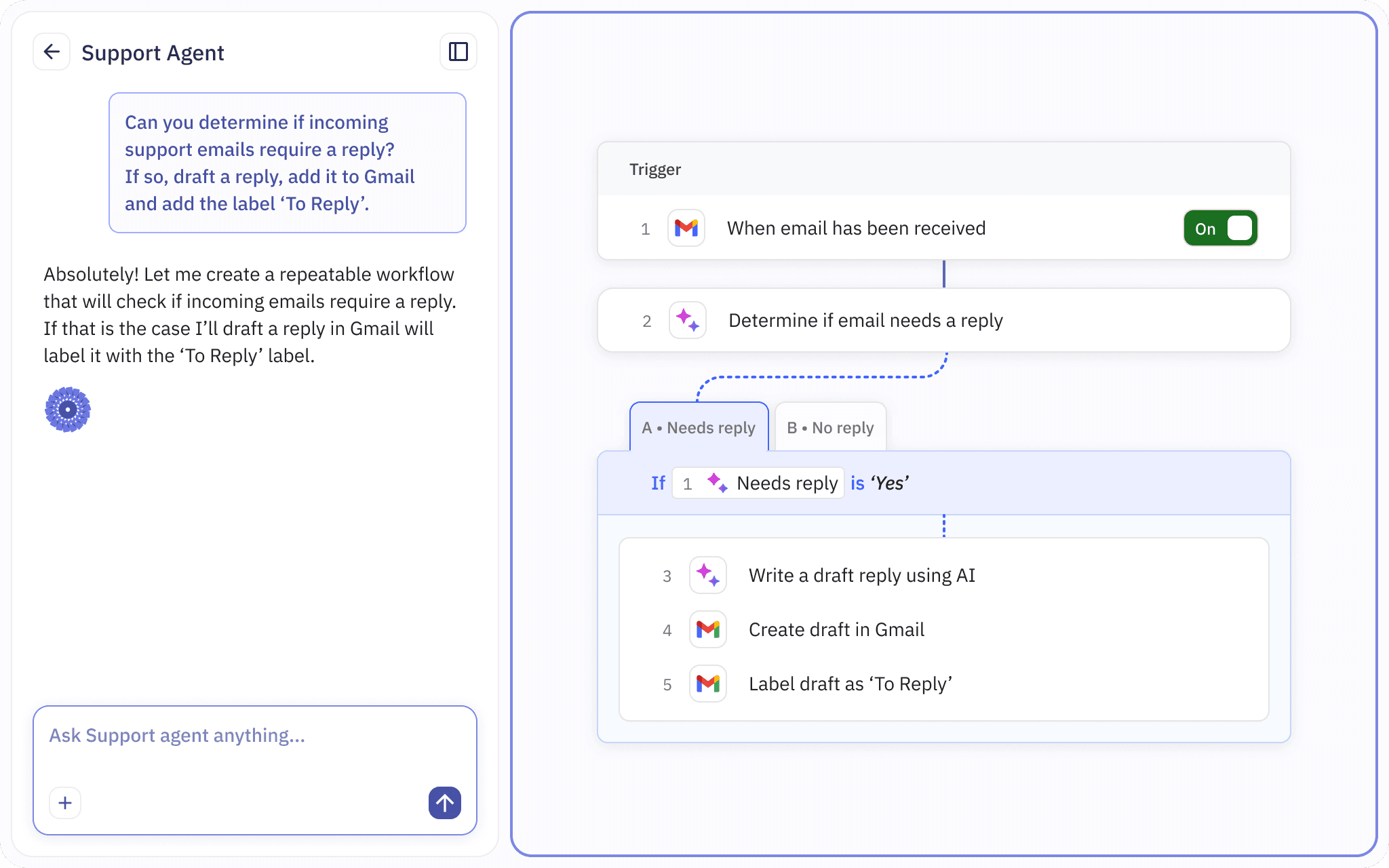

What do you need to automate? Just describe it, and the Relay.app Agent will build it for you. You'll get visual workflow you can inspect so you always know what will happen, in what order, and why, every time.
Need to make changes? Just ask the Relay.app Agent to edit or improve your workflow. Or, make changes in the visual builder manually. When your workflows runs, you can see the history to review exactly what happened.
Keep using the apps you already use
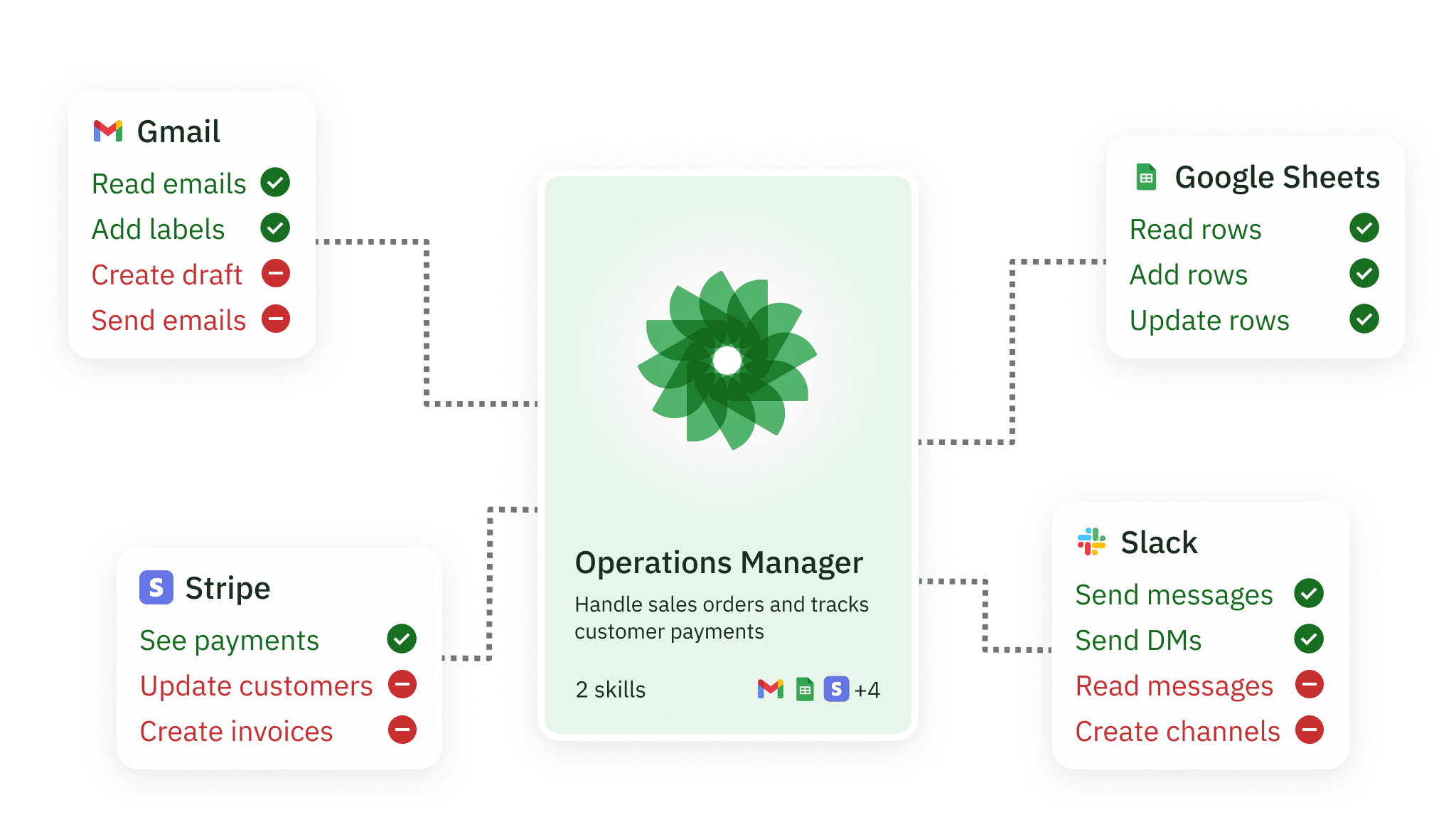
Relay.app workflows automate work in the apps your team already uses, with fine-grained control over what each workflow can access and do. You decide what each workflow is allowed to do in each app, from specific labels to databases and tables.

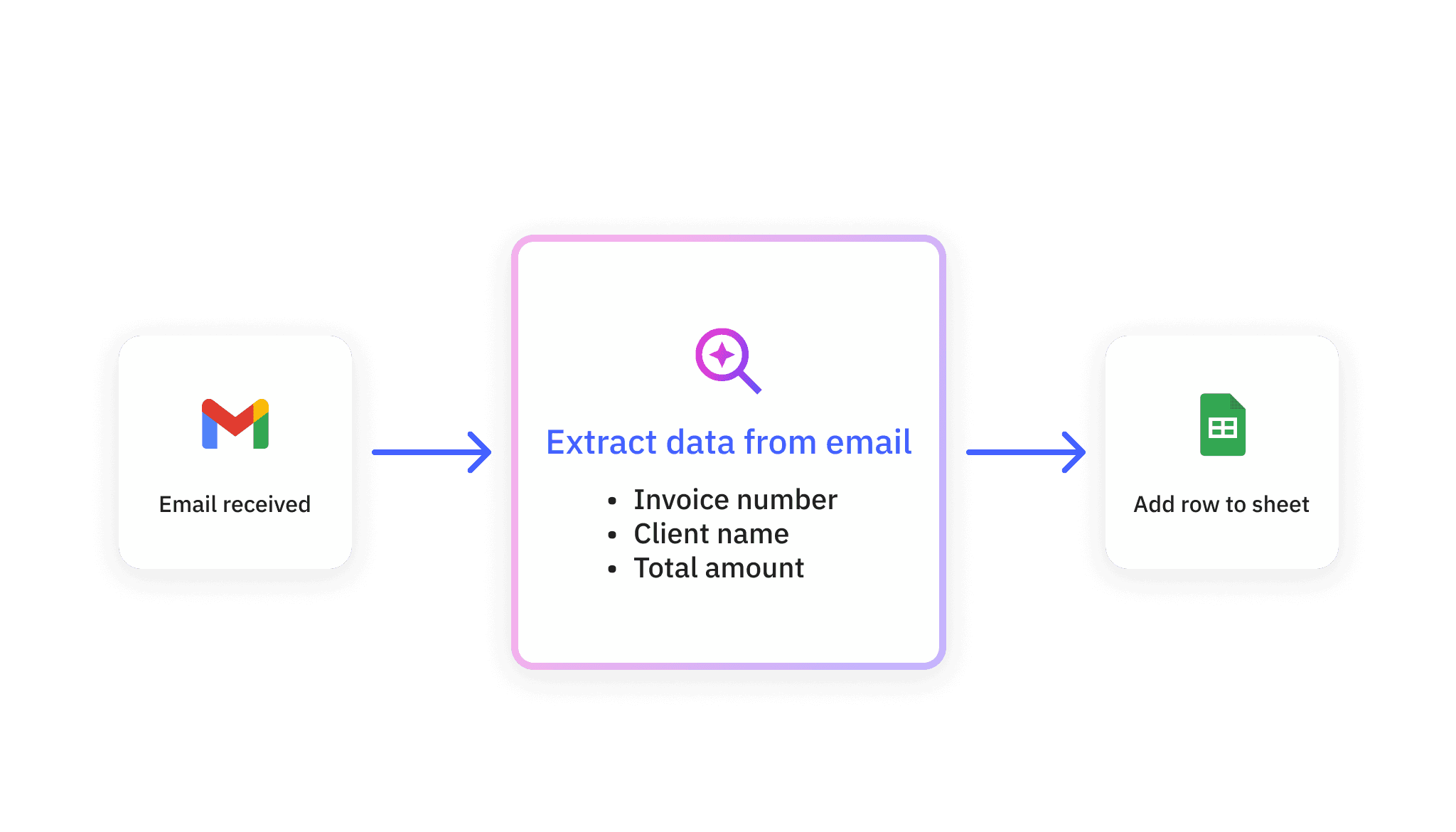
Relay.app workflows leverage AI for the things it is uniquely great at, like extraction, summarization, and content creation. AI steps are just another step in the workflow: They fit neatly into the same reliable, inspectable system as everything else.
Let Relay.app pick the best model for the job, or select a specific one to use. Relay.app has built-in AI actions for common tasks like extraction and summarization, plus more advanced capabilities like audio transcription, text-to-speech, and image creation.
Some tasks need human judgment. Turn on review to pause your workflow before important actions so a person can take approve or edit results. For example, review an email before it goes to a key customer, or approve any outgoing payment above $100.
Enable human-in-the-loop review on any AI step. Add human checkpoints for manual approval and data entry steps anywhere you need it, so you stay in control of the automation.
Automations in Relay.app are built on four core frameworks: Workflows, sequences, tables, and MCP servers. Each framework is inspectable and reusable. You'll start by creating workflows. As you need more functionality, like reusable series of steps or storing data for use in multiple workflows, you'll find yourself reaching for sequences, tables, or an MCP server.
Workflows
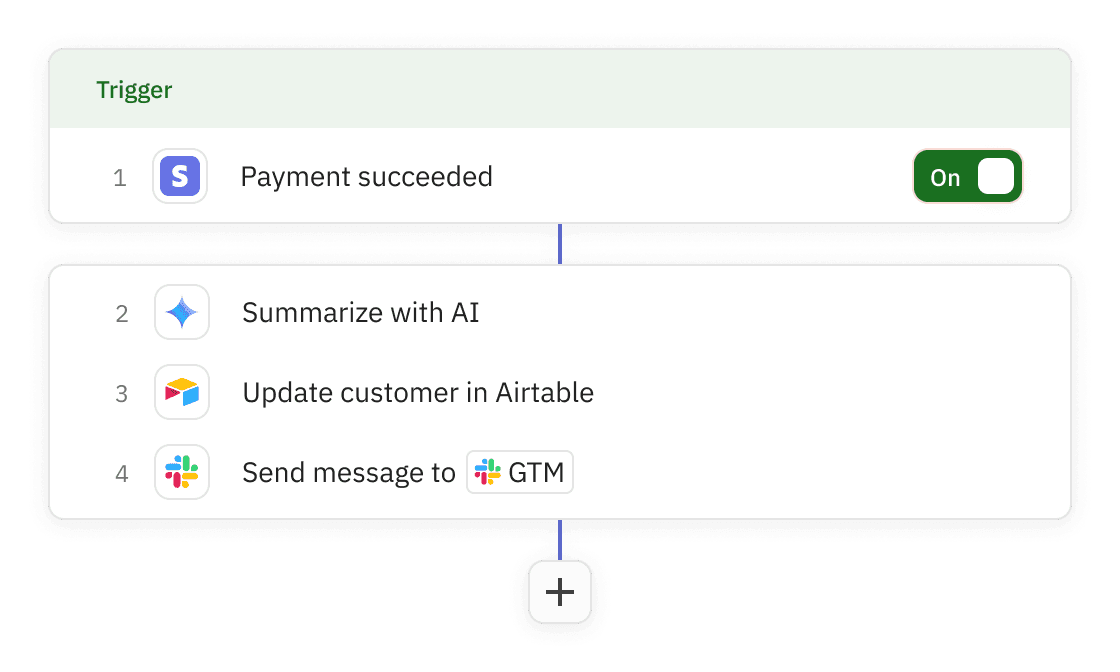
Workflows are the heart of Relay.app automations. At their core, workflows are a trigger and series of steps in a predictable order. Steps can call apps, use AI, and transform data as it moves through the flow. Workflows can be as simple as a trigger and one step, or more complex, with multiple branches and loops.
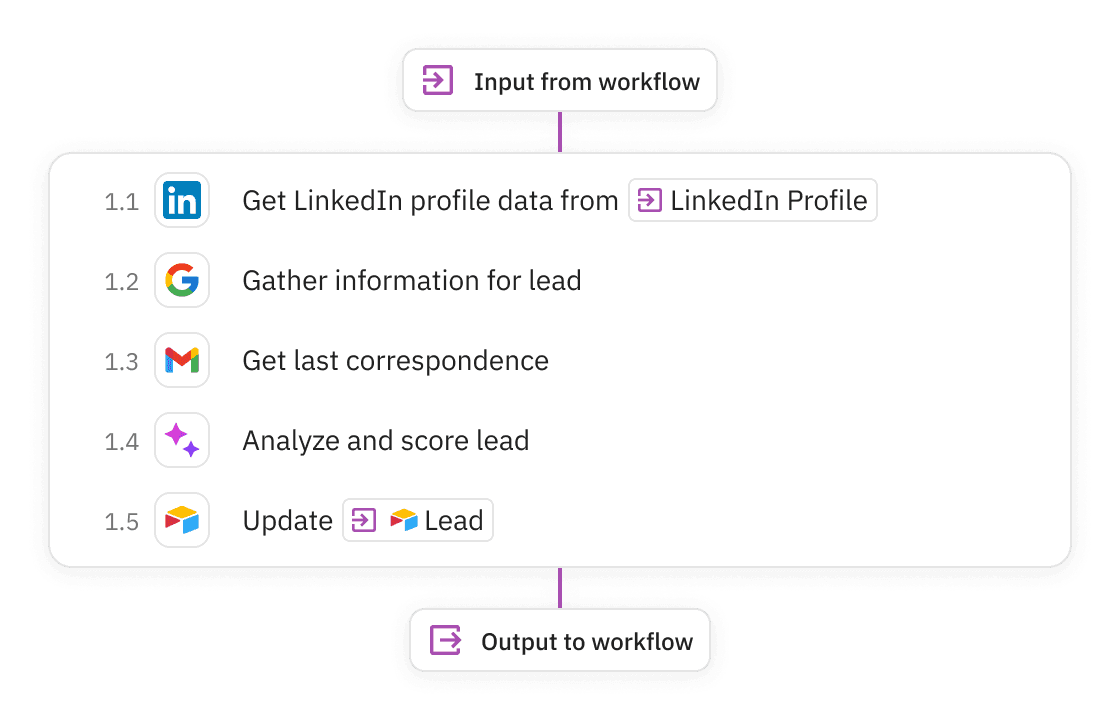
Sequences
Sequences are reusable sub-workflows you can share across your team. Use them for common patterns like enrichment, routing, approvals, and formatting. Update a sequence once, and every workflow that uses it stays in sync. Learn more ›
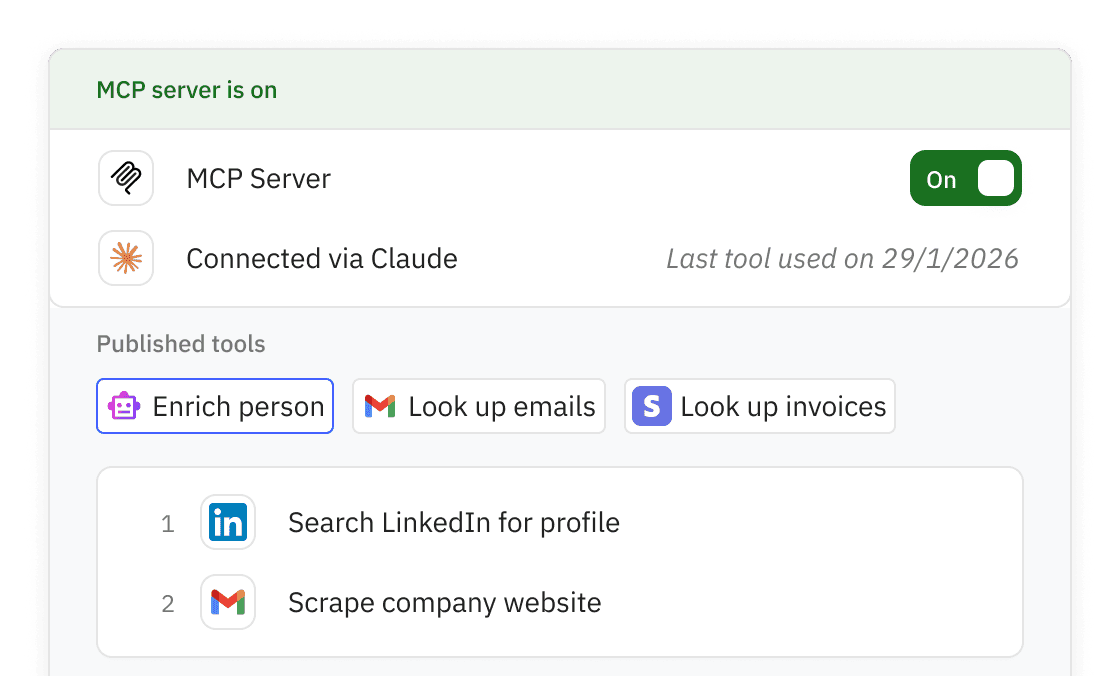
MCP Server
Relay.app lets you build MCP Servers that expose custom tools to other apps like ChatGPT, Claude, or ElevenLabs. Tools are defined as mini workflows, so you can iterate quickly and reuse the app connections you already have in Relay.app.
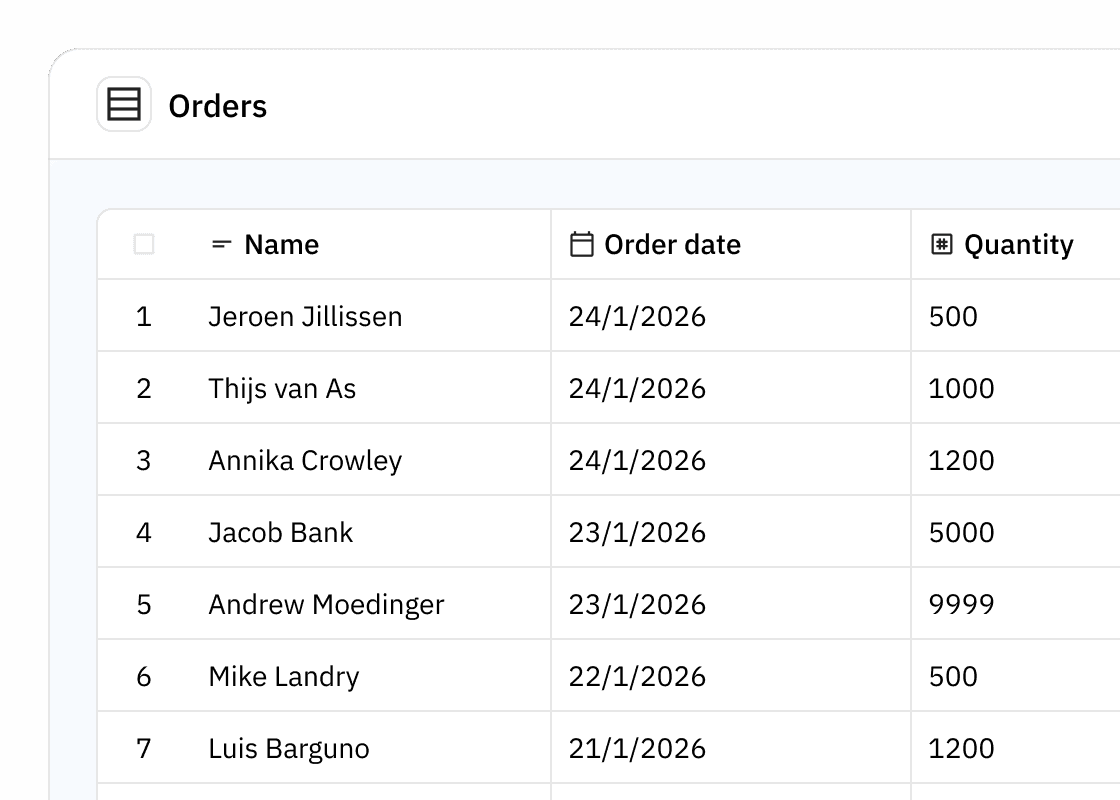
Tables
Tables store structured data your workflows can read and update over time. Use them for requests, contacts, deals, content ideas, or any reference data your workflows need. They make your automations stateful.
Watch this video to see Jacob build a workflow from scratch. Describe what you need, connect your apps, and turn it on. You'll see both the chat experience and the visual workflow it creates.
Relay.app is made so non-technical teams can automate work without ever directly editing the workflow. But if you like to tinker, the visual editor a joy to use. It's fast, opinionated, intuitive, and it feels nothing like wiring diagrams.
Build with the familiar primitives: Conditional paths, loops, filters, and drag-and-drop that just works. Everything is glanceable, so you can edit details in seconds.
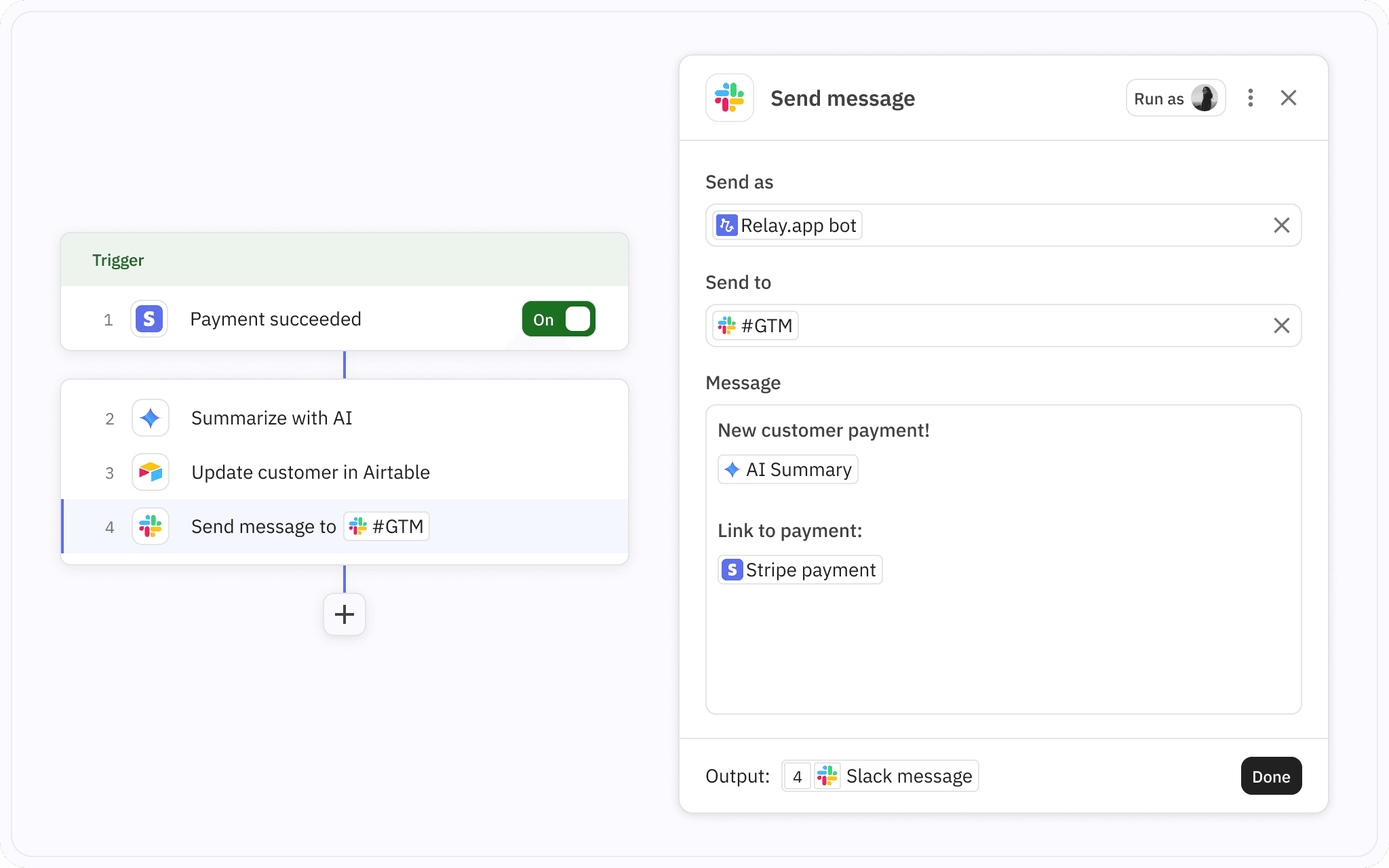
The Relay.app editor goes where others stop. It includes advanced primitives like dynamic waits, merging branches back into a shared flow, and producing portable rich text outputs.
Portable Rich Text
Rich text in Relay.app is portable by design. Use the same rich text output across email, chat, docs, and more, regardless of whether a tool expects HTML or Markdown. With powerful content templating, including list unrolling, you can generate polished reports from structured data in seconds.

New customer
User:

Workspace:

Ordered items:
List each item in


Link to: [Payment] [Order]






Dynamic Waits
Some workflows span hours or days. Dynamic wait steps make it easy to pause for a set duration, until a specific date, or until something changes in another app. Then Relay.app continues automatically.
Learn more ›

Send email to customer

Wait for reply on

Steps are the common language inside Relay.app. Whether you are building a workflow, a sequence, or an MCP tool, you are assembling from the same set of steps. Think of steps as reusable Lego-like bricks that define exactly what happens when.
Triggers
Every workflow starts with a trigger
Triggers are the doorbell that wakes up the workflow. When a trigger starts, Relay.app kicks off a run of the workflow with the full context it needs. Triggers can start on a schedule, from events in other apps, or from external requests like webhooks.
App-based triggers
Most workflows start from an event in another app, for example:
New email received in Gmail
Deal reaches a stage in HubSpot
Payment received in Stripe
When a run starts, the full event payload is available. So with a new email, you get the subject, body, sender, and even attachments.
Time-based trigger
Run workflows on a schedule you control. Every weekday at 5pm, every first Monday at 9am, or every 15 minutes.
Great for digests, checks, and summaries. Learn more ›
Manual trigger
Kick off a workflow manually with a button click. Optionally collect a few inputs first, like a customer name.
Great for one-off tasks and ad hoc requests. Learn more ›
Form trigger
Create a form in Relay.app that anyone can submit via a public link. Each submission starts a run with the submitted answers as inputs. You can also embed the form on your website.
And more triggers
Webhook
Start a run when Relay receives an HTTP request at a unique endpoint. Learn more ›
Table trigger
Start a run when a row is updated in a Relay.app Table
Mailhook
Start a run when an email arrives at a unique address. Learn more ›
Batch triggers
Start multiple runs of a workflow at once, manually or periodically. Learn more ›
App steps
Connect your apps to get things done
App steps feel like you hired someone to do work in your tools for you. They work with real objects, like Deals, Contacts, Tickets, Invoices, and custom objects. App actions use the app's API to work, so they're fast, you don't need an AI desktop browser to click around, and you don't need to be at your computer for them to get things done.
Fields are strongly typed, and nested data is easy to navigate because Relay.app automatically follows relationships between records. You don't have to build brittle lookup chains or do repeated checks for new data.
Nested objects, automatically
Step outputs include linked records automatically. Relay.app follows relationships like Contact → Company → Deals so you can use related data without adding extra lookup steps. Learn more ›
Connect multiple accounts
Shared app connections
Share an app connection with teammates so everyone can build and run workflows with the same account. Perfect for shared inboxes and service accounts. Learn more ›
AI steps
Drop in AI steps
Use AI where it shines. Drop in one-click AI steps to extract, classify, analyze, and write. The result is turned into clean structured data your workflow can actually use.
Built-in AI steps for common work
Start from proven building blocks, then customize the prompt and output schema as needed.
Control what the model can see
Limit it to specific fields, records, folders, or sources. No surprises.
Free AI credits in every plan
AI steps
More than just prompt wrappers
AI steps are the most powerful way to put AI to work in your workflows. While they are effortless to set up, they offer precise control over structure, tools, and data.
Relay.app works with any model
Choose the best model for each step. Mix and match providers to get the most out of them.
AI steps designed for ease and reliability
Go from prompt to usable structured outputs fast. Relay.app proposes an output schema, suggests tools when needed, and lets you test against real examples as you build.
Custom prompt, custom capabilities
Design your own AI step, then extend it with custom tools and MCP connections. Build reusable tools as mini workflows. or connect external MCP servers to reach internal systems.
Human in the Loop steps
Keep a human in the loop when it matters
Add checkpoints for approvals or human input anywhere in a workflow. Perfect when stakes are high, or when the right answer only lives in someone's head.
Built-in AI reviews
Turn on human review for any AI step with a single toggle. Relay.app sends the output to you in email or Slack so you can approve, revise, or send it back. Then the workflow continues with the final version.
Great for drafting content, or when the AI is not confident.
Approval steps
Add an approval checkpoint anywhere in a workflow. Relay.app notifies the assignee and pauses the run until they approve.
Great for payments, customer comms, and irreversible actions.
Data input steps
Collect missing details with a small form. Relay.app sends it to the assignee and continues once it is filled out.
Perfect for requesting go-live dates, contract values, or any detail only a human knows.
Webhooks & HTTP steps
Need to talk to a tool that Relay.app doesn't yet integrate with? Use Webhooks and HTTP steps to send requests, receive events, and move data in and out, without losing the polished Relay.app experience.
Webhook triggers
Start a run when Relay receives an HTTP request at a unique endpoint. You can also return custom responses, status codes and JSON or HTML payloads. Learn more ›
Custom HTTP Requests
Call any external API with a custom HTTP request. Configure request method, headers, query params, and payload. Use the response as structured data in the next steps. Learn more ›
Wait-for-webhook
Pause a workflow until an HTTP request arrives at a unique endpoint. Perfect for async handoffs, approvals from other systems, or long running external jobs.
Get file from URL
Fetch a file from any URL and bring it into your workflow. Useful for importing exports, or piping files between systems.
Create URL for file
Expose a file from your workflow via a URL. Choose a temporary link or a permanent one. Great for sharing outputs with tools that expect a download link.
Web scraping steps
Bring live web content into your workflows. Use it to enrich records, monitor changes, or give your AI steps fresh context before they take action.
Built-in scraping tools
Extract content from a URL
Capture a screenshot of a page
Crawl links starting from a page
Discover URLs from a query
Ingest RSS feeds
Utilities
Utilities: Your toolbox for everything else
Utilities are the extra building blocks for complex workflows. Transform data, manipulate files, and run custom code. All with the same guided Relay experience.
Data transformations
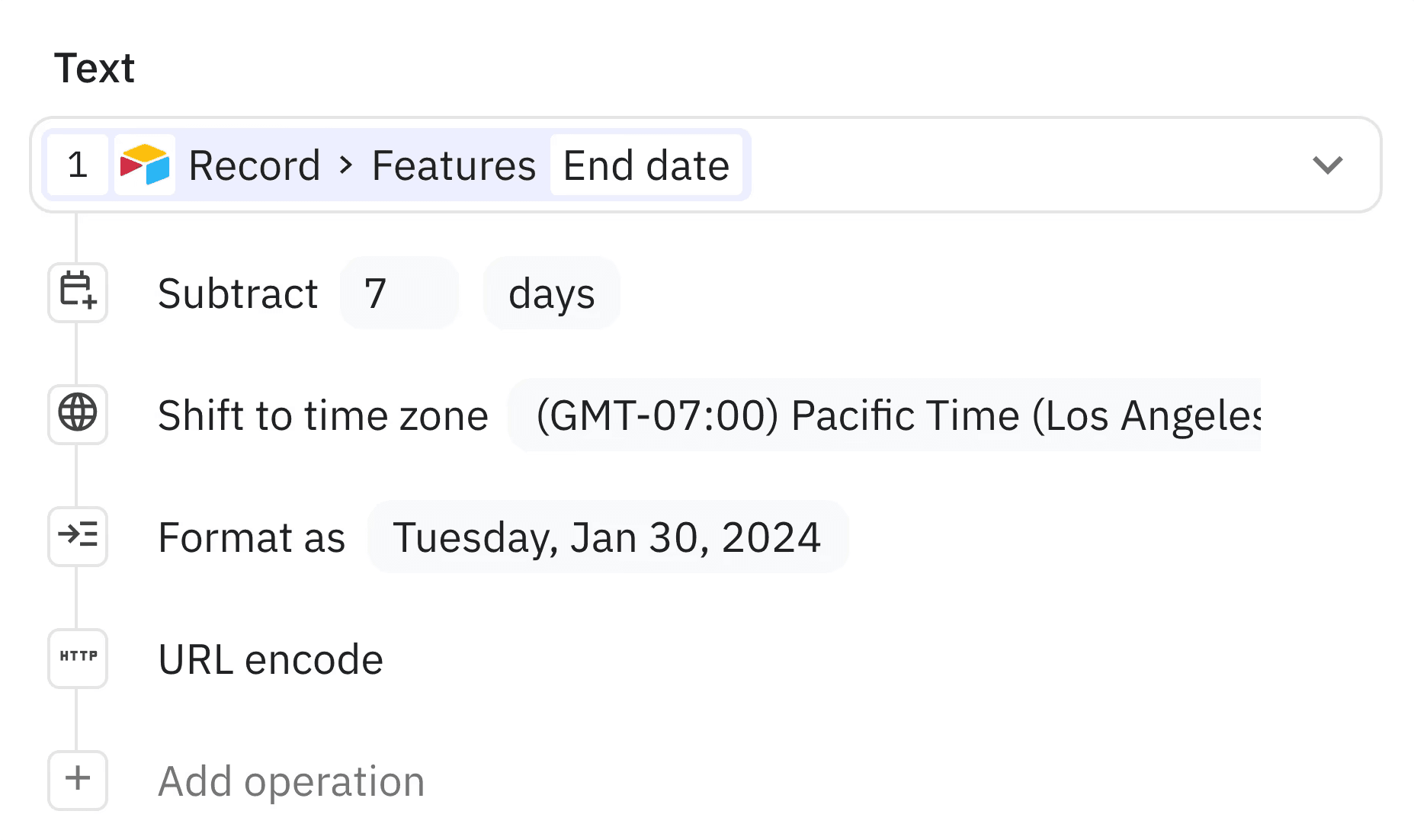
A powerful transform builder for everyday and advanced cases. Clean up text, reshape objects, and filter, sort, or slice lists with operations you can chain together. Learn more ›
Create and edit PDFs inside workflows
Create PDFs from rich text
Merge and split PDFs
Extract pages
Add or remove passwords
Compress PDFs
Run custom code
Run custom JavaScript in a secure sandbox when you need full control. Great for complex transformations, calculations, and edge cases beyond built-in steps. Learn more ›
File converters
Convert files between common formats, for example:
Microsoft Word → PDF
Microsoft Excel → CSV
JPG → PNG
And many more
CSV parser & generator
JSON parser & generator
Base64 decode & encode
File zipping & unizpping
Create TXT, MD, and HTML files
Image compression
Random number generator