Workflow automation software will save you time by eliminating mindless tasks. But there are a ton of powerful tools out there, and it can be tough to pick the right one.

It's time to automate your work
If you're reading this post, you probably already know that you want to save time by automating repetitive tasks, and you're looking for the best workflow automation tool for your specific needs.
In this article, I'll give you a complete guide to the best platforms available.
TL;DR
If you only have 30 seconds, here's the TLDR:
If you're looking for the easiest to use product with the best value, Relay.app is the right place to start.
If you need the most comprehensive list of integrations, choose Zapier.
If you're an advanced user or automation consultant that needs maximum flexibility, choose Make.com.
But there's a lot more to it! So read on to see our complete list and criteria.
How I evaluated these platforms
What should you look for to pick the right tool? In our research, we've found that there are five key dimensions along which users should evaluate their tool of choice. Depending on your exact needs, you may value one more than the other, but I'm guessing that all five will be important.
🖼 User experience
What to look for:
Elegant and clean design that you actually want to look at.
Simple and intuitive experience that let less technical users set up workflows quickly and easily.
Testing mode that makes it easy to try out your workflow and fix errors.
Every product will say that they have a great user experience, so the best way to figure this out is to check out what real users are saying and try the product for yourself (most products in the category have free tier, so experimentation is easy).
🛠Automation features
What to look for:
Flow control basics like Iterators, Paths, Scheduled triggers, and Wait steps.
Utilities like Data Transformation and Custom Code steps.
Multiplayer collaboration. to share workflows with your teammates.
🤖 AI experience
What to look for:
Easy ability to add AI into your workflows without needing to connect multiple accounts or buy 10 different kinds of credits from each of OpenAI, Anthropic, etc.
Top-level AI constructs that make it easy to do common tasks like extraction, translation, and summarization.
Human-in-the-loop steps that let you double check the output of the AI and correct it if it's wrong.
🖇 Integrations
What to look for:
Deep and robust integrations with your most important apps, like your email, CRM, project management tool, etc.
Solid coverage of all the apps you use.
Advanced tools to connect to other systems like Webhooks and HTTP Requests.
💰 Price and value
What to look for:
Generous free tier that lets you experiment to make sure you like the product.
Which plans include the features and integrations you need.
How much the platform charges for each step or operation.
The 15 best workflow automation tools
1.
Relay.app
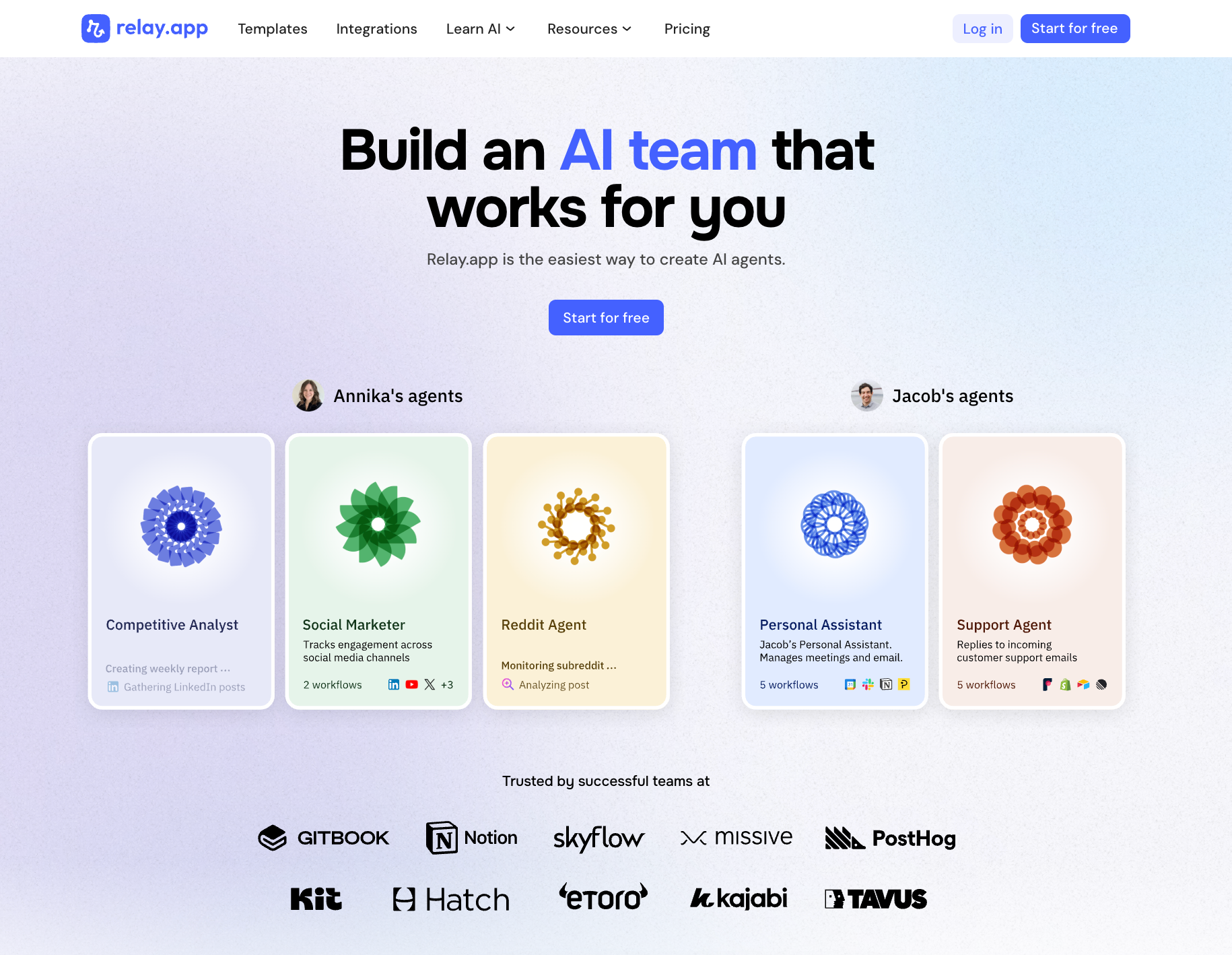
Relay.app stands out because it is incredibly easy to use. Non-technical users that have struggled with tools like Zapier and Make.com can create AI agents in minutes. To create agents in Relay.app, all you need to do is explain what you want in plain language, and Relay.app will create the agentic workflow for you. This model combines the ease-of-use of chat with the predictability and reliability of workflows. Relay.app also has the strongest human in the loop features that keep you in control and ensure that you can trust the work of your agents.
✅ Pros
Ease of use for all types of users to create their own AI agents with a simple chat experience.
Visual workflow representation that gives you confidence in how your AI agent will work on tasks.
Human-in-the-loop features for reviewing or approving actions, so you maintain control over what the AI does.
Built-in AI credits and model integration – use OpenAI, Anthropic, Gemini and more, without manual API keys.
❌ Cons
Integration library still growing – as a newer platform, it may not yet have every app integration that incumbents like Zapier offer.
💰 Pricing
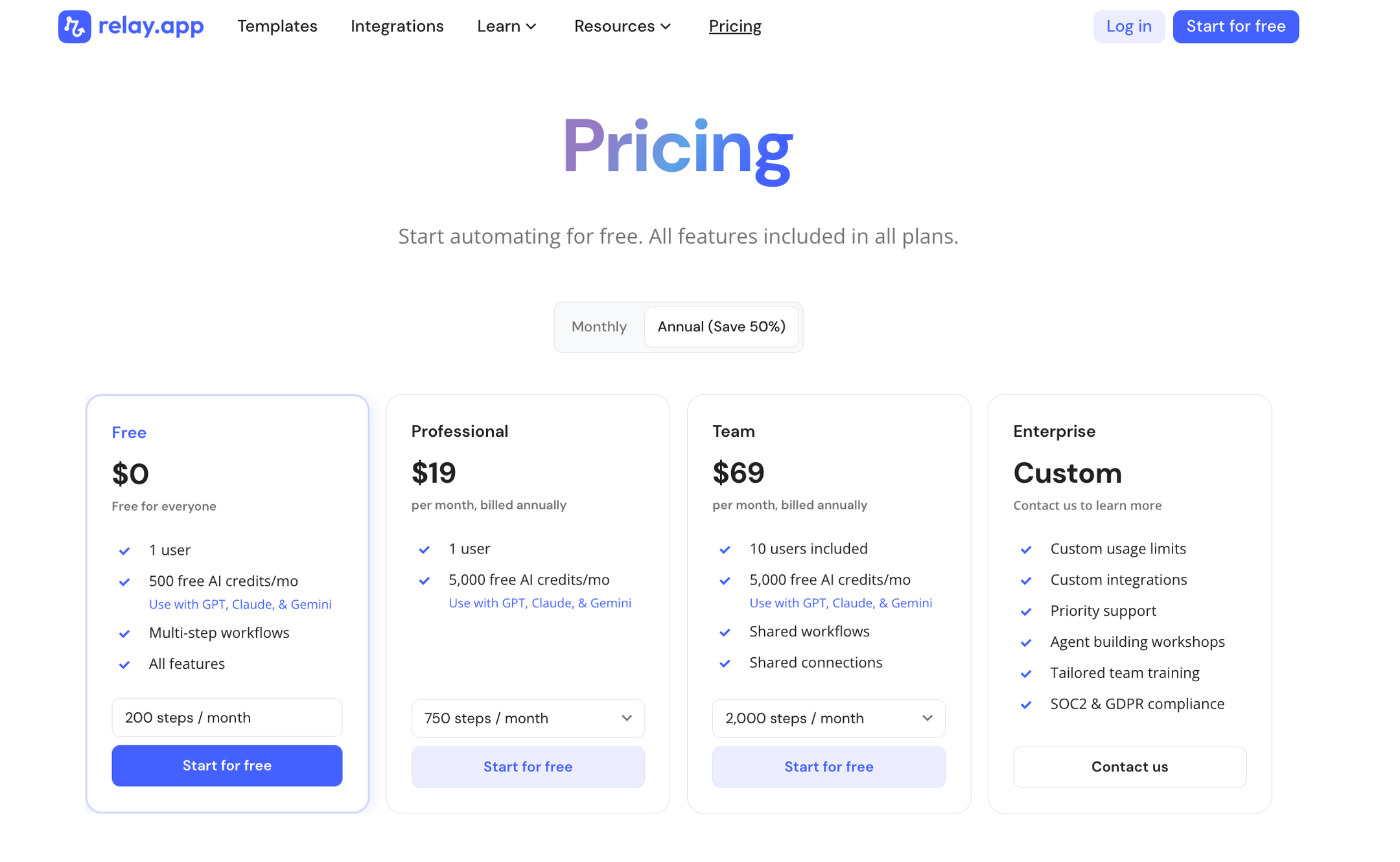
Free tier: Yes – includes 200 automation steps and 500 AI credits per month.
Professional: $19/month billed annually (generous for single users or small teams).
Team: $69/month billed annually (higher capacity and collaboration).
Enterprise: Custom pricing for large organizations.
Takeaway
If Relay.app supports the integrations you need, it should be your first choice for building AI agents. Users praise its exceptionally easy UI and smooth experience, which is why Relay is often highlighted as the easiest-to-use AI agent builder for beginners.
2.
Zapier
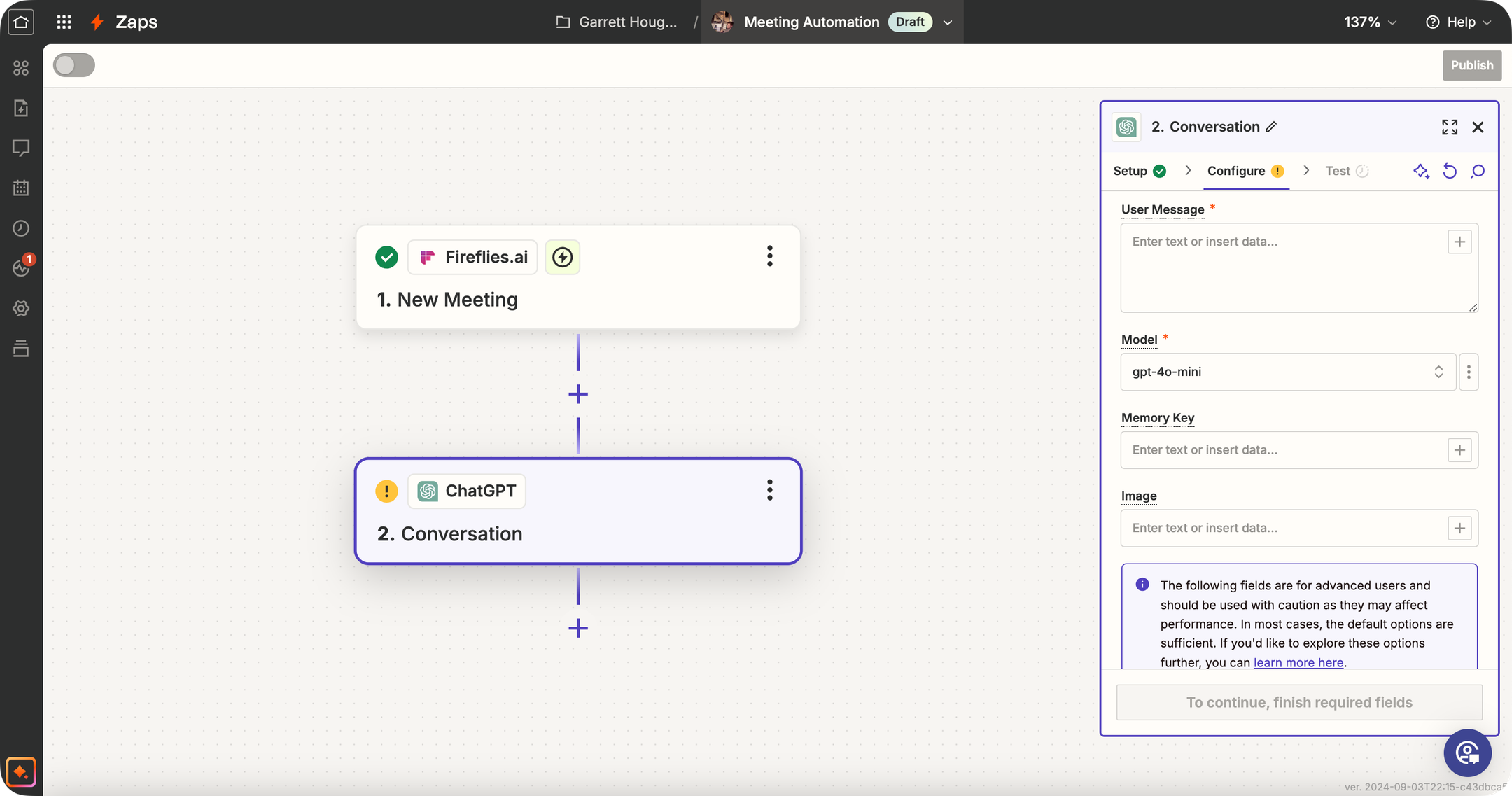
Zapier is a very well-known automation tool (the "OG" of no-code workflows) that has significantly expanded its AI capabilities. Traditionally, Zapier connects your apps: "When X happens in app A, do Y in app B." Now, Zapier offers dedicated AI Agents, AI Chatbots, Canvas (for visually designing automation systems), and MCP (Model Context Protocol) for connecting AI tools to its ecosystem. Zapier isn't an AI-specialized platform like some others here, but its strength is the 8,000+ app integrations it supports. This means you can trigger AI agents based on almost any event (new email, form submission, CRM update—you name it) and then have the AI perform an action or generate content as part of the workflow. Use cases: e.g., automatically summarize every new support ticket with GPT and post it to Slack, or generate a draft email reply when a lead comes in, etc., all using Zapier's workflow editor.
✅ Pros
Massive integration ecosystem: Zapier connects with over 8,000 apps, so your AI agent can interact with nearly any tool your business uses — unmatched in the industry.
Mature product and platform: Zapier has a reputation for dependable execution of workflows and extensive documentation + community support.
Extensive template library: Thousands of pre-built Zap templates (including many with AI) to get you started quickly.
Expanding AI toolkit: Now offers dedicated AI Agents, Chatbots, Canvas, and MCP support alongside its core automation platform.
❌ Cons
AI agent capabilities not as advanced: Zapier's AI features are still maturing compared to specialized AI agent builders.
More difficult to evolve an older product: Zapier's legacy as an if-this-then-that tool can make it harder to match the ease of use that cutting-edge AI demands.
Fragmented pricing for AI features: AI Agents and Chatbots are separate paid add-ons on top of the base platform, which adds complexity and cost.
💰 Pricing
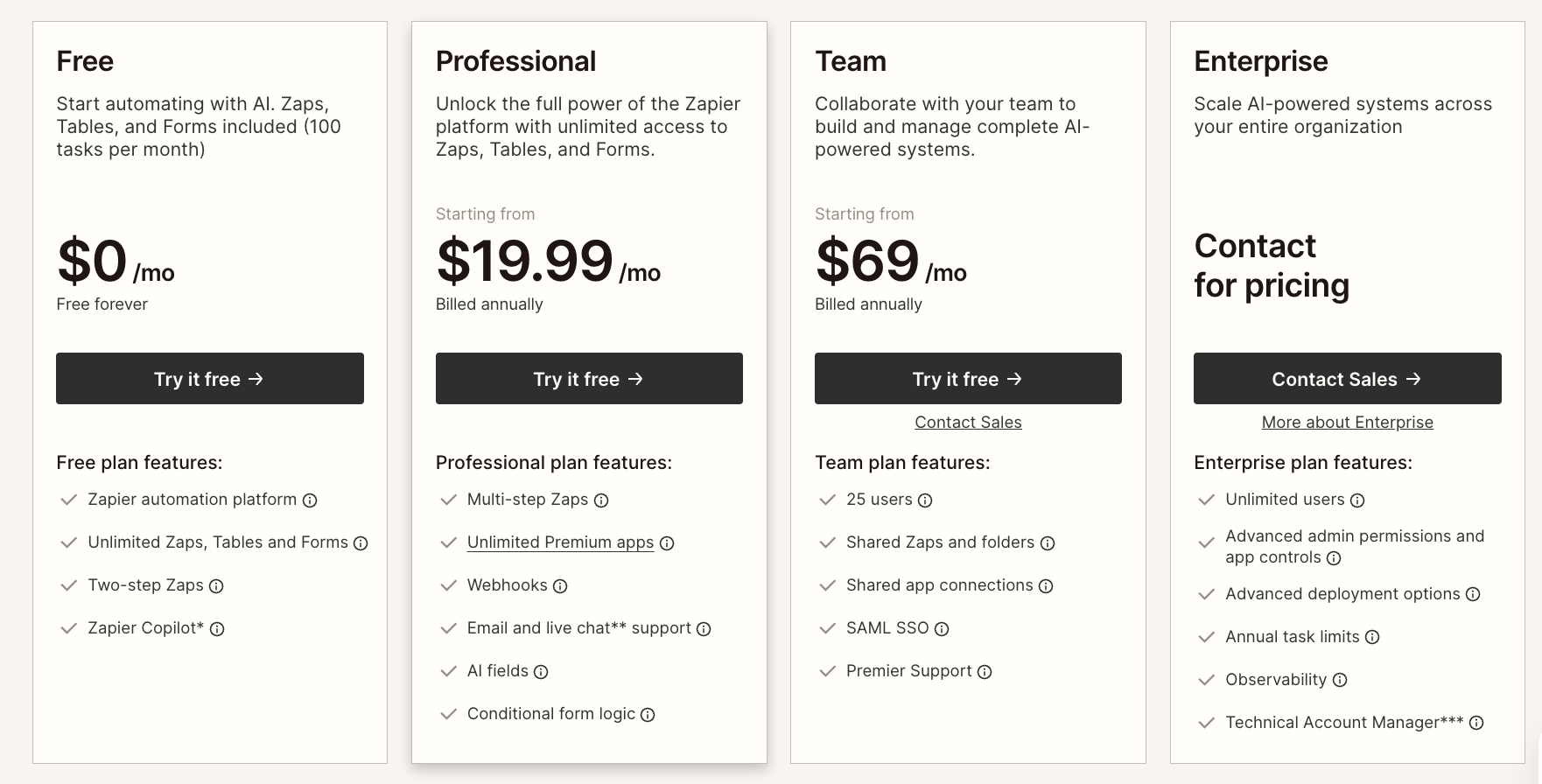
Free Tier: Yes – 100 tasks/month with two-step Zaps, plus Tables, Forms, and Zapier MCP included.
Professional: Starting from $19.99/month (billed annually) – multi-step Zaps, unlimited premium apps, Tables, Forms, and MCP included.
Team: Starting from $69/month (billed annually) – 25 users, shared Zaps, SAML SSO.
Enterprise: Custom pricing – unlimited users, advanced admin controls, observability.
AI Agents add-on: Free (400 activities/mo) or Pro ($33.33/mo for 1,500 activities).
Chatbots add-on: Free (2 chatbots), Pro ($13.33/mo for 5 chatbots), or Advanced ($66.67/mo for 20 chatbots).
Takeaway
If you already use Zapier for automation, it's a natural step to experiment with its AI features. It's best for scenarios where connecting different apps is the priority, and AI just plays one part in the workflow. It's a safe choice if you use niche tools that aren't covered by other platforms in this category.
3.
Make
Make is a visual-first no-code automation platform that lets you design complex workflows on a canvas by connecting modules from 3,000+ apps. It supports advanced logic like branching, filtering, iteration, and error handling, making it popular with power users who need more control than simpler tools offer. Make has recently expanded into AI with AI Agents (currently in beta), an AI Toolkit, MCP server support, and 400+ AI app integrations including OpenAI, DeepSeek, and Perplexity. The platform uses a credit-based billing model where each module action counts as one credit. Make is well-suited for technical users and teams that need to build sophisticated, multi-step automations with granular control over every step.
✅ Pros
Powerful visual scenario builder: The canvas-based editor lets you see exactly how data flows through your automation — great for debugging and complex logic.
Advanced workflow logic: Supports branching, filtering, iteration, and error handling that most simpler tools can't match.
Strong integration library: Connects with 3,000+ apps, with deep action support across most of them.
Generous pricing relative to complexity: Make offers more operations per dollar than Zapier, making it attractive for higher-volume automations.
❌ Cons
Steep learning curve: Make's power comes at a cost — non-technical users typically need 10–20 hours before feeling comfortable, and concepts like routers, iterators, and aggregators take real investment to learn.
Credit billing can get expensive: Make switched from operations to a credit-based model, and AI modules in particular can burn through credits quickly if you're not careful about how workflows are architected.
AI capabilities still maturing: The next-gen agents are in open beta and pricing may still evolve.
💰 Pricing
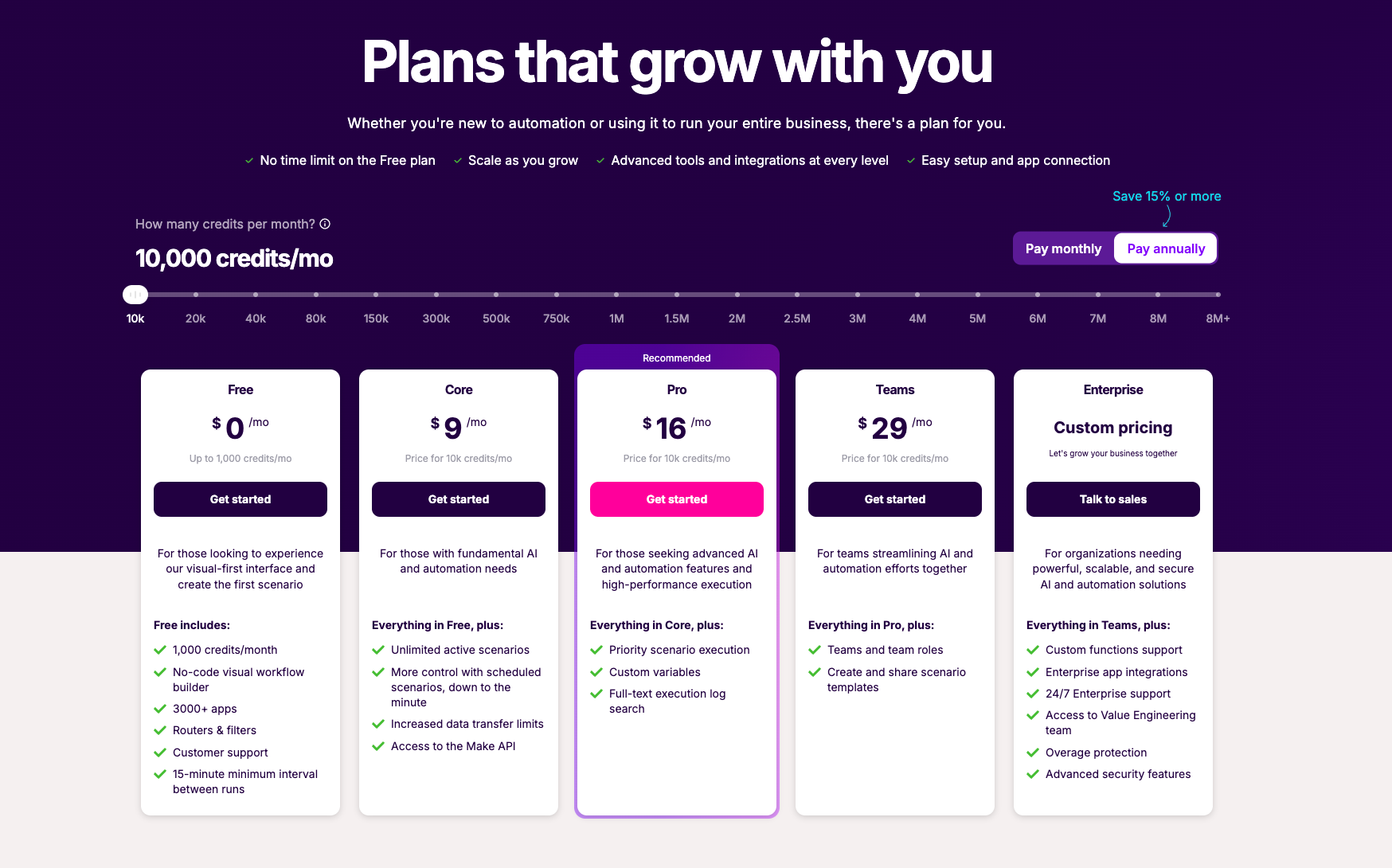
Free: $0/month – 1,000 credits/month
Core: $9/month – 10,000 credits/month
Pro: $16/month – 10,000 credits/month plus priority execution and advanced features
Teams: $29/month – 10,000 credits/month plus team collaboration
Enterprise: Custom pricing
Takeaway
Make is a strong choice for power users and technical teams who need granular control over complex, multi-step automations. Its visual canvas and advanced logic features are best-in-class for those willing to invest the time to learn them. However, the steep learning curve and credit-based billing complexity mean it's not ideal for non-technical users or teams that want to get started quickly. If you want similar visual automation power but with a much easier setup experience — especially for building AI agents — tools like Relay.app offer a more approachable alternative.
4.
Workato

Workato is an enterprise-grade iPaaS (Integration Platform as a Service) that has expanded into agentic AI with its Enterprise MCP (Model Context Protocol). It connects 1,200+ apps and enables organizations to build workflows, automate business processes, and deploy AI agents across departments like IT, Sales, HR, and Support. Recognized as a 7x Leader in the Gartner Magic Quadrant for iPaaS, Workato is trusted by large enterprises like Adobe, Cisco, Vodafone, and Atlassian. The platform includes Agent Studio for building AI agents with a low-code visual editor, embedded integration capabilities for SaaS products, and deep enterprise governance features including SSO, RBAC, and audit trails. Workato is purpose-built for mid-to-large organizations with complex, cross-departmental integration and automation needs.
✅ Pros
Deep enterprise connector library with 1,200+ pre-built integrations and support for on-premises apps and databases.
7x Gartner Magic Quadrant Leader with built-in governance, authentication, and audit trails at every layer.
Enterprise MCP connects AI agents like Claude, OpenAI, and Copilot to business systems with transactional integrity and rollback.
Agent Studio enables building and deploying AI agents across departments with low-code visual design.
❌ Cons
No transparent pricing — all plans require contacting sales for a custom quote, making it hard to evaluate upfront.
Enterprise-first design can feel heavyweight and complex for small teams or simple automation use cases.
Steep onboarding curve compared to lighter-weight automation and AI agent tools.
No free tier available for individual users or small teams to experiment before committing.
💰 Pricing
No public pricing — all plans require contacting sales for a custom quote.
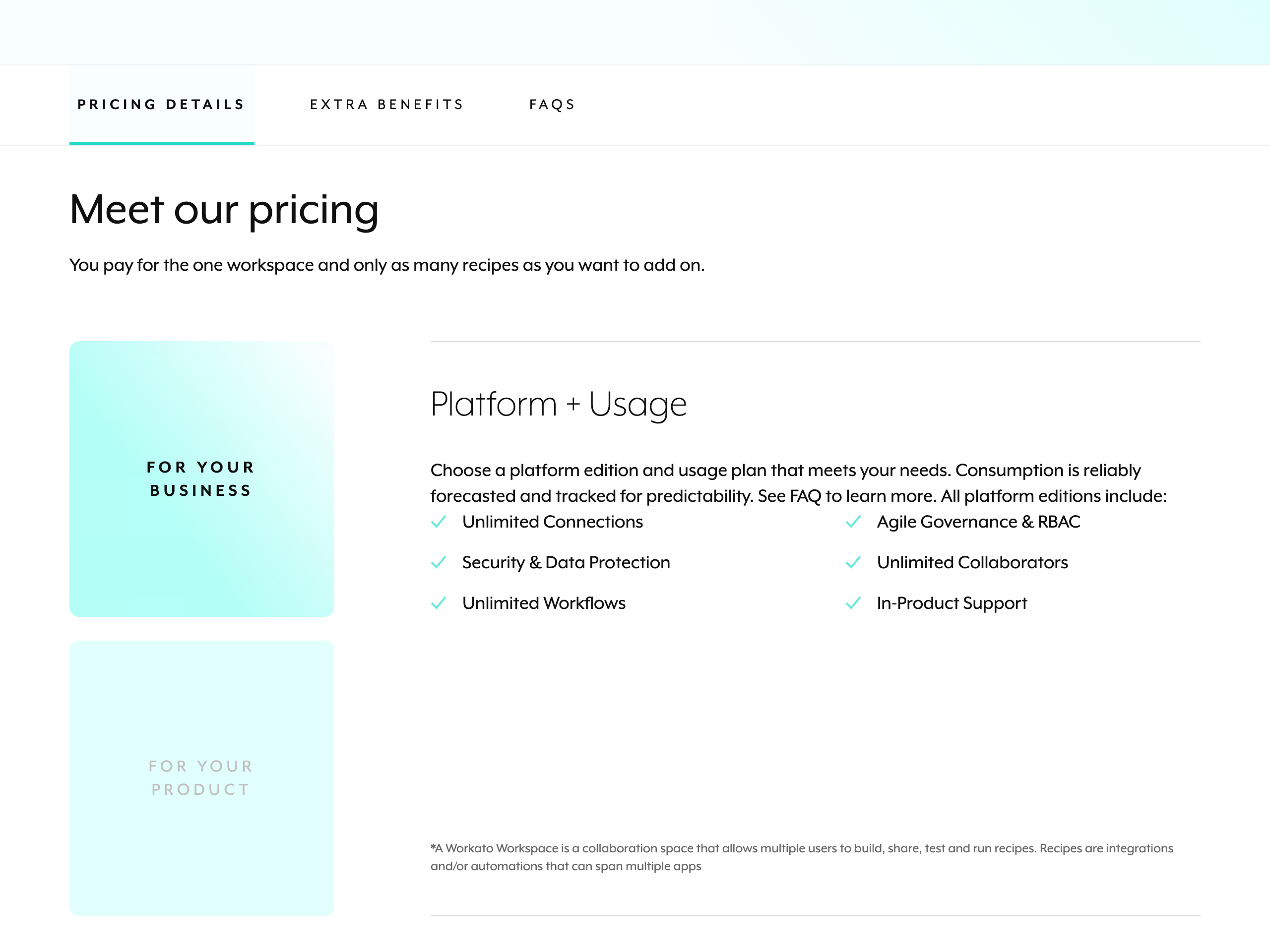
Platform editions: Standard, Business, Enterprise, and Workato One (full platform with Agentic Orchestration).
Consumption-based usage billed by capability (Workflows, APIM, Event Streams) — forecasted and tracked for predictability.
All editions include: Unlimited connections, unlimited collaborators, unlimited workflows, security & data protection, RBAC, and in-product support.
Takeaway
Workato is a powerhouse for large enterprises that need deep integrations, governance, and AI agent orchestration at scale. Its Enterprise MCP and Gartner-leading iPaaS engine make it a serious choice for complex, cross-departmental automation across thousands of employees. However, the lack of transparent pricing, enterprise-only sales process, and heavyweight onboarding mean it's overkill for small teams or individuals who just want to get started quickly. If you're looking for a more accessible way to build AI agents without a sales call — with transparent pricing and a free tier — Relay.app offers a dramatically simpler experience that lets you go from idea to working agent in minutes.
5.
Tray

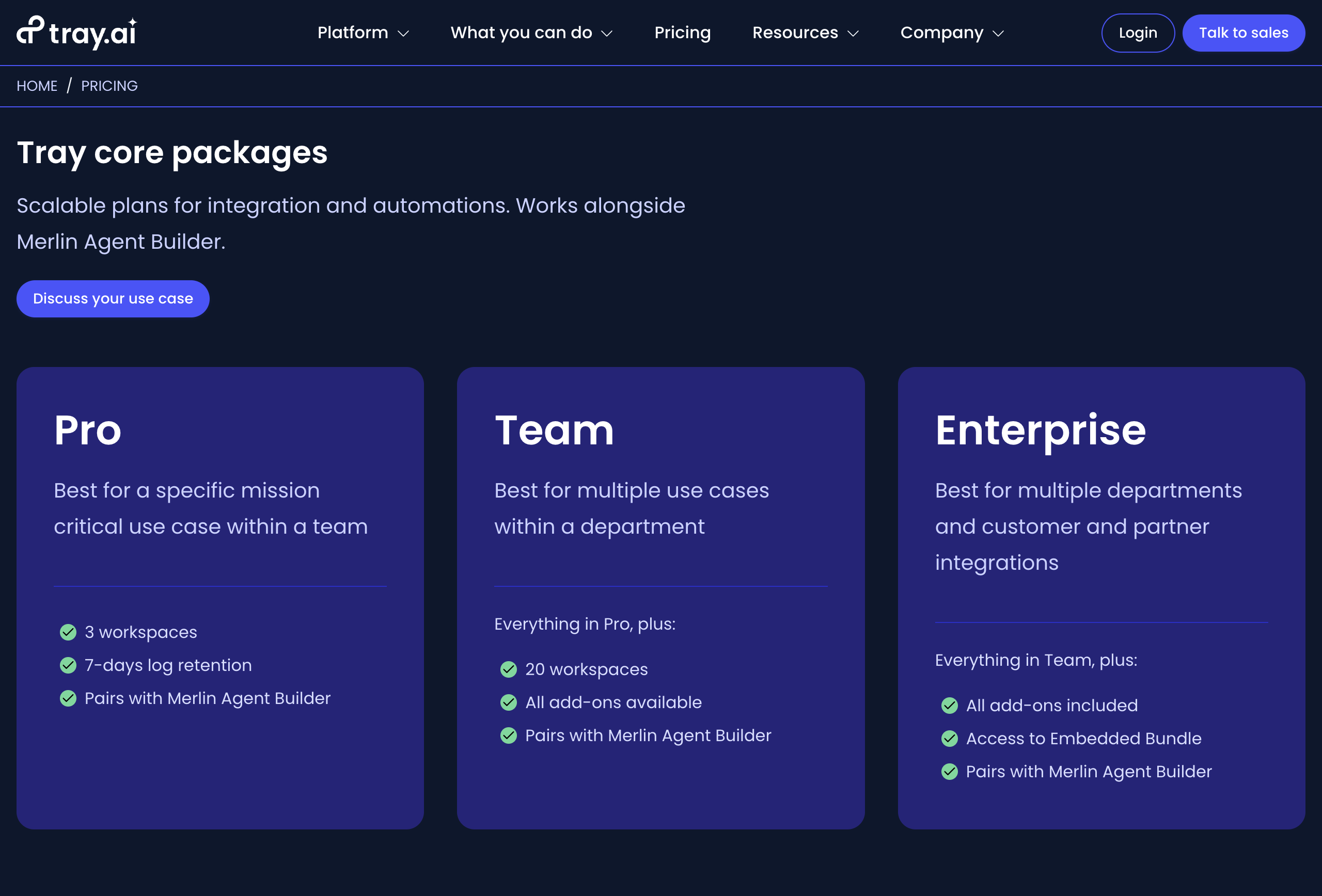
Tray.ai is an AI orchestration platform that combines a traditional iPaaS with AI agent building capabilities. Its Merlin Agent Builder lets teams create agents that can reason, act, and learn across connected systems — deployable to Slack, web apps, or APIs. The platform offers 600+ connectors, pre-built agent accelerators for IT, HR, knowledge, and support use cases, and enterprise-grade governance features like audit trails, guardrails, and role-based access control. Tray positions itself as a low-code builder for business technologists and development teams, with a focus on scaling AI agents across the enterprise stack. Pricing is entirely custom and sales-driven, with no self-serve plans available.
✅ Pros
• Enterprise-grade governance: Includes guardrails, audit trails, RBAC, and Merlin Guardian for sensitive data protection.
• Pre-built agent accelerators: Ready-to-use agents for ITSM, HR, knowledge, and support speed up time-to-value.
• 600+ connectors: Broad integration library for connecting across complex enterprise stacks.
• Flexible LLM support: Choose the best model for each use case with no vendor lock-in.
❌ Cons
• No public pricing or free tier: Every plan requires talking to sales, making it hard to evaluate costs upfront.
• Enterprise-oriented complexity: Designed for large IT teams — likely overkill for small businesses or simple automations.
• Steeper learning curve: The platform's power comes with more setup overhead compared to simpler AI agent builders.
• Merlin Agent Builder sold separately: AI agent capabilities are an additional purchase on top of core iPaaS plans.
💰 Pricing
Pro: Custom pricing – 3 workspaces, 7-day log retention, pairs with Merlin Agent Builder
Team: Custom pricing – 20 workspaces, all add-ons available, pairs with Merlin Agent Builder
Enterprise: Custom pricing – unlimited workspaces, all add-ons included, Embedded Bundle access
Merlin Agent Builder: Purchased separately – includes pre-built accelerators, guardrails, multi-LLM support
ITSM Accelerator Starter: Pre-built ITSM agent with 50,000 tasks, Slack/Teams integration, guided onboarding, and enterprise support
No free tier — all plans require contacting sales.
Takeaway
Tray.ai is built for enterprise IT teams that need to orchestrate AI agents across a complex tech stack with strong governance and compliance controls. Its Merlin Agent Builder and pre-built accelerators can speed up deployment for use cases like ITSM and HR. However, the lack of public pricing, no free tier, and sales-driven onboarding make it a poor fit for smaller teams or anyone who wants to get started quickly. If you're looking for an easier, more accessible way to build AI agents without an enterprise sales cycle, Relay.app is a much faster path from idea to live agent.
6.
Power Automate
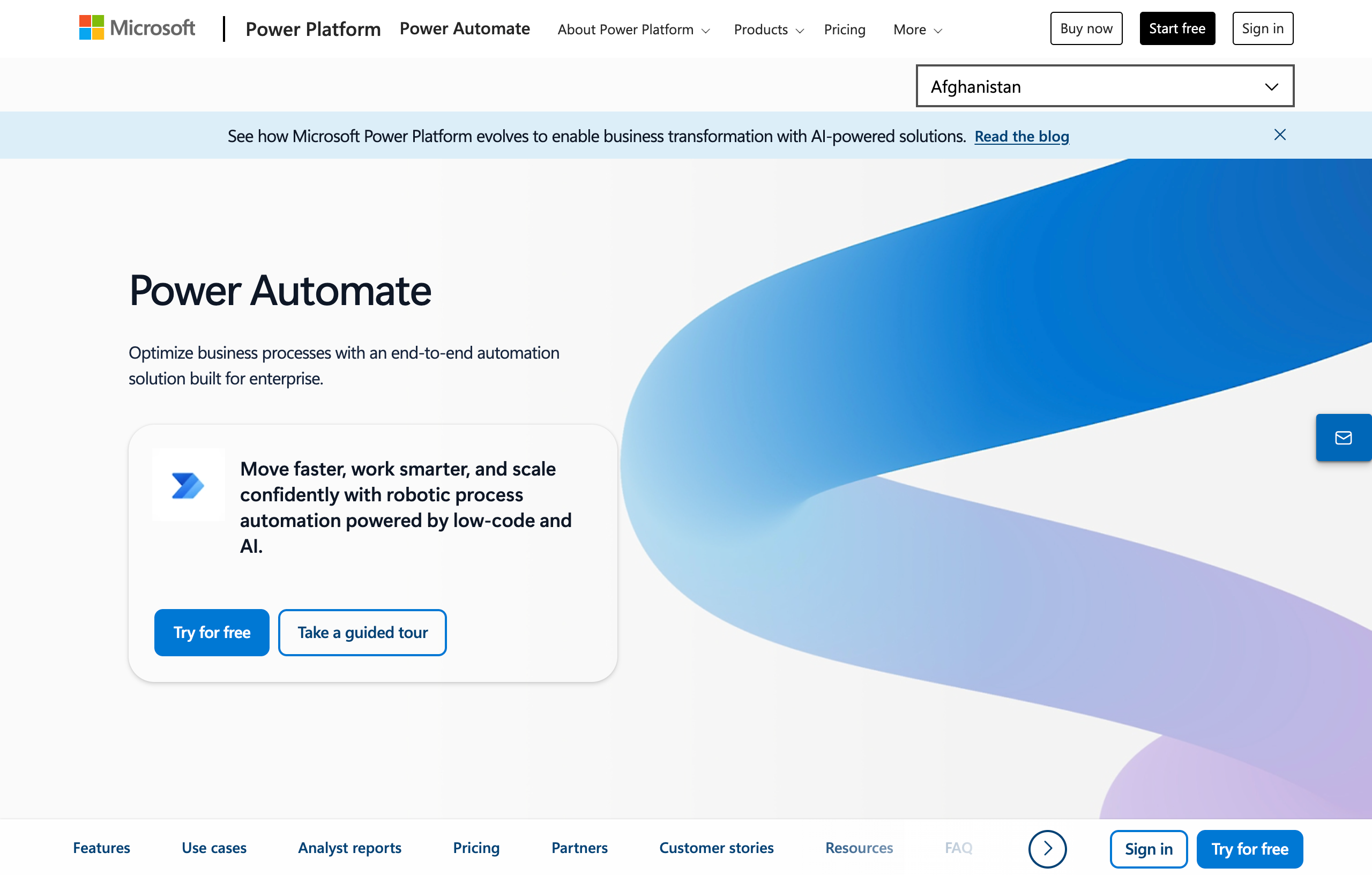
Power Automate is Microsoft's end-to-end process automation platform, part of the Power Platform family. It lets you build cloud flows (digital process automation) to connect apps and services, desktop flows (robotic process automation) to automate legacy systems and Windows desktop tasks, and use AI-powered features like Copilot to create automations using natural language. With 1,400+ prebuilt connectors and native integrations across Microsoft 365, it's designed for enterprise-scale automation with built-in governance, security, and process mining capabilities. While powerful within the Microsoft ecosystem, its complexity and enterprise-focused design can make it feel heavy compared to more modern, lightweight automation tools.
✅ Pros
✅ Seamless Microsoft 365 integration — automating workflows across Excel, SharePoint, Outlook, Teams, and other Microsoft apps is effortless and built right into the apps.
✅ Desktop RPA capabilities — Power Automate Desktop lets you automate legacy Windows applications and on-screen tasks, something most cloud-only automation tools can't do.
✅ AI-powered authoring with Copilot — you can create and edit flows using natural language, plus leverage built-in AI models for document processing and content generation.
✅ Enterprise governance and security — admins get centralized management, data loss prevention policies, and Managed Environments to control automation at scale across the organization.
❌ Cons
❌ Unintuitive interface — users often find the design clunky and sluggish compared to more modern automation tools, with a steep learning curve for non-technical users.
❌ Reliability concerns at scale — some users report flows crashing with high volumes or difficulty debugging when things go wrong, especially with non-Microsoft connectors.
❌ Complex pricing structure — multiple plan types (per-user, per-bot, hosted, add-ons) make it hard to predict costs, and premium connectors require paid plans.
❌ Limited value outside Microsoft — if your stack isn't Microsoft-centric, most of Power Automate's advantages disappear, and simpler tools like Relay.app offer a better experience.
💰 Pricing
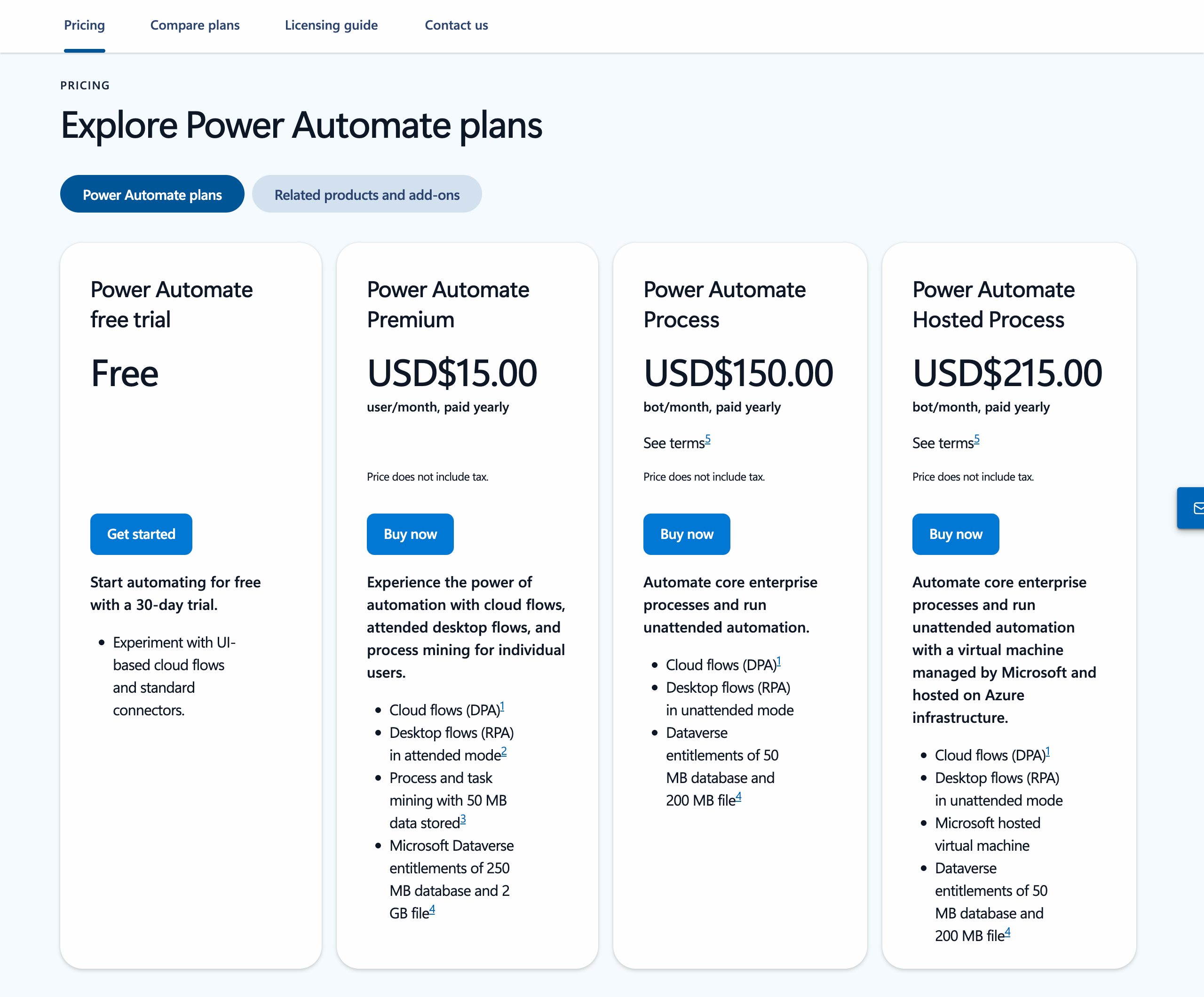
Free tier: No standalone free plan, though limited Power Automate capabilities may be included with certain Microsoft 365 subscriptions. A 30-day free trial of premium features is available.
Power Automate Premium: $15/user/month (billed yearly) — includes cloud flows, attended desktop flows (RPA), process mining, and premium connectors.
Power Automate Process: $150/bot/month (billed yearly) — licenses a bot for unattended desktop flows or cloud flows accessible by unlimited users.
Power Automate Hosted Process: $215/bot/month (billed yearly) — same as Process but with a Microsoft-hosted virtual machine on Azure.
Takeaway
If you're already paying for Microsoft 365 and all your data lives in Microsoft apps, Power Automate could be the path of least resistance – it's right there and supported by Microsoft. It will never be the most feature-rich or cost-effective automation tool for general purposes, but it offers convenience for Microsoft-centric workflows and keeps your automation "in-house" with Microsoft. If you aren't a Microsoft-heavy shop, then Power Automate likely isn't worth looking at (and its value drops significantly).
7.
ActivePieces
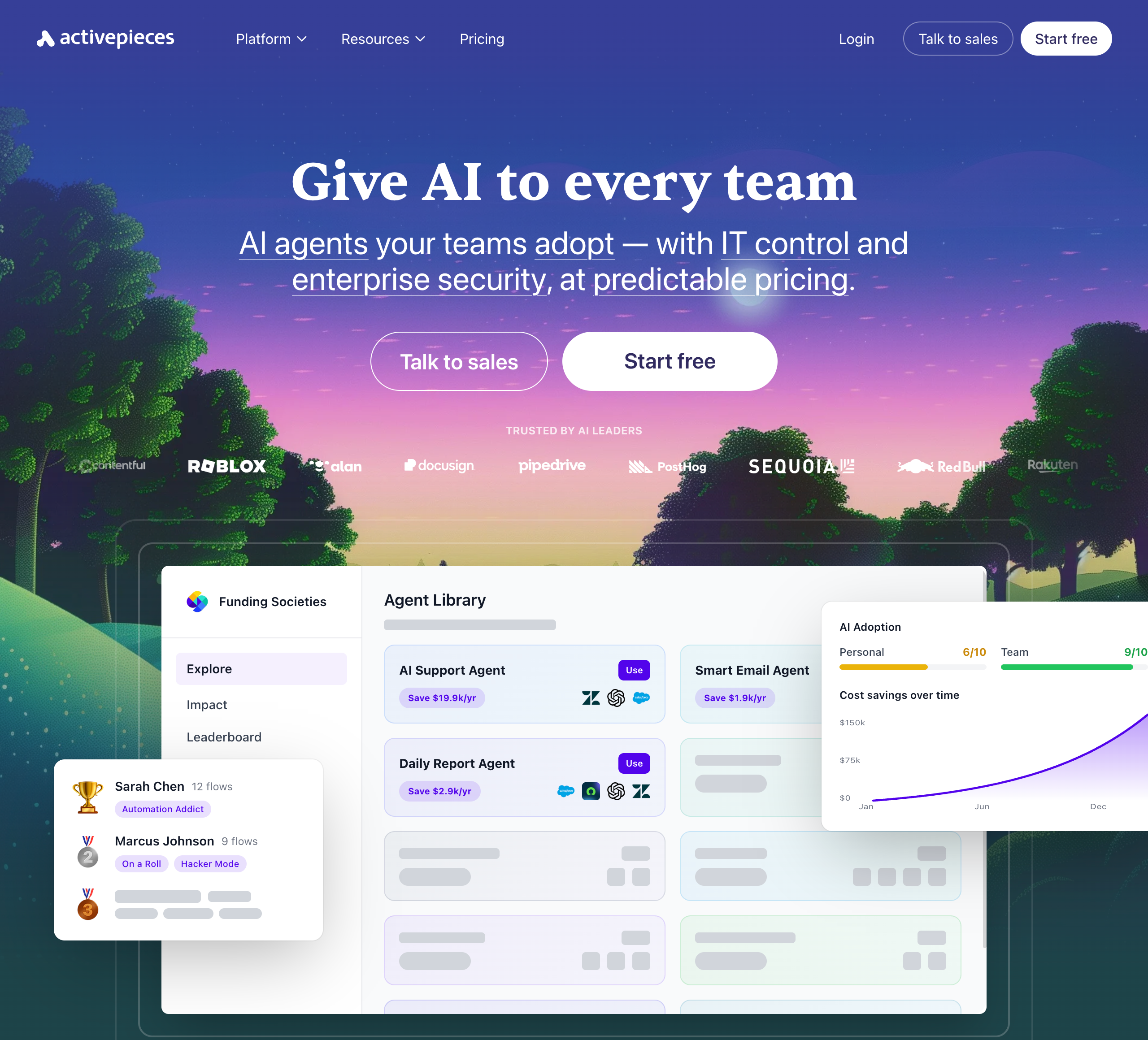
Activepieces is an open-source, AI-first automation platform that lets teams build AI agents and workflows without code. It offers 644+ integrations, an AI Agent Builder, and an AI Adoption Stack designed to drive organization-wide AI usage — complete with analytics, gamification, and a pre-built agent library. The platform emphasizes enterprise control with SSO, SCIM provisioning, custom RBAC, and audit logs, and can be deployed on Activepieces' cloud (SOC 2 Type II, GDPR) or self-hosted via Docker or Helm. Its open-source core (MIT licensed, 270+ contributors) appeals to technical teams who want full control over their automation infrastructure. However, its enterprise-oriented feature set and self-host focus may feel like overkill for smaller teams that just want a quick, simple way to build AI agents.
✅ Pros
• Open-source and self-hostable: MIT-licensed core with Docker and Helm support, giving technical teams full control over their data and infrastructure.
• 644+ integrations: Broad connector library covering major apps like Gmail, Slack, HubSpot, Salesforce, and OpenAI.
• AI Adoption Stack: Includes analytics, gamification, leaderboards, and a pre-built agent library to drive org-wide AI usage.
• Enterprise governance: SSO, SCIM, custom RBAC, audit logs, and SOC 2 Type II compliance for IT-controlled deployments.
❌ Cons
• Steeper learning curve: Self-hosting and advanced governance features add complexity that may overwhelm non-technical users.
• No human-in-the-loop controls: Lacks built-in approval or review steps to let you verify AI actions before they execute.
• Opaque pricing at scale: The Unlimited plan requires contacting sales, making it hard to predict costs for larger teams.
• Enterprise-heavy focus: Many headline features (SSO, SCIM, RBAC, audit logs) are geared toward large orgs, which can feel like overkill for small teams.
💰 Pricing
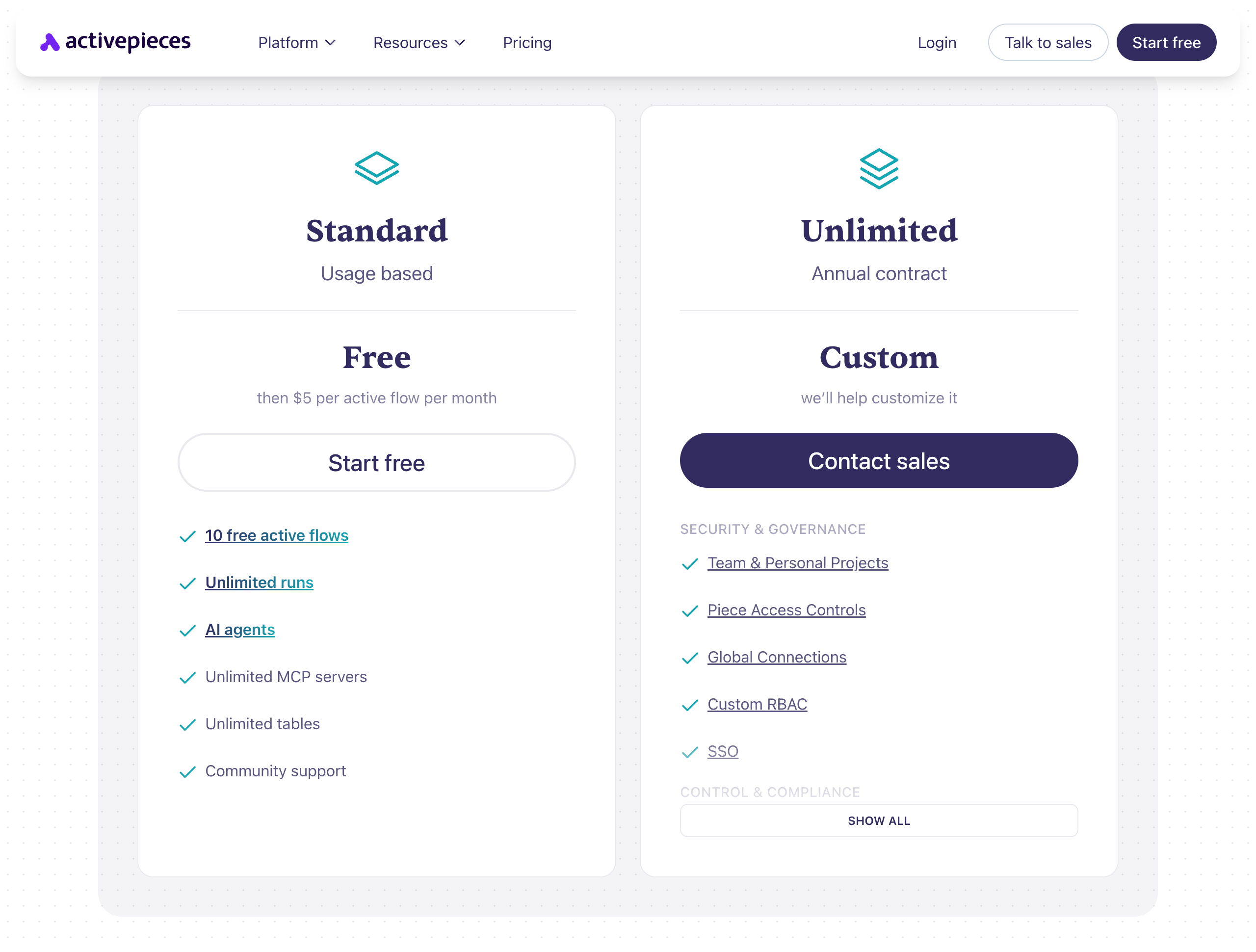
• Standard: Free to start – includes 10 free active flows, unlimited runs, AI agents, unlimited MCP servers, and unlimited tables. Then $5 per active flow per month.
• Unlimited: Custom pricing (annual contract) – includes team & personal projects, piece access controls, global connections, custom RBAC, SSO, audit logs, and dedicated support.
• Community Edition: Free, MIT-licensed, self-hosted – core features only, requires technical skills to deploy.
Takeaway
Activepieces is a solid choice for technical teams and enterprises that want an open-source, self-hostable automation platform with strong governance controls. Its AI Adoption Stack and agent library are unique differentiators for driving org-wide AI usage. However, if you're looking for the easiest way to build AI agents without managing infrastructure — and you want built-in human-in-the-loop controls to stay in charge of what your agents do — Relay.app is a simpler, faster alternative that lets you create agentic workflows in plain language from day one.
8.
Bardeen
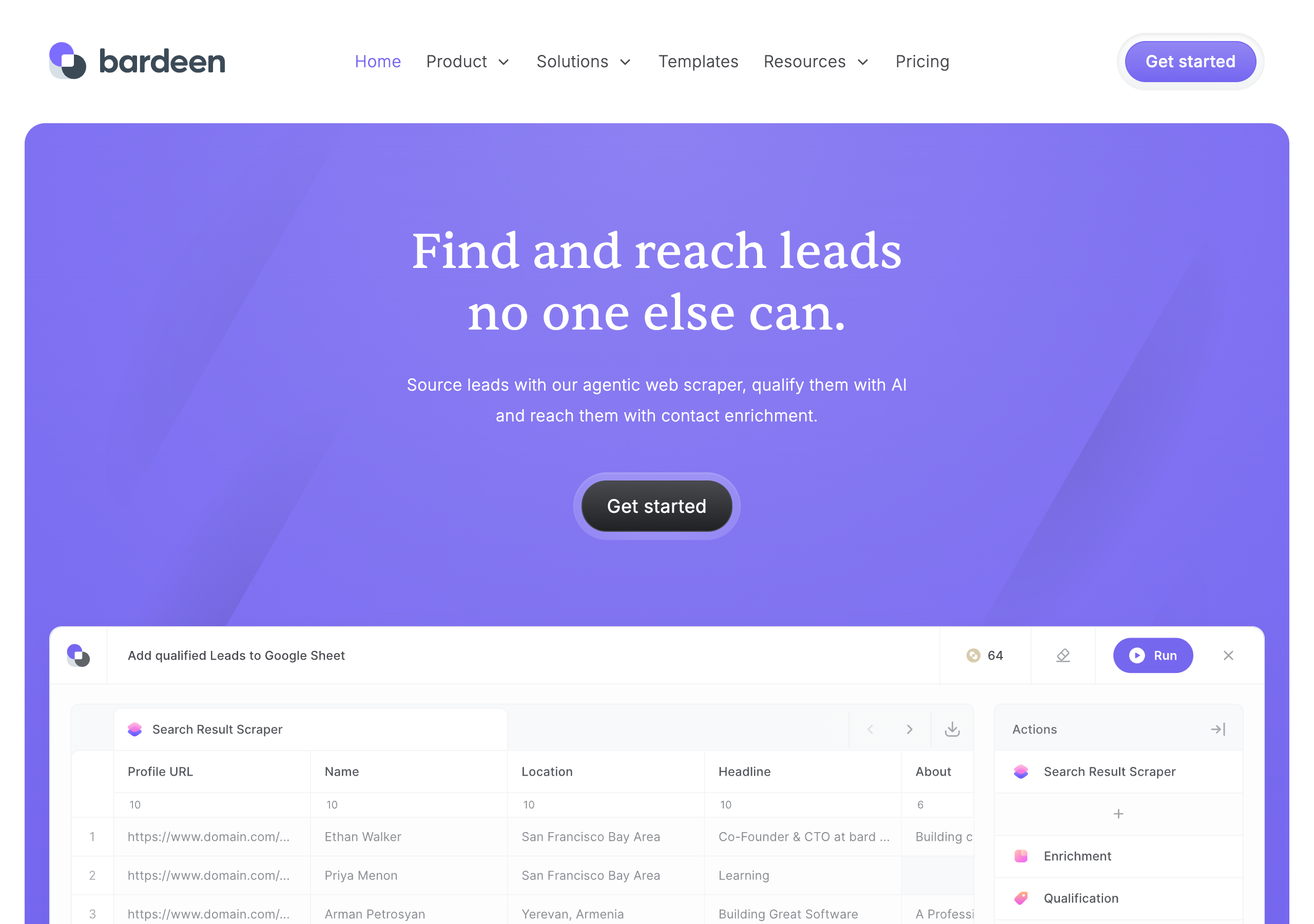
Bardeen is an AI-powered lead sourcing platform that helps sales teams and solopreneurs find, qualify, and reach leads through agentic web scraping, AI-driven research, and contact enrichment. It runs as a browser extension that can extract data from any website, research leads at scale using AI and web search, enrich contacts with verified emails and phone numbers, and qualify leads against your ideal customer profile. Results export to Google Sheets, Airtable, Notion, or CSV. Bardeen offers premium scrapers for popular sites and lets users build custom scrapers without code. The platform is SOC 2 Type II, GDPR, and CASA Tier 2 and 3 certified. While it's a strong tool for lead generation workflows, it's primarily focused on scraping and enrichment rather than general-purpose workflow automation — and it doesn't offer human-in-the-loop controls to review AI actions before they execute.
✅ Pros
• Powerful web scraping: Agentic scraper that can extract data from virtually any website, with premium pre-built scrapers for popular platforms.
• End-to-end lead pipeline: Combines scraping, AI research, contact enrichment, and lead qualification in a single tool.
• AI-powered qualification: Describe your ideal lead in plain language and let AI prioritize which prospects to pursue.
• Enterprise-grade security: SOC 2 Type II, GDPR, and CASA Tier 2 and 3 certified for confident use at scale.
❌ Cons
• Narrow focus on lead gen: Primarily built for scraping and enrichment — not a general-purpose automation or workflow tool.
• Credit-based pricing adds up: Enrichment costs 3 credits per row, and unused credits expire at the end of each billing period.
• No human-in-the-loop controls: Lacks built-in approval or review steps to verify AI-driven actions before they execute.
• Browser extension dependency: Requires a Chrome extension to run, which limits flexibility compared to cloud-native platforms.
💰 Pricing
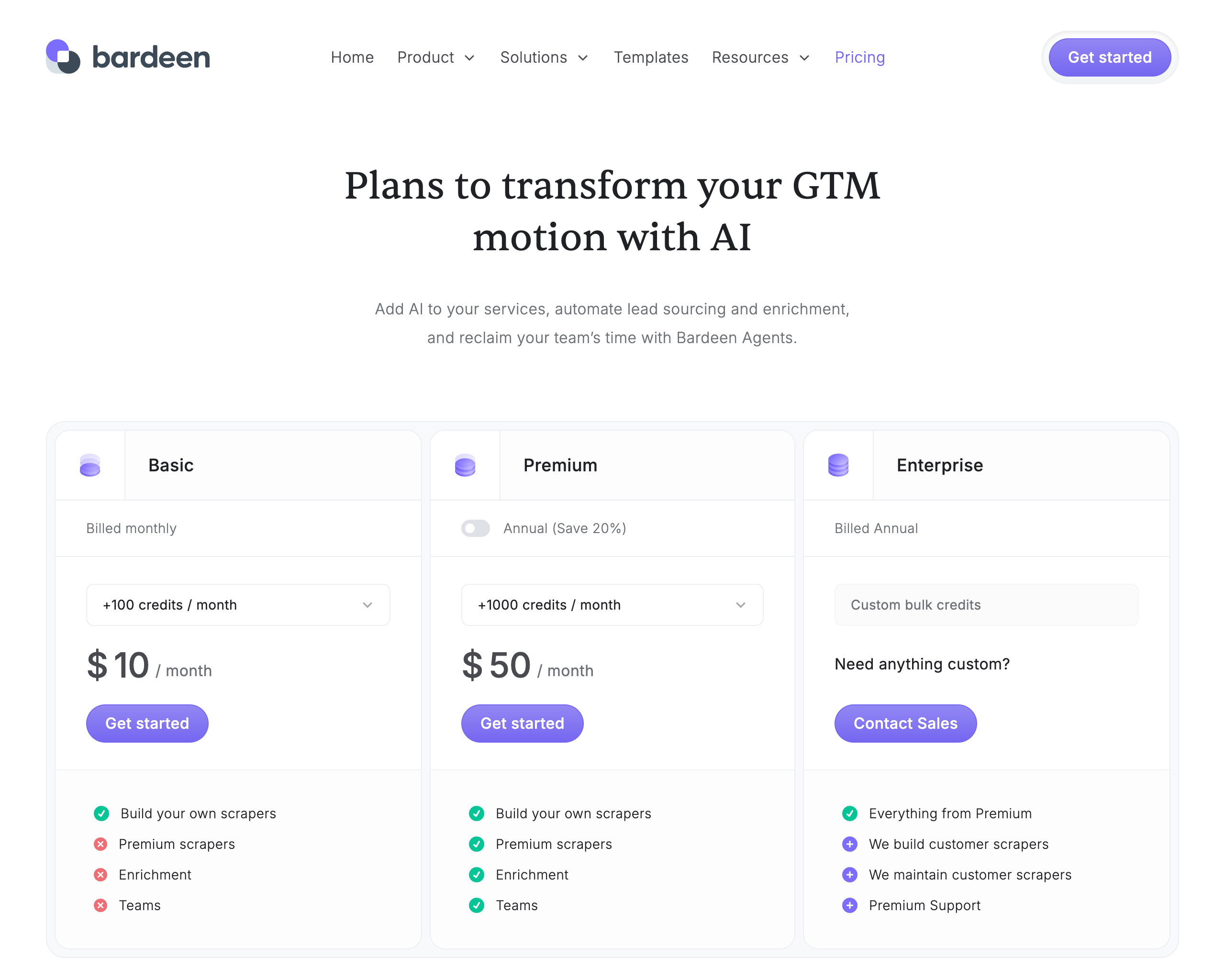
• Basic: $10/month – 100 credits/mo, build your own scrapers (no premium scrapers, enrichment, or teams)
• Premium: $50/month ($480/year) – 1,000 credits/mo, premium scrapers, enrichment, and teams
• Enterprise: Custom pricing (annual) – custom bulk credits, Bardeen builds and maintains scrapers for you, premium support
• 100 free credits included with all plans. Credits: 1 per scraper/search/AI row, 3 per enrichment row. Unused credits expire monthly.
Takeaway
Bardeen is a solid choice for sales teams and solopreneurs who need to scrape leads from the web, enrich contacts, and qualify prospects with AI — all in one tool. Its agentic web scraper and built-in enrichment pipeline make it particularly strong for lead generation workflows. However, if you need a more versatile automation platform that goes beyond lead sourcing — with an easy-to-use interface and human-in-the-loop controls to review what your AI agents do — Relay.app is the better fit.
9.
n8n
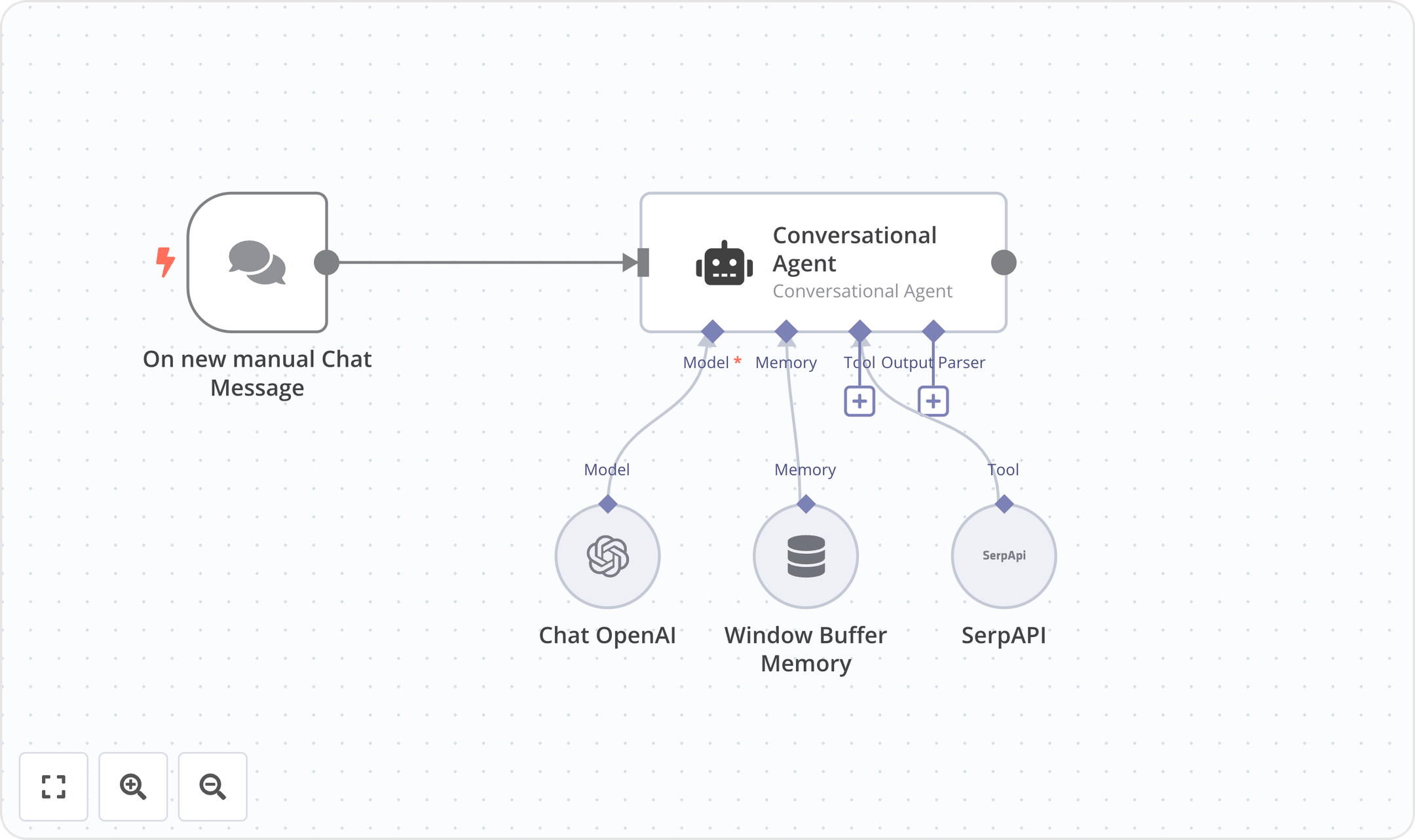
n8n is an open-source workflow automation platform built for technical teams. It combines a visual workflow editor with the ability to write custom JavaScript or Python code, giving users flexibility to build automations their way. With 500+ integrations, 1,700+ templates, and self-hosting options (via Docker or from GitHub), n8n supports use cases across IT Ops, DevOps, SecOps, and Sales. The platform features an AI Workflow Builder, debugging tools with single-step re-runs, and enterprise capabilities including SSO/SAML/LDAP, version control via Git, RBAC, and audit logging. Trusted by companies like Delivery Hero, Vodafone, Microsoft, Meta, and Wayfair, n8n boasts 179k+ GitHub stars and a 200k+ member community.
✅ Pros
Code + no-code flexibility: Write JavaScript or Python alongside a visual UI editor — no need to choose one or the other.
Self-hosting available: Deploy with Docker and access the full source code on GitHub for complete data control.
Execution-based pricing: Pay per full workflow run, not per step or task, making costs more predictable.
Large open-source community: 179k+ GitHub stars and 200k+ community members providing templates and support.
❌ Cons
Steeper learning curve: Best suited for technical users — non-technical team members may struggle with the code-oriented approach.
Limited support on lower tiers: Dedicated support with SLA is only available on the Enterprise plan.
Self-hosted complexity: Self-hosting requires managing your own infrastructure, updates, and scaling.
Big pricing jump to Business: Significant leap from €50/mo (Pro) to €667/mo (Business), which may be steep for growing teams.
💰 Pricing
Community Edition: Free — self-hosted via GitHub, standard features
Starter: €20/mo (billed annually) — 2.5K executions, 5 concurrent executions, unlimited users, 1 shared project, 50 AI Builder credits, forum support
Pro: €50/mo (billed annually) — Custom executions, 20 concurrent executions, 3 shared projects, 150 AI Builder credits, admin roles, global variables, workflow history, 7-day insights
Business: €667/mo (billed annually) — 40K executions (self-hosted), 6 shared projects, SSO/SAML/LDAP, Git version control, environments, 30-day insights, scaling options
Enterprise: Contact Sales — Custom executions, 200+ concurrent, unlimited shared projects, 1,000 AI Builder credits, external secret store, log streaming, extended data retention, 365 days of insights, dedicated support with SLA, invoice billing
Startup Plan: 50% off Business for companies with fewer than 20 employees

Takeaway
n8n is a top choice for technical teams that want the power of code with the convenience of a visual workflow builder. Its open-source DNA, self-hosting option, and execution-based pricing model set it apart from competitors like Zapier and Make. The platform shines for IT Ops, DevOps, and SecOps automation where data control and customization matter most. Teams should be comfortable with a more technical setup, and smaller teams should note the significant price jump to access enterprise-grade features like SSO and Git version control on the Business plan. For teams that want a simpler, more accessible automation experience — especially with built-in human-in-the-loop controls — Relay.app is worth considering as an easier-to-use alternative.
10.
Bardeen
Bardeen is an AI-powered lead sourcing platform that helps sales teams and solopreneurs find, qualify, and reach leads through agentic web scraping, AI-driven research, and contact enrichment. It runs as a browser extension that can extract data from any website, research leads at scale using AI and web search, enrich contacts with verified emails and phone numbers, and qualify leads against your ideal customer profile. Results export to Google Sheets, Airtable, Notion, or CSV. Bardeen offers premium scrapers for popular sites and lets users build custom scrapers without code. The platform is SOC 2 Type II, GDPR, and CASA Tier 2 and 3 certified. While it's a strong tool for lead generation workflows, it's primarily focused on scraping and enrichment rather than general-purpose workflow automation — and it doesn't offer human-in-the-loop controls to review AI actions before they execute.
✅ Pros
• Powerful web scraping: Agentic scraper that can extract data from virtually any website, with premium pre-built scrapers for popular platforms.
• End-to-end lead pipeline: Combines scraping, AI research, contact enrichment, and lead qualification in a single tool.
• AI-powered qualification: Describe your ideal lead in plain language and let AI prioritize which prospects to pursue.
• Enterprise-grade security: SOC 2 Type II, GDPR, and CASA Tier 2 and 3 certified for confident use at scale.
❌ Cons
• Narrow focus on lead gen: Primarily built for scraping and enrichment — not a general-purpose automation or workflow tool.
• Credit-based pricing adds up: Enrichment costs 3 credits per row, and unused credits expire at the end of each billing period.
• No human-in-the-loop controls: Lacks built-in approval or review steps to verify AI-driven actions before they execute.
• Browser extension dependency: Requires a Chrome extension to run, which limits flexibility compared to cloud-native platforms.
💰 Pricing
• Basic: $10/month – 100 credits/mo, build your own scrapers (no premium scrapers, enrichment, or teams)
• Premium: $50/month ($480/year) – 1,000 credits/mo, premium scrapers, enrichment, and teams
• Enterprise: Custom pricing (annual) – custom bulk credits, Bardeen builds and maintains scrapers for you, premium support
• 100 free credits included with all plans. Credits: 1 per scraper/search/AI row, 3 per enrichment row. Unused credits expire monthly.
Takeaway
Bardeen is a solid choice for sales teams and solopreneurs who need to scrape leads from the web, enrich contacts, and qualify prospects with AI — all in one tool. Its agentic web scraper and built-in enrichment pipeline make it particularly strong for lead generation workflows. However, if you need a more versatile automation platform that goes beyond lead sourcing — with an easy-to-use interface and human-in-the-loop controls to review what your AI agents do — Relay.app is the better fit.
11.
Magical
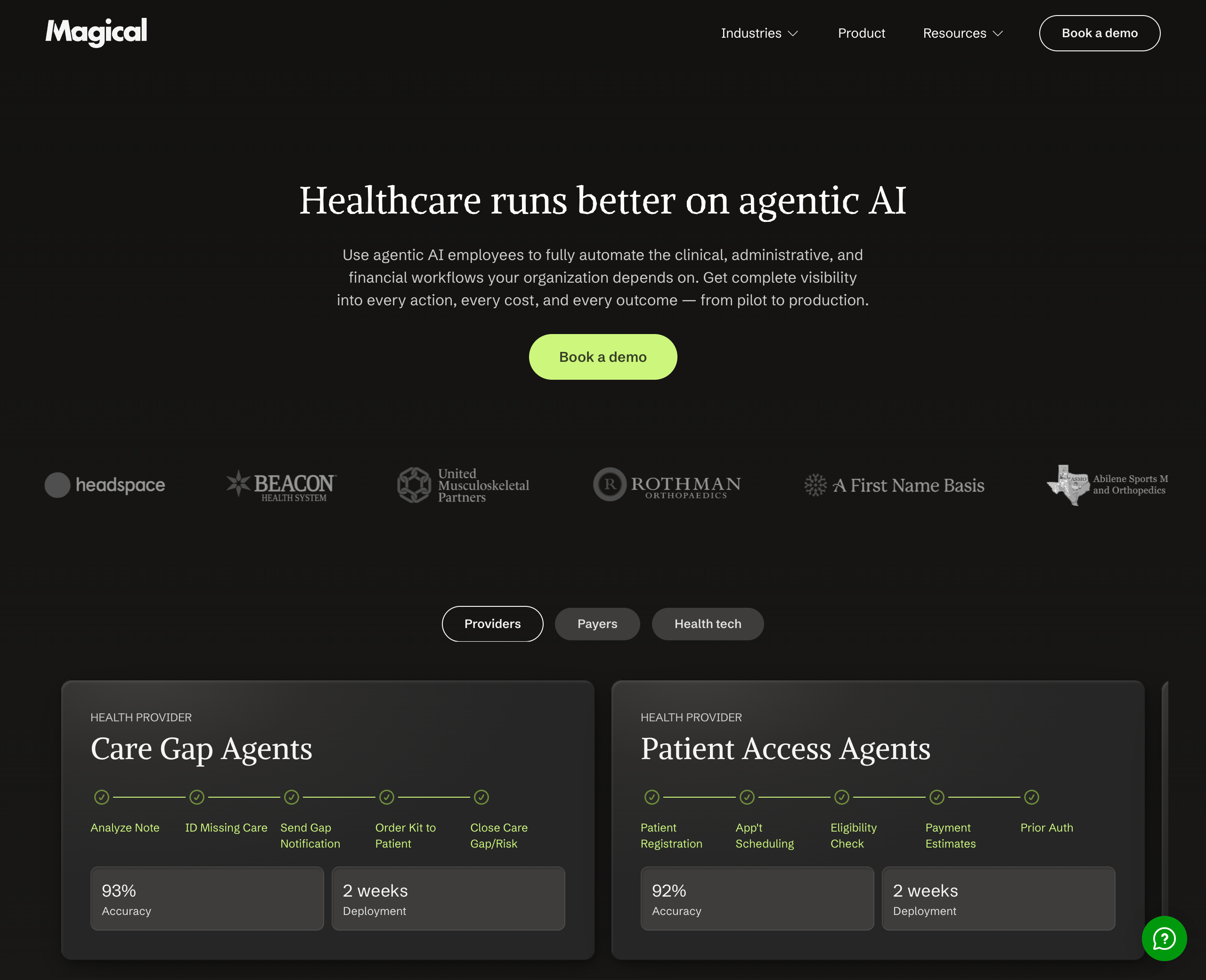
Magical is an agentic AI platform focused on healthcare that provides AI "employees" to automate clinical, administrative, and financial workflows. Originally known as a Chrome extension for text expansion and data transfer, Magical has pivoted to offering pre-built AI agents for healthcare organizations — covering use cases like care gap closure, patient access, billing and claims, denial management, A/R follow-up, credentialing, and pharmacy operations. The platform emphasizes full transparency with real-time action tracking, AI judges for built-in quality assurance, and an autonomous mode for running workflows at scale without human intervention.
✅ Pros
• Healthcare-specific AI agents: Pre-built agents for care gaps, billing, claims, denials, patient access, and more — tailored to healthcare workflows.
• Full transparency and auditability: Every action taken by an AI employee is tracked in real time with a complete audit trail.
• Built-in quality assurance: AI judges automatically score each action with a health rating based on accuracy and speed.
• Fast deployment: Agents can be deployed in as little as 2–6 weeks with no integrations required.
❌ Cons
• Healthcare-only focus: The agentic AI platform is built specifically for healthcare, making it unsuitable for general business automation needs.
• No self-serve pricing: Requires booking a demo for pricing — no transparent plans or free tier for the AI employee product.
• No human-in-the-loop controls: Emphasizes fully autonomous AI agents without built-in review or approval steps before actions are taken.
• Enterprise-oriented: Designed for healthcare organizations at scale, which may be overkill for smaller teams or simpler workflows.
💰 Pricing
Magical's healthcare agentic AI platform uses custom enterprise pricing — you need to book a demo to get a quote. For the legacy Chrome extension product, Magical offered a Free tier with limited text expansions and automations, and a paid Core plan available on monthly or annual billing. Specific pricing details for the Core plan are not publicly listed.
Takeaway
Magical is a solid option if you're a healthcare organization looking to automate complex clinical and administrative workflows with AI agents. However, its narrow healthcare focus and lack of self-serve pricing make it a non-starter for general-purpose automation. If you need a flexible, easy-to-use AI agent builder that works across industries — with human-in-the-loop controls to keep you in charge — Relay.app is a more versatile choice.
12.
Integrately
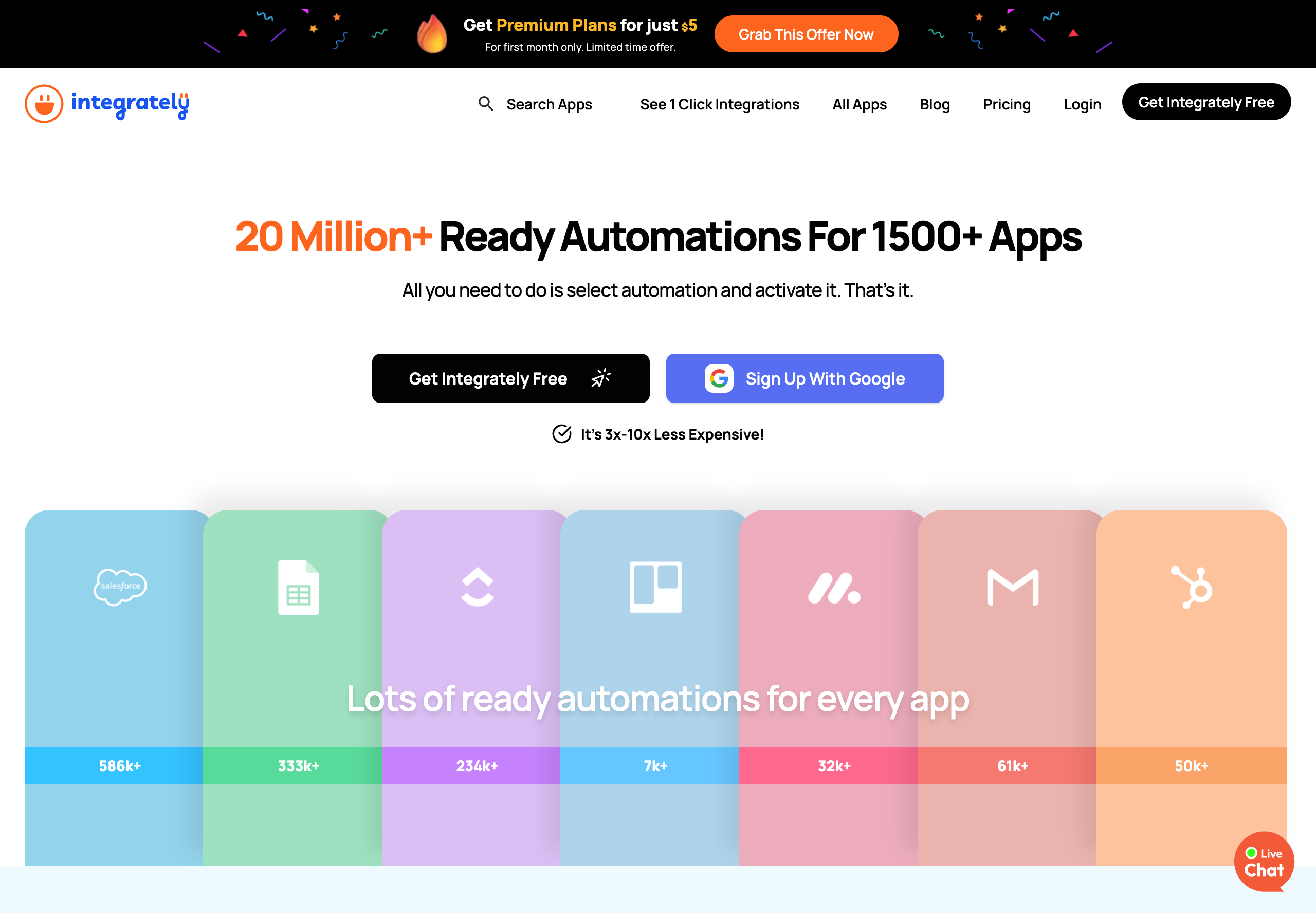
Integrately is an automation platform that connects 1,500+ apps through a library of over 20 million pre-built automations. Its core selling point is simplicity — users select an automation from the library, connect their accounts, and activate it in just a few clicks. Integrately features SmartConnect, which automatically configures app connections for you, and positions itself as 3x–10x less expensive than competitors like Zapier and Make. The platform supports multi-step workflows, conditional logic, branching, webhooks, and a scheduler on paid plans. It's trusted by 42,000+ customers and has earned recognition as a top-rated integration platform on G2. However, it lacks built-in human-in-the-loop controls, meaning there's no way to add review or approval steps before automated actions execute.
✅ Pros
• Massive pre-built automation library: Over 20 million ready-made automations across 1,500+ apps — just select and activate.
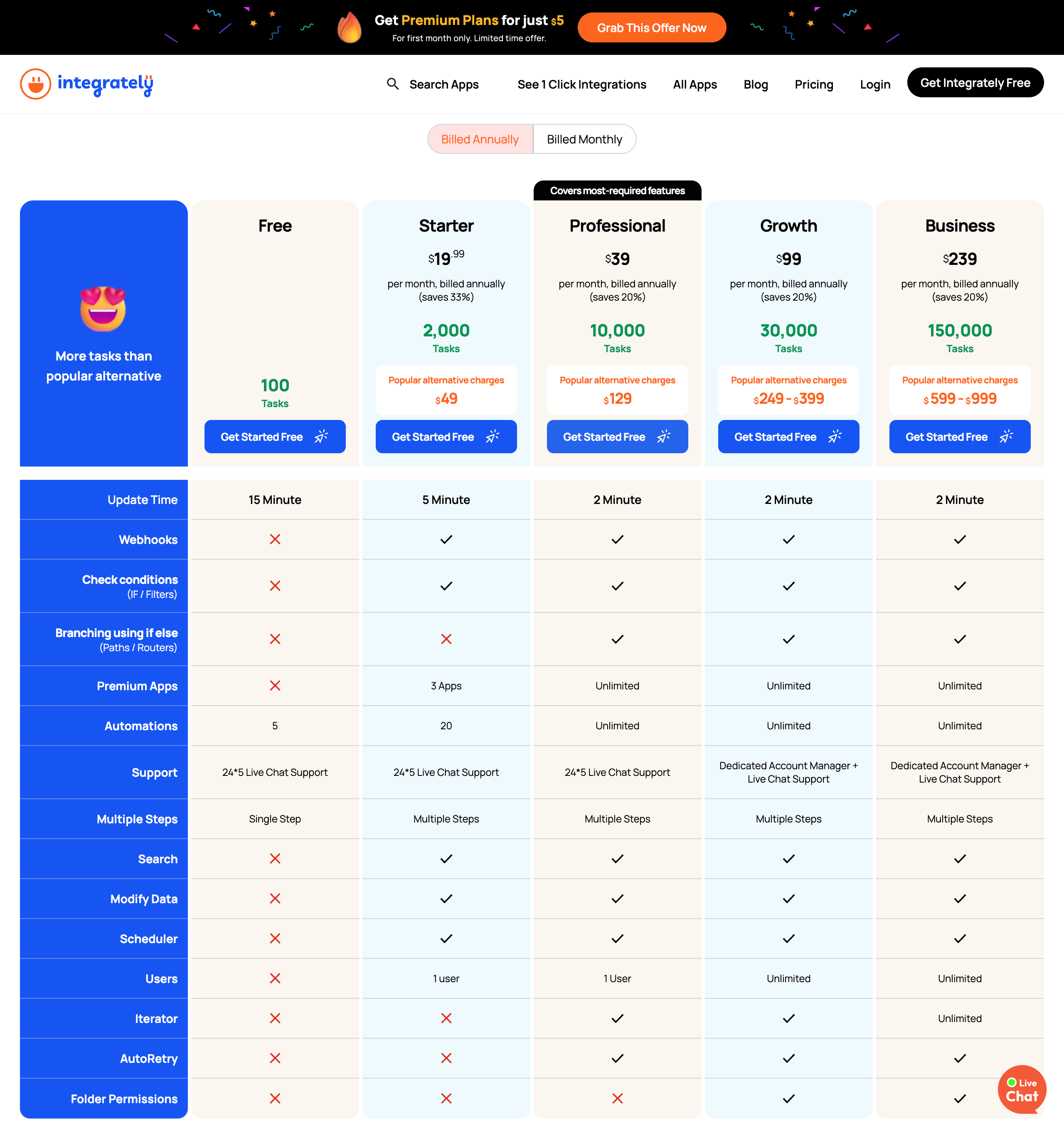
• Aggressive pricing: Plans start at $19.99/mo (billed annually), significantly undercutting Zapier and Make for comparable task volumes.
• SmartConnect feature: Automatically configures app connections so users don't have to map fields or set up triggers manually.
• Free triggers: Unlike Make, Integrately doesn't count trigger checks as tasks, which can result in dramatically lower task consumption.
❌ Cons
• No human-in-the-loop controls: Lacks built-in approval or review steps, so there's no way to verify actions before they execute.
• Limited advanced workflow capabilities: Features like branching and auto-retry are locked to higher-tier plans.
• No AI agent capabilities: Focused purely on traditional app-to-app integrations with no native AI or LLM features.
• Single-user on lower plans: Team collaboration requires the Growth plan ($99/mo) or above for multiple users.
💰 Pricing
• Free: $0/month – 100 tasks, 5 automations, single-step only, 15-min update time
• Starter: $19.99/month (billed annually) – 2,000 tasks, 20 automations, multi-step, webhooks, 3 premium apps, 1 user
• Professional: $39/month (billed annually) – 10,000 tasks, unlimited automations, branching, iterator, auto-retry, 1 user
• Growth: $99/month (billed annually) – 30,000 tasks, unlimited everything, dedicated account manager, unlimited users
• Business: $239/month (billed annually) – 150,000 tasks, unlimited everything, dedicated account manager
Takeaway
Integrately is a solid budget-friendly alternative to Zapier and Make for straightforward app-to-app integrations. Its massive library of pre-built automations and lower per-task pricing make it appealing for users who want simple, cost-effective workflows. However, it's focused purely on traditional integrations — there are no AI agent capabilities or human-in-the-loop controls. If you need to build intelligent, AI-powered workflows where you can review and approve actions before they happen, Relay.app is a better choice — it combines ease of use with agentic AI features and built-in human oversight that Integrately doesn't offer.
13.
Albato
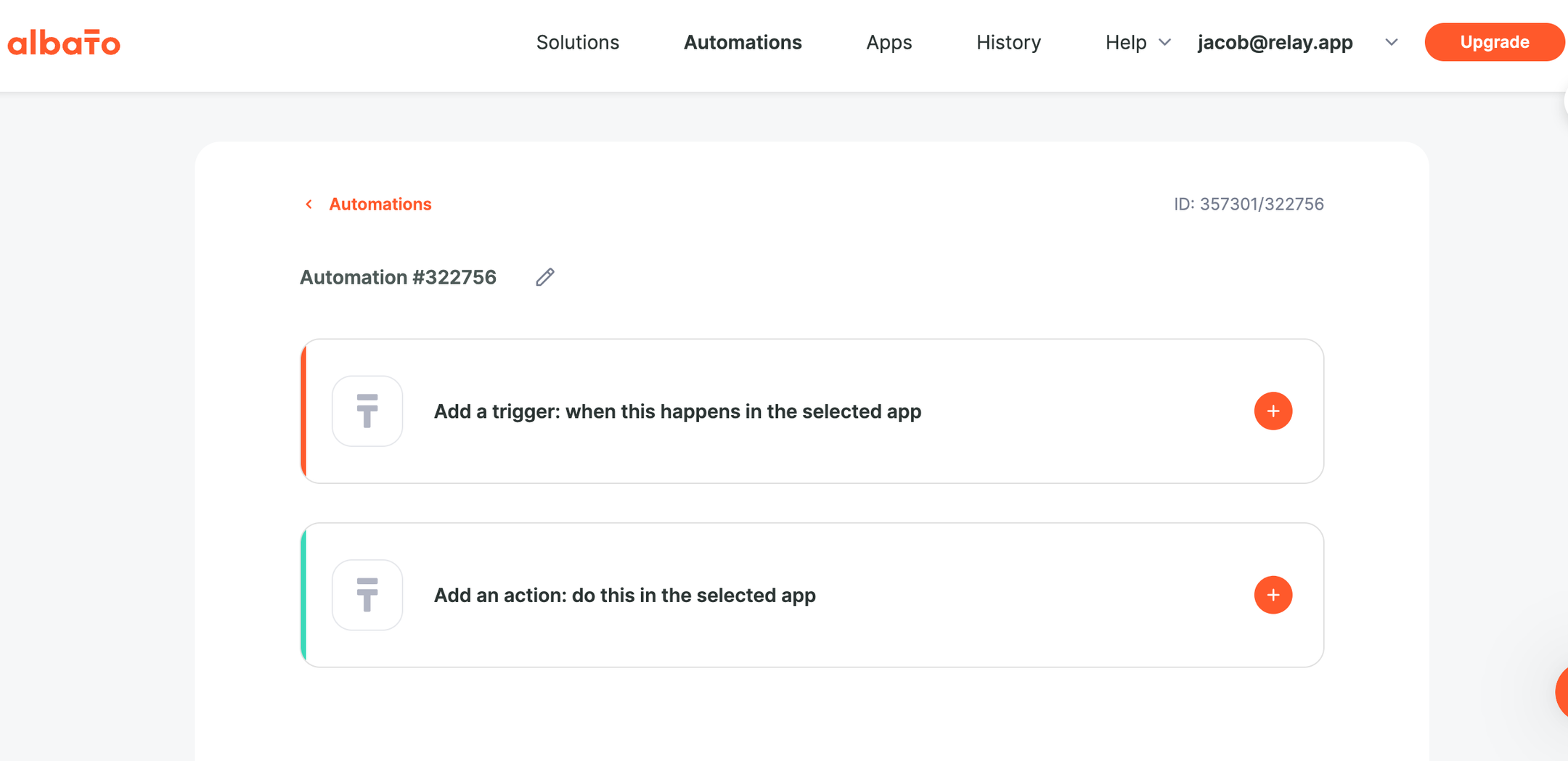
Albato is an AI-driven no-code integration platform (iPaaS) that connects 1,000+ apps and offers 20+ built-in automation tools including routers, webhooks, filters, and JSON parsing. The platform emphasizes affordability, positioning itself as a cost-effective alternative to Zapier and Make — claiming 60% lower automation costs. Albato includes AI integrations with ChatGPT, Gemini, Claude, and other models directly within workflows, plus a custom App Integrator that lets users connect any API without code. It also offers a white-label embedded integration product for SaaS companies. Trusted by over 200,000 users, Albato has won Product Hunt Golden Kitty recognition and G2 High Performer badges.
✅ Pros
Very affordable pricing: Plans start at $15/mo (annual), significantly cheaper than Zapier or Make for similar transaction volumes.
Clean, beginner-friendly UI: Users consistently praise the intuitive interface and visual workflow builder as easy to pick up.
Custom App Integrator: Connect any API without code — helpful for niche tools not in the native library.
Responsive human support: Live chat with fast response times and a team that actively incorporates user feedback.
❌ Cons
Smaller integration library: 1,000+ apps is solid but trails Zapier (8,000+) and Make (3,000+) significantly.
Transaction-based billing adds up: Each automation step counts as a transaction, which can deplete allowances faster than expected.
Documentation gaps: Help resources and advanced feature docs could be more comprehensive.
Teams plan still "coming soon": Collaboration features like roles, invites, and shared workspaces aren't fully available yet.
💰 Pricing
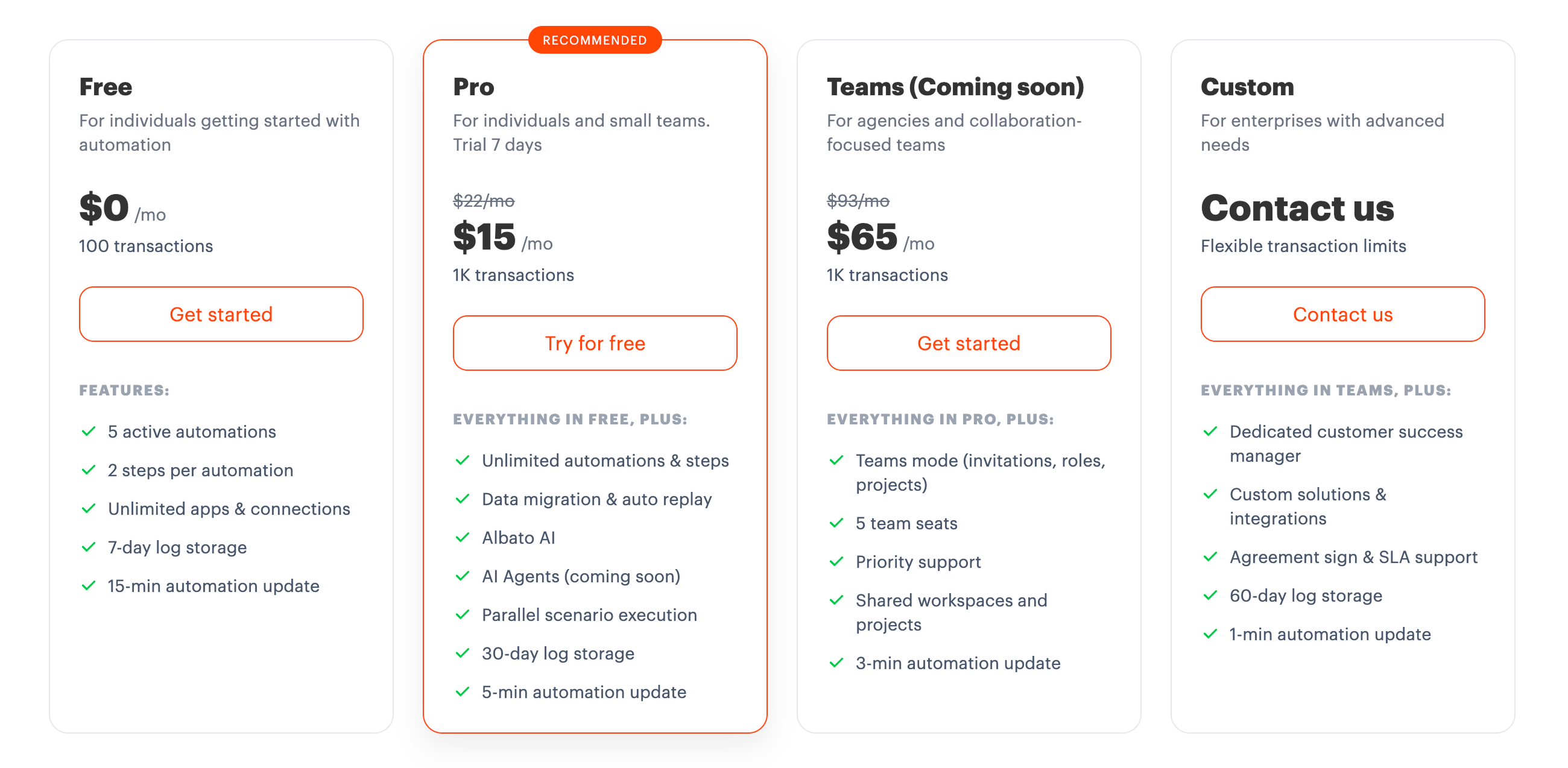
Free: $0/month – 100 transactions, 5 active automations, 2 steps per automation, 7-day log storage.
Pro: $15/month (billed annually) / $22/month (billed monthly) – 1K+ transactions (scalable up to 2M), unlimited automations & steps, Albato AI, 5-min update interval.
Teams (Coming soon): $65/month (billed annually) / $93/month (billed monthly) – 5 team seats, priority support, roles & shared workspaces, 3-min update interval.
Custom: Contact sales – dedicated CSM, custom integrations, SLA support, 1-min update interval.
Takeaway
Albato is a budget-friendly Zapier alternative that punches above its weight with a clean UI, custom API support, and AI-powered workflow tools. It's a solid option for cost-conscious individuals and small teams running straightforward automations. However, its smaller app library and still-developing team features mean it may not scale as smoothly for collaborative or complex use cases. If you want an equally easy-to-use platform with stronger AI agent capabilities and built-in human-in-the-loop controls, Relay.app offers a more future-ready experience.
14.
Pabbly Connect
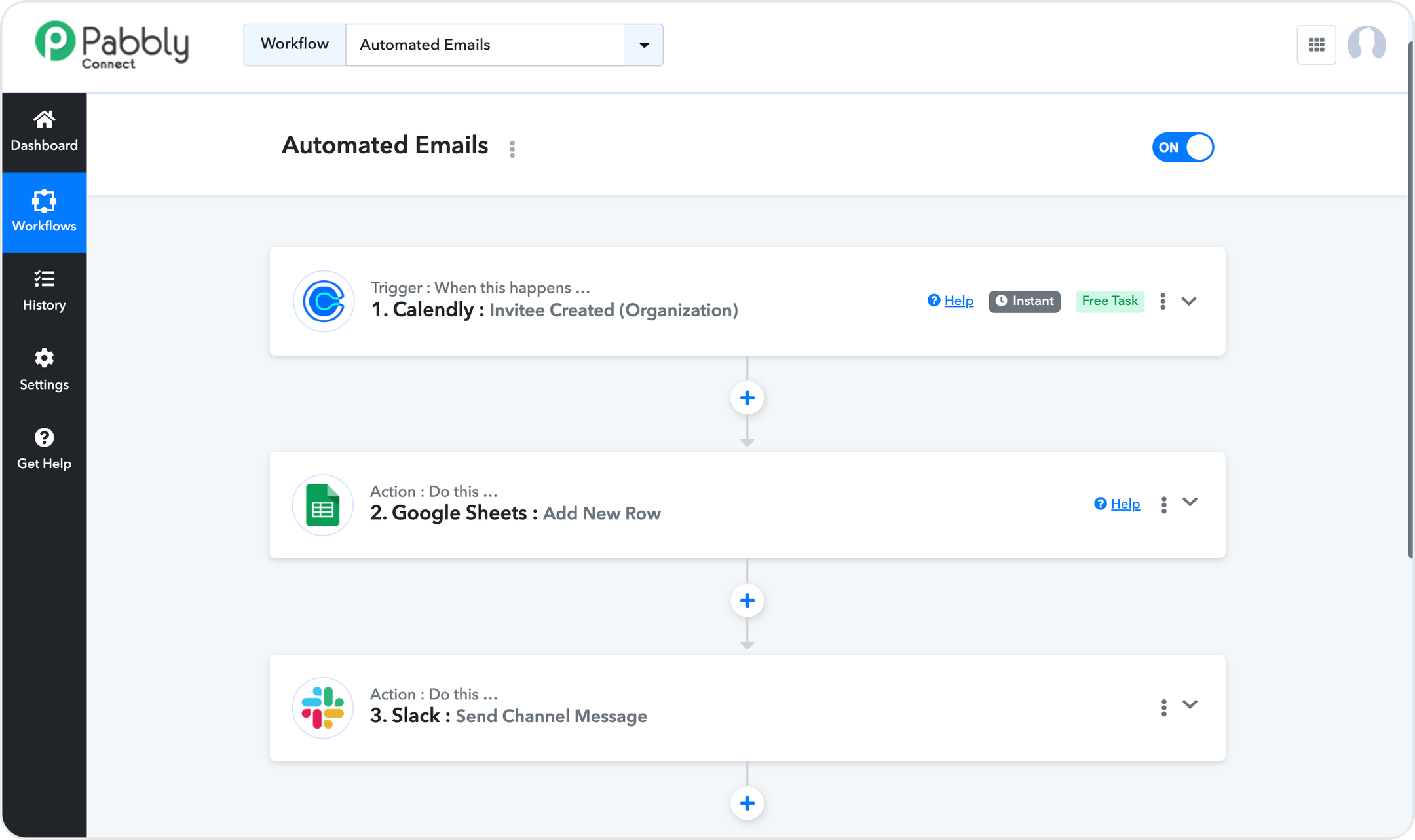
Pabbly Connect is a no-code automation platform that connects 2,000+ apps with a focus on affordability and generous task counting. Its standout feature is that triggers and internal steps (filters, routers, formatters) are free — only action steps consume your task quota, which means your monthly allowance stretches significantly further than competitors like Zapier or Make. Pabbly offers multi-step workflows, scheduling, delays, iterators, path routers, and even JavaScript/Python code modules. The platform also includes an AI Assistant and MCP server support. Pabbly is particularly popular for its lifetime deal option ($349 one-time payment), making it one of the most cost-effective automation tools on the market. It's SOC2 Type 2 and ISO 27001:2022 certified, and trusted by 14,000+ businesses.
✅ Pros
• Extremely affordable pricing with a unique lifetime deal option that no major competitor offers.
• Free triggers and internal steps — only action steps count toward your task quota, stretching your plan much further.
• Unlimited plan available with unlimited tasks, workflows, team members, and premium apps in a single plan.
• No feature gating across plans — routers, premium apps, and advanced features are included on every tier.
❌ Cons
• Smaller integration library — 2,000+ apps is solid but well behind Zapier's 8,000+ and Make's 3,000+.
• UI feels dated compared to newer, more polished platforms like Relay.app.
• AI capabilities are basic — the AI Assistant is limited compared to dedicated AI agent builders.
• Limited team collaboration features — team member access is restricted on monthly plans.
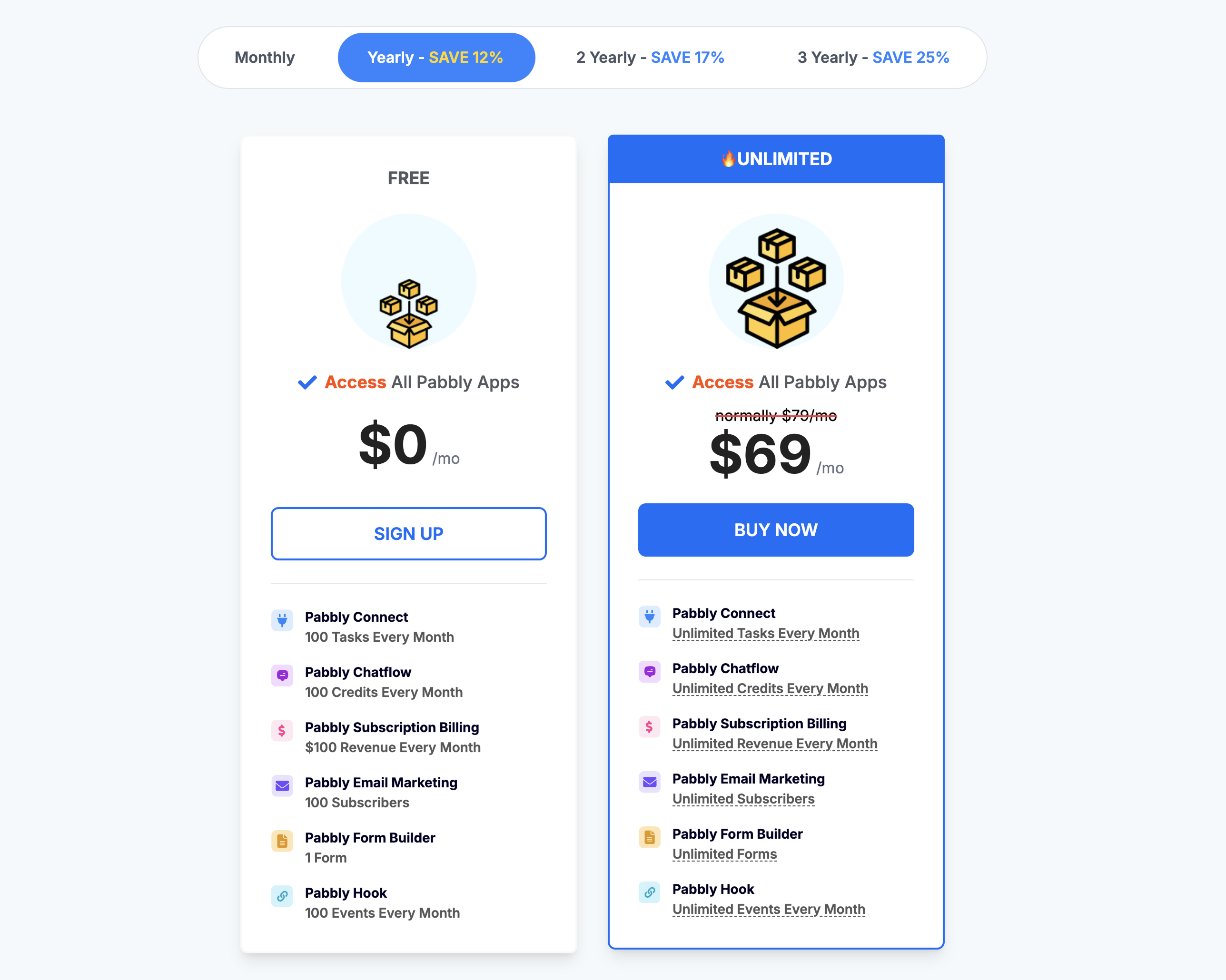
💰 Pricing
Free: $0/mo — 100 tasks/month, unlimited workflows and operations
Standard: $19/mo ($14/mo on 3-year plan) — 10,000 tasks/month
Unlimited: $79/mo ($59/mo on 3-year plan) — Unlimited tasks/month
Lifetime Deal: $349 one-time payment — 10,000 tasks/month with lifetime access
Takeaway
Pabbly Connect is hard to beat on pure cost-per-task value, especially with its lifetime deal and free internal steps. It's a solid choice for budget-conscious teams running high-volume, straightforward automations. However, its integration library is smaller, its UI is less modern, and its AI features are minimal compared to purpose-built platforms. If you need an easier setup experience with stronger AI capabilities — especially for building AI agents — tools like Relay.app offer a more polished and future-ready alternative.
15.
IFTTT
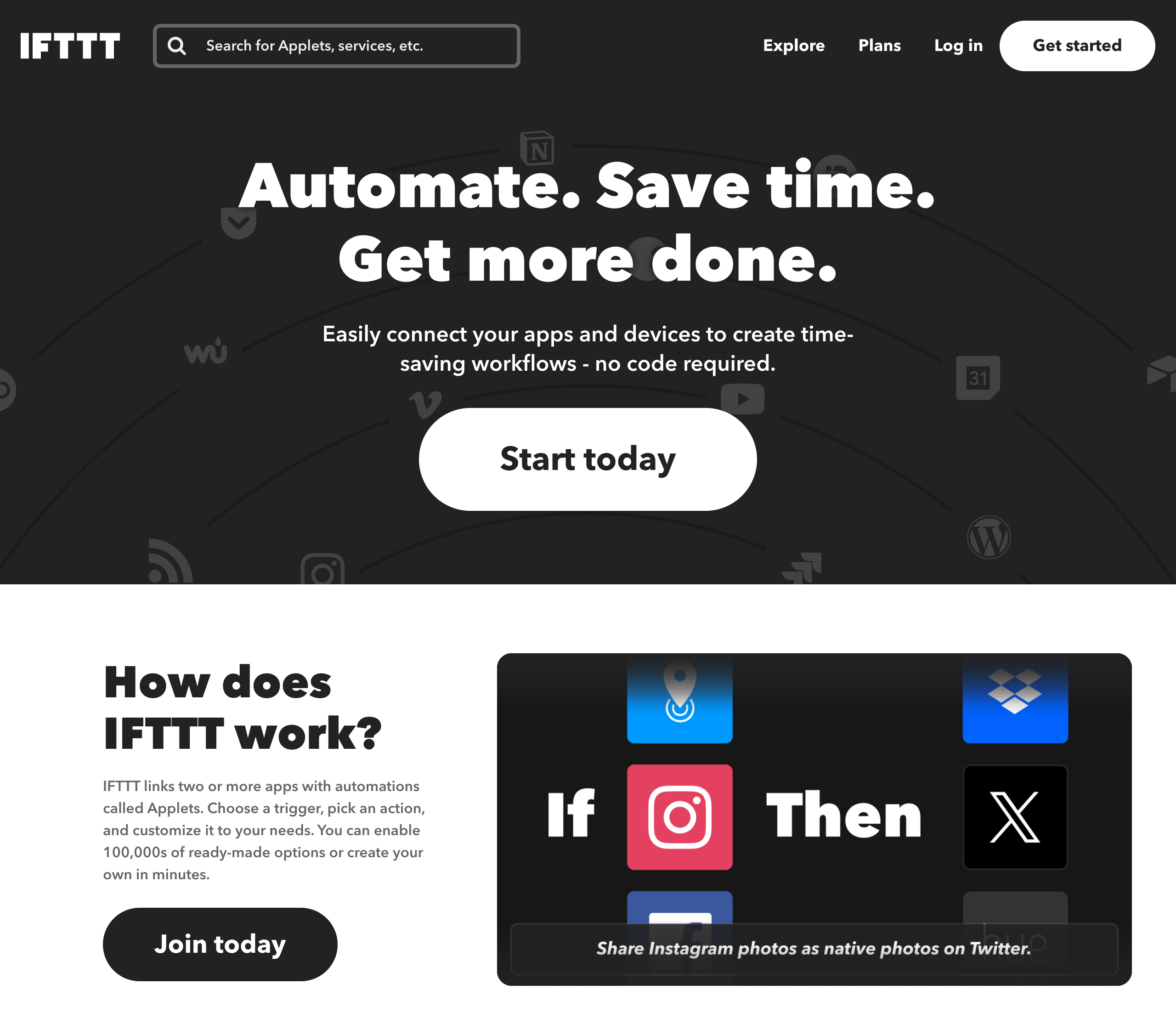
IFTTT is a no-code automation platform that connects apps and devices into automated workflows called Applets. With 1,000+ supported services, it's one of the most broadly connected tools on the market — spanning social media, smart home devices, productivity apps, and AI services like ChatGPT and Claude. Features include a simple Applet builder for creating multi-step automations, a vast library of community-built Applet templates, AI-powered capabilities for summarizing, transforming, and translating information, and customization options using filter code, queries, and conditions. IFTTT also offers highly rated mobile apps for iOS and Android with 10M+ downloads.
✅ Pros
• Massive integration library: Connects to 1,000+ apps and services across social media, smart home, productivity, and AI.
• Huge template library: Millions of pre-built Applets from the community, ready to enable in a minute or less.
• Strong mobile experience: Highly rated iOS and Android apps with 10M+ downloads and App Store Editor's Choice.
• Built-in AI capabilities: Native AI services including ChatGPT, Claude, AI Summarizer, and AI Social Creator.
❌ Cons
• Very limited free plan: The free tier only allows 2 Applets, which is extremely restrictive for most users.
• No human-in-the-loop controls: Lacks built-in approval or review steps before automated actions execute.
• Consumer-oriented: While it supports business use cases, it's primarily designed for personal and smart home automation.
• Advanced features locked to Pro+: Multi-step automations, filter code, queries, and AI services all require the highest-tier plan.
💰 Pricing
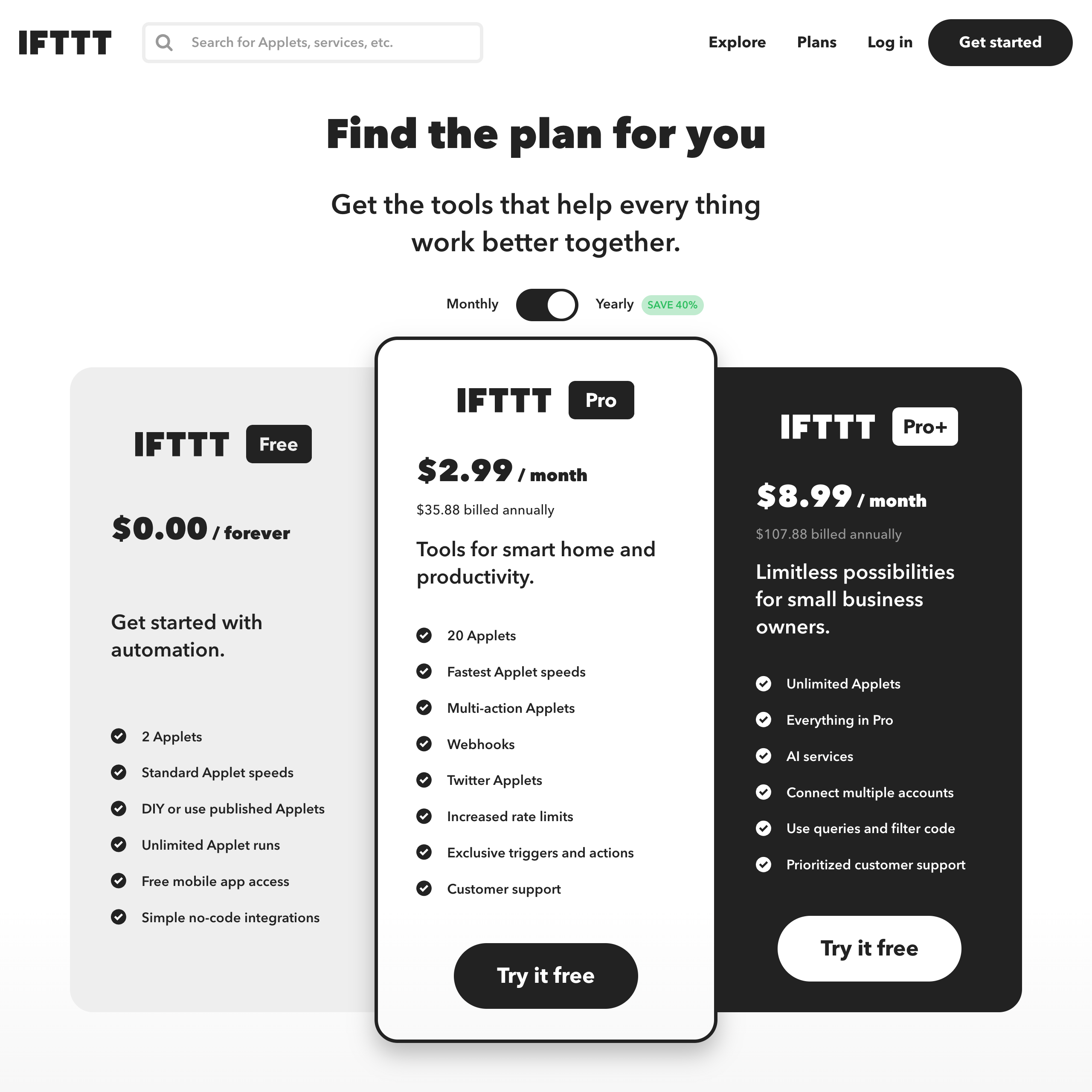
• Free: $0/forever – 2 Applets, standard speeds, unlimited runs
• Pro: $2.99/month (billed annually) – 20 Applets, fastest speeds, multi-action Applets, webhooks
• Pro+: $8.99/month (billed annually) – Unlimited Applets, AI services, filter code, queries, multiple accounts per service
Takeaway
IFTTT is one of the most widely connected automation platforms available, especially strong for social media and smart home use cases. Its massive library of pre-built Applets makes it easy to get started quickly. However, the free plan is very limited at just 2 Applets, and the platform lacks human-in-the-loop controls for reviewing or approving actions before they run. If you need AI-powered workflow automation with built-in oversight and approval steps, Relay.app gives you more control and makes it easy to build agentic workflows in plain language.
How to make your choice
Still not sure which platform to pick? Here's a breakdown of our picks based on what you value most in a workflow automation tool.
All-around top picks
1. Relay.app: the most modern, and easiest to use automation tool with the best support for AI and human-in-the-loop worklows.
2. Zapier: the largest set of integrations with over 7000.
3. Make: a powerful and flexible tool for expert users.
Enterprise platforms
4. Workato: enterprise-grade workflow automation for IT teams.
5. Tray.ai: enterprise-grade solution of IT and engineering teams.
6. Microsoft Power Automate: a built-in option for Microsoft users.
Tools for engineers (including self-hosted and open source)
7. ActivePieces: an open-source option that you can extend.
8. Pipedream: flexible platform, designed for engineers.
9. n8n: self-hosted option for developers and technical users
Browser-based tools
10. Bardeen: AI powered browser extension for modern RPA.
11. Magical: AI extension focused on data entry.
Discount options
12. Integrately: more reasonably priced Zapier alternative
13. Albato: another reasonably priced Zapier alternative
14. Pabbly Connect: value provider focused on lifetime deals
Home and mobile automation
15. IFTTT: original leader, now focused on consumer use cases.
The bottom line
Workflow automation is awesome. It will save you many hours per week of your most tedious mundane tasks. If you're ready to get started, give Relay.app a try for free today!
FAQs
How does Relay.app's pricing work?
What's the easiest workflow automation tool for non-technical users?
How does Relay.app compare to Zapier for AI automation?
What's the best AI automation tool for small businesses and solopreneurs?
What is human-in-the-loop automation and why is it important for AI workflows?
What is the difference between Make and Zapier?
